Mastering MD Trajectory Analysis: Best Practices and Cutting-Edge Visualization for Drug Discovery
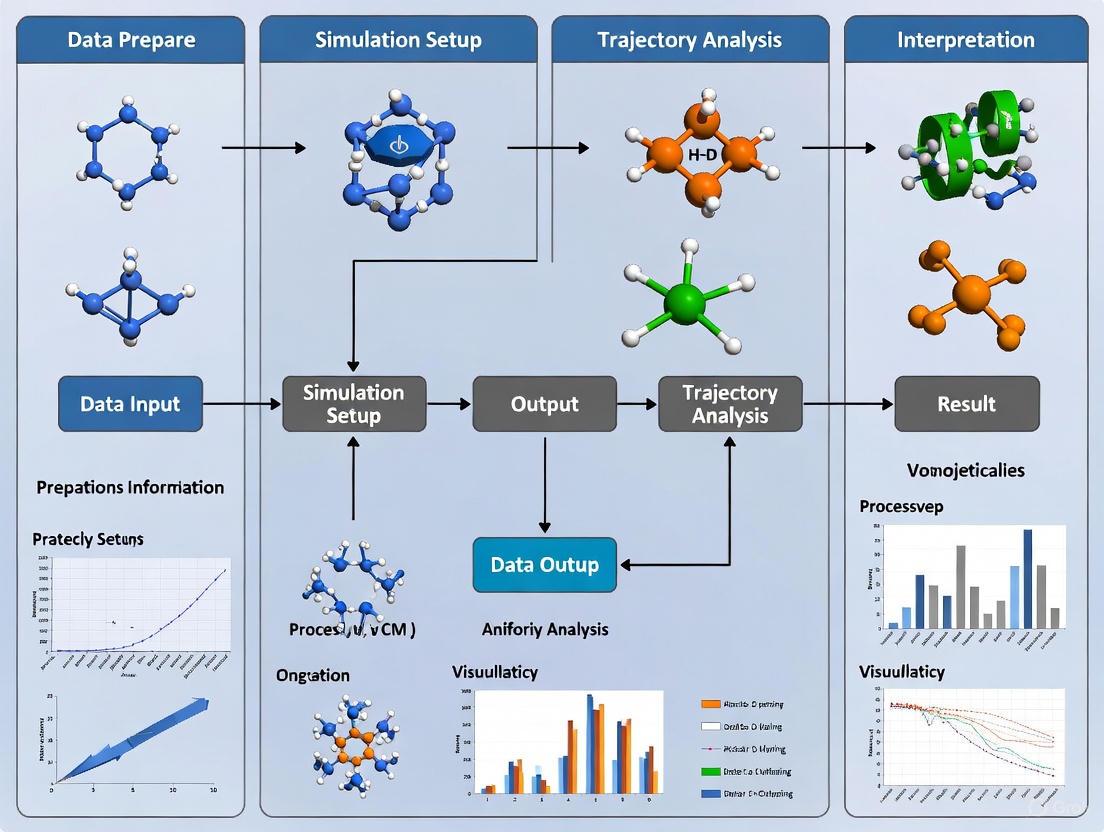
This comprehensive guide addresses the critical challenges in molecular dynamics (MD) trajectory analysis faced by researchers and drug development professionals.
Mastering MD Trajectory Analysis: Best Practices and Cutting-Edge Visualization for Drug Discovery
Abstract
This comprehensive guide addresses the critical challenges in molecular dynamics (MD) trajectory analysis faced by researchers and drug development professionals. As MD simulations generate increasingly massive datasets from complex biological systems, effective analysis and visualization become paramount for extracting meaningful insights. The article covers foundational principles of MD analysis, practical methodologies using modern tools like MDAnalysis and X3DNA, optimization techniques for handling large-scale data, and validation approaches to ensure scientific rigor. By integrating established best practices with emerging trends in AI-powered analysis and immersive visualization, this resource provides a structured framework for accelerating biomedical research and therapeutic development through robust MD data interpretation.
Understanding MD Trajectory Fundamentals: From Raw Data to Biological Insights
The Growing Challenge of MD Data Complexity in Modern Research
Molecular Dynamics (MD) simulation has become an indispensable tool in modern scientific research, from drug development to materials science. The core of MD involves constructing a particle-based description of a system and propagating it to generate a trajectory—a sequence of stored configurations or "frames" that describe its evolution over time [1]. As hardware innovations have made microsecond-length simulations routine, researchers now regularly grapple with trajectories comprising millions of frames, creating a massive data challenge [2] [1]. This data deluge complicates every step, from storage and processing to analysis and interpretation. This application note addresses these challenges by providing structured protocols and best practices for managing and extracting meaningful insights from complex MD data within the broader context of trajectory analysis and visualization research.
The Data Complexity Landscape
The complexity of modern MD data stems from multiple interconnected factors. The sheer volume of data generated poses significant storage and computational hurdles, with systems now routinely containing hundreds of thousands to millions of atoms [1]. This is compounded by the multidimensional nature of the data, where each frame contains spatial coordinates for all particles, and the temporal dimension adds another layer of complexity as researchers seek to understand dynamic processes occurring across multiple timescales [1]. Furthermore, data often exists in silos across various systems, hindering integration and unified analysis—a challenge recognized across data-intensive fields [3].
Effective management of this complexity requires more than just computational resources; it demands systematic approaches to data reduction, feature selection, and intelligent sampling. Without these strategies, researchers risk either being overwhelmed by data volume or missing crucial biological insights through inadequate sampling of conformational space.
Essential Visualization Software
Choosing appropriate visualization tools is crucial for interpreting MD trajectories. The table below compares popular visualization programs capable of handling MD data:
Table 1: Molecular Visualization Software for MD Trajectories
| Software | Trajectory Format Support | Key Features | Platform Compatibility |
|---|---|---|---|
| VMD | Native GROMACS (.xtc, .trr) | 3D graphics, built-in scripting, analysis of large biomolecular systems | Unix, Windows, macOS |
| PyMOL | Requires format conversion (e.g., to PDB); reads trajectories when compiled with VMD plugins | High-quality rendering, crystallography support, animations | Unix, Windows, macOS |
| Chimera | Native GROMACS trajectories | Python-based, full-featured, extensive plugin ecosystem | Cross-platform |
| OVITO | Various particle-based formats | Specialized for particle simulations, real-time interactive exploration, Python integration | Cross-platform |
| NGLView | Multiple formats via MDAnalysis | Jupyter notebook integration, web-based visualization | Web-based, Jupyter environments |
| MolecularNodes | MD trajectories via MDAnalysis | Blender integration, high-quality scientific rendering | Blender plugin |
Each visualization tool employs different heuristics for determining chemical bonds based solely on coordinate files, meaning rendered bonds may not always match topology definitions in your topology (.top) or run input (.tpr) files [4]. This discrepancy can lead to misinterpretation if not properly understood.
Specialized tools like OVITO Pro offer advanced capabilities for large-scale data (100M+ particles), including path-tracing rendering engines, multi-viewport comparative visualizations, and extensive Python scripting support for automated, reproducible analysis workflows [5]. The MolecularNodes plugin for Blender provides a bridge between structural biology data and high-quality rendering capabilities, enabling publication-quality visuals and animations [6].
Key Analysis Techniques and Tools
Dimensionality Reduction Methods
Dimensionality reduction techniques are essential for simplifying complex trajectory data while preserving structurally and functionally relevant information.
Principal Component Analysis (PCA): This linear technique identifies the orthogonal directions (principal components) that capture the greatest variance in the data, effectively reducing dimensionality while preserving global structure. PCA is particularly valuable for initial exploratory analysis of conformational landscapes [7].
T-distributed Stochastic Neighbor Embedding (t-SNE): Unlike PCA, t-SNE focuses on preserving local similarities, making it excellent for cluster visualization and identifying distinct conformational states. However, it is computationally intensive and may not preserve global data structure [7].
Time-lagged Independent Component Analysis (tICA): This method identifies slow, functionally relevant motions by seeking components that maximize autocorrelation at a specified lag time. While powerful for kinetic analysis, tICA requires careful parameter selection and can behave as a "black box," producing components that lack intuitive physical interpretation [2].
Clustering Algorithms
Clustering groups structurally similar frames to identify distinct conformational states and representative structures.
K-Means Clustering: This partition-based algorithm divides frames into a predetermined number of clusters (k) based on structural similarity metrics like RMSD. It is computationally efficient for large datasets but requires prior knowledge of the appropriate number of clusters [7].
Hierarchical Clustering: This approach builds a tree-like structure (dendrogram) illustrating relationships between frames at multiple levels of similarity. It does not require pre-specifying cluster count and provides intuitive visualizations of conformational relationships [7].
RMSD-based Clustering: This physically intuitive approach uses root-mean-square deviation of atomic positions as the similarity metric. The workflow involves: (1) calculating a pairwise RMSD matrix between all frames, (2) clustering based on these distances, and (3) selecting representative structures from each cluster [2].
Feature Selection in Multivariate Analysis
Feature selection is critical for building interpretable models that focus on the most relevant structural descriptors. Key methods include:
Forward Selection: Begins with no features and incrementally adds the most statistically significant contributors to model performance.
Backward Elimination: Starts with all features and iteratively removes the least significant ones.
Recursive Feature Elimination: Systematically eliminates the weakest features through multiple modeling iterations, refining the feature set based on model performance [7].
These techniques help mitigate the "curse of dimensionality" by focusing analysis on the most informative structural parameters, reducing computational overhead, and improving model interpretability.
Experimental Protocols
Protocol 1: RMSD-Based Clustering for State Identification
This protocol provides a robust method for identifying major conformational states in MD trajectories through RMSD-based clustering [2].
Workflow Diagram: RMSD Clustering Protocol
Step-by-Step Methodology:
Pairwise RMSD Matrix Calculation: For an N-frame trajectory, compute the all-atom or backbone RMSD between every pair of frames (i, j), generating an N×N symmetric matrix where each element represents the structural distance between frames i and j. Visually inspect the heatmap representation of this matrix, where dark regions indicate structural similarity and bright bands indicate large deviations; block-like structures along the diagonal suggest stable conformational basins [2].
Hierarchical Clustering: Apply agglomerative hierarchical clustering to the RMSD matrix using an appropriate linkage method (e.g., Ward's method). This progressively merges the most similar frames and clusters into a tree structure. Generate a dendrogram to visualize the clustering, where the vertical axis represents RMSD distance at merger and colored branches highlight distinct conformational basins [2].
Medoid Identification and Sampling: For each cluster, identify the medoid—the frame with the smallest average RMSD to all other cluster members, representing the most central structure. For comprehensive representation, perform Boltzmann-weighted sampling by selecting frames from each cluster in proportion to cluster population. This ensures your final ensemble reflects the relative stability (probability) of each conformational state [2].
Protocol 2: Trajectory Clustering for Periodic Boundary Condition Correction
This protocol corrects for artifacts introduced by periodic boundary conditions, which is essential for accurate calculation of properties like radius of gyration [4].
Workflow Diagram: PBC Correction Protocol
Step-by-Step Methodology:
Initial Clustering Step: Process your trajectory using
gmx trjconv -f input.xtc -o clustered.gro -e 0.001 -pbc cluster. This produces a single frame where all molecules are placed within the primary unit cell, avoiding splits across periodic boundaries. Use the first frame of your trajectory for this step, as other timepoints may not work correctly [4].Regenerate Run Input File: Create a new run input file using
gmx grompp -f parameters.mdp -c clustered.gro -o new_input.tpr. This ensures the topology matches the newly clustered structure [4].Apply Continuous Correction: Process the full trajectory using the new input file:
gmx trjconv -f input.xtc -o corrected_trajectory.xtc -s new_input.tpr -pbc nojump. This produces a final trajectory without periodic boundary jumps, enabling accurate property calculations [4].
The Scientist's Toolkit: Essential Research Reagents and Materials
Table 2: Essential Software Tools for MD Trajectory Analysis
| Tool Name | Type/Category | Primary Function |
|---|---|---|
| GROMACS | MD Simulation Engine | High-performance MD simulation with extensive analysis utilities |
| MDAnalysis | Python Library | Trajectory analysis and manipulation, extensible framework for custom analyses |
| PyContact | Analysis Tool | Analysis of non-covalent interactions in MD trajectories [6] |
| LiPyphilic | Analysis Tool | Analysis of lipid membrane simulations [6] |
| MDTraj | Python Library | Fast trajectory manipulation and analysis |
| BioEn | Analysis Tool | Refinement of structural ensembles by integrating experimental data [6] |
| Grace | Plotting Tool | 2D plotting of analysis data (e.g., from GROMACS .xvg files) |
| Matplotlib | Python Library | Flexible data visualization and plotting in Python |
| GNUMAT | Statistical Tool | Statistical computing and graphics for advanced analysis |
| VMD | Visualization | Molecular visualization, animation, and analysis |
| OVITO | Visualization | Scientific visualization and analysis of particle-based data |
| MDAKits | Toolkit Ecosystem | Community-developed tools extending MDAnalysis functionality [6] |
The growing complexity of MD data presents both challenges and opportunities for modern research. Effectively managing this complexity requires a multifaceted approach combining appropriate visualization tools, robust analysis techniques, and systematic protocols. By implementing the strategies outlined in this application note—including intelligent sampling through RMSD clustering, proper trajectory correction, and leveraging the expanding ecosystem of analysis tools—researchers can extract meaningful biological insights from even the most complex MD datasets. As the field continues to evolve with increasingly sophisticated simulations, these foundational practices for trajectory analysis and visualization will remain essential for advancing scientific discovery in structural biology and drug development.
Essential Structural and Dynamic Parameters for Analysis
Molecular dynamics (MD) simulations generate vast amounts of data in the form of trajectories, which record the evolution of atomic coordinates and velocities over time. The analysis of these trajectories transforms raw simulation data into meaningful insights about biological processes, structural stability, and dynamic behavior. For researchers in structural biology and drug development, extracting essential parameters from MD trajectories provides the critical link between atomic-level movements and macromolecular function. This document outlines standardized protocols for calculating key structural and dynamic parameters, ensuring reproducibility and reliability in computational biophysical studies. The parameters and methods described herein form the foundation for interpreting simulations of biomolecular systems, from small proteins to large complexes.
Essential Analytical Parameters
The quantitative analysis of MD trajectories focuses on parameters that describe structural features, fluctuations, and interactions. The following table summarizes the essential parameters, their analytical significance, and typical applications in drug discovery research.
Table 1: Essential Structural and Dynamic Parameters for MD Trajectory Analysis
| Parameter | Mathematical Definition | Structural Interpretation | Research Application |
|---|---|---|---|
| Root Mean Square Deviation (RMSD) | $\text{RMSD}(t) = \sqrt{\frac{1}{N}\sum{i=1}^{N} \lVert \vec{r}i(t) - \vec{r}_i^{\text{ref}} \rVert^2}$ | Measures structural drift from reference conformation | Simulation equilibration assessment, conformational stability |
| Root Mean Square Fluctuation (RMSF) | $\text{RMSF}(i) = \sqrt{\frac{1}{T}\sum{t=1}^{T} \lVert \vec{r}i(t) - \langle\vec{r}_i\rangle \rVert^2}$ | Quantifies per-residue flexibility | Identifying flexible/rigid regions, binding site characterization |
| Radius of Gyration (Rg) | $Rg(t) = \sqrt{\frac{1}{M}\sum{i=1}^{N} mi \lVert \vec{r}i(t) - \vec{r}_{\text{COM}}(t) \rVert^2}$ | Measures structural compactness | Protein folding studies, denaturation monitoring |
| Radial Distribution Function (RDF) | $g(r) = \frac{\langle \rho(r) \rangle}{\langle \rho \rangle{\text{local}}} = \frac{N(r)}{V(r) \cdot \rho{\text{tot}}}$ [8] | Describes particle density variation with distance | Solvation analysis, ion distribution around biomolecules |
| Hydrogen Bonds | $E_{\text{HB}} = -C \cdot F(\theta) \cdot \left[\left(\frac{\sigma}{r}\right)^{12} - \left(\frac{\sigma}{r}\right)^6\right]$ | Counts specific donor-acceptor pairs within cutoff | Protein-ligand interaction stability, secondary structure integrity |
| Torsion Angles | $\phi, \psi = \text{dihedral}(\vec{r}{i-1}, \vec{r}i, \vec{r}{i+1}, \vec{r}{i+2})$ | Defines protein backbone and side-chain conformations | Ramachandran plot analysis, conformational state identification |
These parameters enable researchers to quantify conformational changes, stability, and interactions that underlie biological function. For instance, RMSD provides a global measure of structural stability, while RMSF reveals local flexibility patterns often crucial for understanding allosteric regulation or binding site dynamics. The radial distribution function is particularly valuable for analyzing solvation structure and ion atmosphere around nucleic acids or proteins, with the mathematical formulation showing how the normalized histogram of distances N(r) is converted to a relative density by dividing by the volume of the spherical shell V(r) and the total system density ρtot [8].
Experimental Protocols
Protocol 1: Calculating Radial Distribution Functions
Purpose: To determine the spatial organization of particles around specific sites, such as water molecules around protein residues or ions around DNA.
Materials and Reagents:
- MD trajectory files (XTC, TRR, or other compatible formats)
- Topology file (TPR, PSF, or equivalent)
- Analysis software (GROMACS, MDAnalysis, AMS)
- Visualization tools (VMD, PyMOL, Chimera)
Procedure:
- Trajectory Preparation: Ensure the trajectory is properly aligned and periodic boundary conditions have been correctly handled. For non-periodic systems, explicitly define the maximum radius using the
Rangekeyword [8]. - Atom Selection: Define the two sets of atoms between which the RDF will be calculated using
AtomsFromandAtomsToblocks, selecting by element, region, or atom indices [8]. - Parameter Configuration:
- Set the number of bins (
NBins) for the distance histogram (default: 1000) [8] - Define the maximum distance range (
Range) for non-periodic systems - For NPT simulations, note that the volume is averaged over the trajectory
- Set the number of bins (
- Execution: Run the RDF calculation using appropriate commands for your analysis package:
- GROMACS:
gmx rdf - MDAnalysis:
InterRDFanalysis class - AMS:
Task RadialDistribution[8]
- GROMACS:
- Interpretation: Plot g(r) versus distance r. Peaks indicate distances where particle density is higher than the system average, suggesting preferential coordination.
Troubleshooting Tips:
- For systems with varying numbers of atoms, ensure proper normalization of particle densities
- For accurate solvation shell analysis, use a sufficient number of frames to achieve statistical significance
- When analyzing protein-water RDFs, focus on the first hydration shell (typically 2.5-3.5 Å)
Protocol 2: Stability Analysis via RMSD and RMSF
Purpose: To assess protein structural stability and identify regions of high flexibility during simulation.
Materials and Reagents:
- Equilibrated MD trajectory
- Reference structure (typically the starting structure or experimental coordinates)
- Analysis software (GROMACS, MDAnalysis, CPPTRAJ)
Procedure:
- System Setup: Extract protein atoms from the trajectory, removing solvent and ions for protein-focused analysis.
- Structural Alignment: Superpose each frame to a reference structure using rotational and translational fitting to remove global motions.
- RMSD Calculation: Compute the mass-weighted root mean square deviation of atomic positions after alignment:
- For backbone atoms to assess global structural stability
- For specific domains to identify relative motions
- RMSF Calculation: Calculate residue-specific fluctuations after alignment to quantify local flexibility:
- Per residue for identifying flexible loops or binding sites
- Per atom for specific functional groups
- Time Series Analysis: Plot RMSD versus time to identify equilibration periods and stable simulation phases.
- Visualization: Map RMSF values onto protein structures to create flexibility maps.
Troubleshooting Tips:
- High initial RMSD values may indicate inadequate equilibration
- Sudden RMSD jumps may correspond to conformational transitions
- Compare RMSF patterns with experimental B-factors for validation
Visualization and Data Integration
Visualization Tools and Techniques
Effective visualization is essential for interpreting MD trajectories and communicating insights. The following table catalogs widely-used visualization packages and their specific capabilities for trajectory analysis.
Table 2: Molecular Visualization Software for MD Trajectory Analysis
| Software | Trajectory Format Support | Strengths | Accessibility |
|---|---|---|---|
| VMD | Reads GROMACS trajectories (XTC, TRR) natively [4] | Advanced scripting (Tcl/Python), extensive analysis modules [4] | Free academic use, cross-platform |
| PyMOL | Requires format conversion (e.g., to PDB); can read TRR/XTC with VMD plugins [4] | High-quality rendering, crystallography tools, publication-ready images [4] | Freemium model, cross-platform |
| Chimera | Reads GROMACS trajectories natively [4] | User-friendly interface, Python scripting, integrative modeling [4] | Free academic use, cross-platform |
| MDAnalysis | Supports GROMACS (GRO, XTC, TRR), AMBER, CHARMM, LAMMPS formats [9] | Programmatic analysis, Python API, extensive analysis library [9] | Open source, Python library |
When visualizing analytical results, careful attention to color selection enhances interpretation and accessibility. For categorical data distinguishing discrete entities (e.g., different protein chains or ligand types), use a palette with maximized contrast between neighboring colors [10]. For sequential data representing intensity or magnitude (e.g., RMSF values mapped onto a structure), employ monochromatic scales where darker tones represent higher values in light themes [10]. Ensure all visual elements maintain sufficient color contrast, with a minimum ratio of 4.5:1 for standard text and 3:1 for large text [11].
Data Integration Frameworks
Modern MD analysis increasingly combines computational and experimental data through integrative structural biology approaches. Three principal frameworks enable this integration:
Independent Approach: Computational and experimental protocols are performed separately, with results compared post-hoc. This method can reveal unexpected conformations but may struggle with rare events [12].
Guided Simulation: Experimental data are incorporated as restraints during simulation, directly guiding conformational sampling. This approach efficiently explores experimentally-relevant regions but requires implementation of appropriate restraint potentials [12].
Search and Select: A large ensemble of conformations is generated first, then filtered against experimental data. This method allows integration of multiple data types but requires comprehensive initial sampling [12].
These integrative approaches are particularly valuable for drug discovery, where experimental data on ligand binding can constrain docking simulations, or cryo-EM density maps can guide flexible fitting of atomic models.
Research Reagent Solutions
Table 3: Essential Research Reagents and Computational Tools for MD Analysis
| Tool/Resource | Type | Function | Access |
|---|---|---|---|
| GROMACS | Software Suite | Molecular dynamics simulation and analysis [4] | Open source |
| MDAnalysis | Python Library | Trajectory analysis and data reduction [9] | Open source |
| CHARMM22* | Force Field | Empirical energy function for MD simulations [13] | Academic license |
| mdCATH Dataset | Reference Data | Large-scale MD trajectories for 5,398 protein domains [13] | CC BY 4.0 license |
| MoDEL Database | Reference Data | Database of protein molecular dynamics trajectories [14] | Public web server |
| VMD | Visualization | Molecular visualization and trajectory analysis [4] | Free academic |
The standardized protocols and parameters outlined in this document provide a robust framework for extracting biologically meaningful information from MD trajectories. By applying these methods consistently and with attention to analytical details, researchers can reliably connect atomic-level dynamics to macromolecular function. The integration of computational analysis with experimental data further strengthens the interpretative power of MD simulations, particularly in drug discovery applications where understanding flexible binding sites and allosteric mechanisms is crucial. As MD datasets continue to grow in scale and accessibility, exemplified by resources like mdCATH [13] and MoDEL [14], the adoption of standardized analysis protocols will become increasingly important for ensuring reproducibility and facilitating cross-study comparisons in computational biophysics.
In molecular dynamics (MD) simulations, the transition from raw trajectory data to meaningful scientific insight is mediated by visualization. Advances in high-performance computing now enable simulations of biological systems involving millions to billions of atoms over increasingly long timescales, generating enormous amounts of complex trajectory data [15]. Effective visualization techniques are therefore crucial for interpreting the structural and dynamic information contained within these simulations. This document examines the core principles of static versus dynamic representations within MD trajectory analysis, providing a framework for researchers and drug development professionals to select appropriate visualization strategies based on their analytical goals. The choice between these representation modes represents a fundamental decision point in the scientific workflow, influencing what features of molecular behavior can be effectively observed and communicated.
Core Conceptual Framework: Static vs. Dynamic Representations
Static and dynamic visualizations serve complementary roles in MD analysis, each with distinct advantages for revealing different aspects of molecular behavior.
Static representations capture the molecular system at a single point in time, typically as a single frame or structure extracted from a trajectory. These representations excel at highlighting specific structural features, molecular interfaces, or precise atomic arrangements. They provide a fixed reference for detailed examination of particular conformational states, binding sites, or molecular surfaces. Common static representations include cartoon diagrams of secondary structure, space-filling models, ball-and-stick models, and surface representations.
Dynamic representations encompass the temporal evolution of the molecular system across multiple time points, preserving information about molecular motion, conformational changes, and transition pathways. These representations include trajectory animations, interactive molecular dynamics, and collective motion visualizations. Dynamic representations are essential for understanding processes such as protein folding, ligand binding, allosteric transitions, and functional mechanisms that emerge from molecular motions rather than static snapshots.
The integration of both approaches creates a powerful analytical framework where static snapshots provide structural context and dynamic visualizations reveal functional mechanisms, together enabling comprehensive understanding of biomolecular systems.
Quantitative Comparison of Representation Approaches
Table 1: Characteristic Comparison of Static and Dynamic Visualization Approaches
| Feature | Static Representations | Dynamic Representations |
|---|---|---|
| Temporal Resolution | Single time point | Multiple time points across trajectory |
| Data Volume | Low (single structure) | High (thousands to millions of frames) |
| Primary Analytical Value | Structural detail, specific interactions | Motions, pathways, transitions, kinetics |
| Common Visualization Forms | Cartoon diagrams, surface representations, electron density maps | Trajectory animations, interactive MD, pathline diagrams |
| Information Compression | None | Temporal averaging, dimensionality reduction |
| Computational Requirements | Low to moderate | High (processing, memory, rendering) |
| Suitable for Publication | Excellent | Limited (static images from dynamics) |
Table 2: Software Tools for Molecular Visualization
| Software | Representation Type | MD Format Support | Key Capabilities | Platform |
|---|---|---|---|---|
| VMD | Both static & dynamic | Native GROMACS support [4] | 3D graphics, built-in scripting, trajectory analysis | Cross-platform |
| PyMOL | Primarily static | Requires format conversion [4] | High-quality rendering, crystallography | Cross-platform |
| Chimera | Both static & dynamic | Reads GROMACS trajectories [4] | Python-based, extensive feature set | Cross-platform |
| Web-based Tools | Both static & dynamic | Varies by implementation [15] | Accessibility, collaboration, notebook integration | Web browser |
Experimental Protocols
Protocol 1: Generating Representative Structures via RMSD Clustering
Purpose: To identify and extract structurally distinct conformational states from MD trajectories using a physically intuitive metric.
Principle: This method groups trajectory frames based on structural similarity measured by Root-Mean-Square Deviation (RMSD), effectively identifying major conformational states without the mathematical complexity of kinetic analysis methods like tICA [2].
Methodology:
- Calculate pairwise RMSD matrix: Compute the backbone RMSD between every pair of frames in the trajectory, generating an N×N distance matrix where N is the number of frames.
- Cluster analysis: Apply a clustering algorithm (e.g., hierarchical clustering) to group frames with low pairwise RMSD into structurally similar clusters.
- Identify representative structures: For each cluster, select the medoid - the frame with the lowest average RMSD to all other cluster members.
- Weighted sampling: Sample frames proportionally to cluster size to maintain Boltzmann-weighted representation of states [2].
Workflow Diagram:
Protocol 2: Dynamic Visualization of Trajectory Data
Purpose: To create dynamic visualizations that accurately represent molecular motions and transitions across simulation timescales.
Principle: Dynamic representations preserve temporal relationships between conformational states, enabling observation of transition pathways, correlated motions, and mechanistic insights [15].
Methodology:
- Trajectory preprocessing: Ensure trajectory continuity using tools like
gmx trjconvwith-pbc clusterand-pbc nojumpoptions to correct for periodic boundary artifacts [4]. - Representation selection: Choose appropriate visualization styles (cartoon, licorice, surface) balanced against computational performance for smooth animation.
- Animation parameters: Set appropriate frame sampling rates to capture relevant motions without excessive data volume.
- Interactive exploration: Utilize tools like VMD or Chimera for real-time manipulation of trajectory playback, including speed adjustment, rotation, and focused analysis on specific regions [4] [15].
Workflow Diagram:
Table 3: Essential Resources for MD Visualization and Analysis
| Resource Category | Specific Tools/Solutions | Primary Function | Application Context |
|---|---|---|---|
| Visualization Software | VMD, PyMOL, Chimera [4] | 3D molecular visualization and trajectory rendering | Static and dynamic representation of molecular structures |
| Trajectory Analysis | GROMACS (gmx trjconv, gmx traj) [4] |
Trajectory processing, transformation, and data extraction | Preprocessing, clustering, and feature calculation |
| Dimensionality Reduction | tICA, RMSD clustering [2] | Identification of key conformational states and motions | State identification, kinetic analysis, and sampling |
| Programming Environments | Python with Matplotlib, NumPy [4] | Custom analysis, plotting, and data processing | Quantitative analysis and visualization of trajectory data |
| Specialized Analysis | Custom clustering scripts, dimensionality reduction | Identification of metastable states and conformational landscapes | Advanced analysis of complex dynamics |
Integrated Analysis Workflow: From Raw Data to Scientific Insight
Purpose: To provide a comprehensive framework for transitioning from raw trajectory data to scientifically meaningful insights through an integrated visualization strategy.
Principle: Effective MD analysis requires iterative application of both static and dynamic visualization approaches, with each informing the other in a cyclic workflow [15] [2].
Methodology:
- Initial trajectory assessment: Use dynamic visualization to gain overview of system behavior, identify major conformational transitions, and assess simulation stability.
- Key frame identification: Apply RMSD clustering or similar approaches to extract representative structures from dominant conformational states.
- Static structural analysis: Examine representative structures in detail using multiple static representations to understand specific molecular interactions, binding interfaces, or structural features.
- Dynamic context validation: Return to dynamic visualization to confirm the functional relevance and transition pathways between structurally identified states.
- Quantitative correlation: Integrate quantitative measurements from trajectory analysis with visual observations to build mechanistic models.
Workflow Diagram:
Advanced Applications and Future Directions
The field of MD visualization continues to evolve with several emerging technologies enhancing both static and dynamic representation capabilities. Virtual reality (VR) environments provide immersive exploration of complex molecular dynamics, allowing researchers to naturally interact with and manipulate molecular structures in three-dimensional space [15]. Web-based visualization tools have improved accessibility and collaboration potential, enabling researchers to share and analyze trajectories through browser-based interfaces without specialized local software [15]. Deep learning approaches are being integrated into visualization pipelines, allowing for photorealistic rendering of molecular representations and automated identification of relevant features within trajectories [15]. These advancements are particularly valuable for drug development professionals who require intuitive access to complex dynamic processes underlying molecular recognition and binding mechanisms.
Molecular Dynamics (MD) simulation is a cornerstone technique in computational chemistry and drug development, generating vast amounts of trajectory data that require sophisticated analysis to extract meaningful biological and physical insights. The process of analyzing MD trajectories is often fragmented, requiring researchers to chain together multiple software tools and write bespoke scripts for routine structural and dynamic analyses [16]. This workflow complexity creates a significant barrier to efficiency, standardization, and reproducibility, particularly for non-specialists and in high-throughput settings [16]. Within the context of best practices for MD trajectory analysis and visualization techniques research, this application note provides a structured framework for selecting appropriate software tools based on specific analysis requirements. We present a comprehensive comparison of widely used MD analysis tools, detailed experimental protocols for common analyses, and visualization best practices to ensure research quality and reproducibility.
Analysis Requirements and Software Capabilities
The MD analysis software ecosystem comprises specialized tools with complementary strengths. The selection strategy must align computational requirements with scientific objectives, considering factors such as performance, interoperability, and learning curve.
Table 1: Core MD Analysis Tools and Their Primary Applications
| Software Tool | Primary Analysis Capabilities | Interface/Environment | Key Strengths |
|---|---|---|---|
| FastMDAnalysis [16] | Automated end-to-end analysis (RMSD, RMSF, Rg, HB, SASA, SS, PCA, clustering) | Python library with unified interface | Reproducibility, >90% code reduction for standard workflows, high-performance |
| MDAnalysis [17] | Flexible trajectory analysis, reading/writing multiple formats | Python library | Extensible API, integration with NumPy/SciPy, custom analysis development |
| MDTraj [17] | Fast RMSD calculations, geometric analyses (bonds, angles, dihedrals, HB, SS, NMR) | Python library | Speed with large datasets, efficient common analysis tasks |
| VMD [17] | Visualization, animation, structural analysis | Graphical with TCL/Python scripting | Interactive visualization, extensive format support, powerful scripting |
| CPPTRAJ [17] | Trajectory processing, wide range of analyses | AmberTools command-line | Extensive analysis/manipulation functions, scripting for automation |
| GROMACS Tools [17] | Analysis of GROMACS trajectories | Suite of utilities | Highly optimized performance, seamless GROMACS workflow integration |
| PyEMMA [17] | Markov state models, kinetic analysis, TICA | Python library | MSM estimation/validation, advanced kinetic analysis |
| PLUMED [17] | Enhanced sampling, free energy calculations, analysis | Library interfacing with MD codes | Advanced sampling algorithms, free energy methods |
| Free Energy Landscape-MD [17] | Free energy landscape analysis and visualization | Python package | 3D FEL plots, PCA-based landscape generation, minima identification |
| gmx_MMPBSA [17] | MM/PBSA and MM/GBSA binding free energy calculations | Python-based tool | Easy-to-use interface, GROMACS integration |
For researchers requiring automated, reproducible workflows for standard MD analyses, FastMDAnalysis provides a unified framework that significantly reduces scripting overhead [16]. In a case study analyzing a 100 ns simulation of Bovine Pancreatic Trypsin Inhibitor, FastMDAnalysis with a single command performed a comprehensive conformational analysis, including root-mean-square deviation (RMSD), root-mean-square fluctuation (RMSF), radius of gyration (Rg), hydrogen bonding (HB), solvent accessible surface area (SASA), secondary structure assignment (SS), principal component analysis (PCA), and hierarchical clustering, producing results in under 5 minutes [16]. For specialized analyses such as free energy calculations or Markov state modeling, domain-specific tools like PLUMED and PyEMMA offer advanced capabilities that can be integrated into broader workflows [17].
Experimental Protocols for Key Analyses
Protocol 1: Comprehensive Protein Trajectory Analysis Using FastMDAnalysis
This protocol describes an automated workflow for comprehensive protein dynamics analysis, suitable for characterizing conformational changes, flexibility, and structural stability.
Research Reagent Solutions:
- MD Trajectory File: Container for atomic coordinates over time (format: XTC, TRR, DCD, etc.)
- Topology File: Molecular structure definition (format: PDB, PRMTOP, etc.)
- Solvent Model: Explicit or implicit solvent representation
- Force Field Parameters: Atomic interaction potentials (e.g., OPLS4, AMBER, CHARMM)
- FastMDAnalysis Environment: Python installation with required dependencies (MDTraj, scikit-learn)
Procedure:
- Software Installation: Install FastMDAnalysis from the GitHub repository (https://github.com/aai-research-lab/fastmdanalysis) following the provided installation guide [16].
- Environment Setup: Initialize the analysis environment with trajectory and topology file paths.
- Analysis Configuration: Specify analysis parameters in a configuration file or script:
- RMSD reference structure (e.g., initial frame or average structure)
- Hydrogen bond distance and angle cutoffs
- SASA probe radius
- PCA components to retain
- Clustering algorithm parameters
- Workflow Execution: Execute the comprehensive analysis with a single command or short script.
- Output Generation: Review publication-quality figures and machine-readable data files for all analyses.
Expected Outputs:
- Time-series data for RMSD, RMSF, Rg, SASA
- Hydrogen bond occupancy and lifetime statistics
- Secondary structure assignment timelines
- Principal components and projection of trajectories
- Cluster populations and representative structures
- Execution log with parameters for reproducibility
Protocol 2: Free Energy Landscape Analysis
This protocol describes the calculation and visualization of free energy landscapes from MD trajectories to identify metastable states and transition pathways.
Research Reagent Solutions:
- Dimensionality Reduction Method: Principal Component Analysis or Time-Lagged Independent Component Analysis
- Free Energy Estimator: Probability distribution from histogram or kernel density estimation
- Visualization Package: FreeEnergyLandscape-MD or similar Python package
- Clustering Algorithm: For identifying minima basins
Procedure:
- Trajectory Preprocessing: Remove rotational and translational degrees of freedom.
- Collective Variable Selection: Identify appropriate degrees of freedom (e.g., RMSD, dihedral angles, distances).
- Dimensionality Reduction: Apply PCA or TICA to identify slow modes of dynamics.
- Probability Calculation: Project trajectory onto first two principal components and compute 2D probability distribution.
- Free Energy Calculation: Convert probability to free energy using ΔG = -kBT ln(P).
- Landscape Visualization: Generate 2D or 3D free energy contour plots.
- Minima Identification: Locate free energy minima and extract representative structures.
- Transition Analysis: Identify lowest free energy paths between minima.
Expected Outputs:
- Free energy landscape as function of collective variables
- Identification of metastable states and their relative populations
- Representative structures for each free energy minimum
- Transition pathways between stable states
Protocol 3: Binding Free Energy Calculation Using MM/PBSA
This protocol describes the application of Molecular Mechanics/Poisson-Boltzmann Surface Area method to estimate protein-ligand binding affinities.
Research Reagent Solutions:
- MD Trajectories: Separate simulations of complex, receptor, and ligand
- Molecular Mechanics Force Field: Compatible with GROMACS (e.g., OPLS-AA, AMBER)
- Continuum Solvation Model: PBSA or GBSA implementation
- Entropy Estimation Method: Normal mode or quasi-harmonic approximation
Procedure:
- System Preparation: Generate topology files for complex, receptor, and ligand.
- Trajectory Generation: Perform MD simulations for all three systems.
- Frame Extraction: Select uncorrelated trajectory frames for energy calculation.
- Energy Calculations: Compute gas-phase and solvation energies for each component.
- Binding Energy Calculation: Combine components using MM/PBSA formula.
- Statistical Analysis: Calculate mean and standard error of binding energies.
- Decomposition Analysis: Identify residue-specific contributions to binding.
Expected Outputs:
- Average binding free energy and standard deviation
- Energy components (electrostatic, van der Waals, polar and nonpolar solvation)
- Per-residue energy decomposition
- Correlation with experimental binding affinities
Visualization Best Practices for MD Data
Effective visualization of MD results is essential for interpretation and communication of findings. The following practices ensure clarity, accuracy, and accessibility.
Table 2: Data Visualization Best Practices for MD Analysis Results
| Practice | Application to MD Data | Implementation Guidelines |
|---|---|---|
| Choose Right Chart Type [18] [19] | Time-series (RMSD, Rg): Line charts | Match visualization to data structure: line charts for temporal trends, bar charts for discrete comparisons, scatter plots for correlations, histograms for distributions |
| Maintain Data-Ink Ratio [18] [20] | Remove chart junk from trajectory plots | Eliminate heavy gridlines, redundant labels, decorative elements; focus on data trends |
| Use Color Strategically [18] [19] | Differentiate protein chains, | Use sequential palettes for magnitude, diverging for positive/negative, categorical for distinct states; ensure colorblind accessibility |
| Ensure Accessibility [21] [22] | Sufficient contrast in charts and graphs | Maintain minimum 4.5:1 contrast ratio for normal text, 3:1 for large text; test with colorblindness simulators |
| Provide Clear Context [20] | Label molecular representations clearly | Use descriptive titles, axis labels with units, annotations for key events, data source citations |
| Establish Visual Hierarchy [19] [20] | Emphasize key findings in dashboards | Use size, position, and contrast to guide attention to most important insights first |
For MD data specifically, visualization choices should reflect the molecular nature of the data. Time-series data (RMSD, RMSF, Rg) are best represented with line charts, while structural properties may benefit from molecular visualization software like VMD [17]. When creating free energy landscapes, use color strategically with sequential palettes to represent energy values, ensuring sufficient contrast for interpretation [18] [19]. All visualizations should include clear context about the simulation parameters, including force field, water model, simulation time, and analysis method to ensure reproducibility.
Strategic selection of MD analysis tools based on specific research requirements significantly enhances efficiency and reproducibility in computational drug development. FastMDAnalysis provides an integrated solution for routine analyses, reducing scripting overhead by >90% while maintaining numerical accuracy [16]. For specialized applications including free energy calculations, Markov state modeling, and binding affinity estimation, domain-specific tools offer advanced capabilities. By combining appropriate software selection with rigorous experimental protocols and visualization best practices, researchers can maximize insights from MD simulations while ensuring robust, reproducible results. This structured approach to tool selection and analysis enables more effective utilization of MD simulations in drug discovery and biomolecular research.
Molecular dynamics (MD) simulations generate complex trajectory data that capture the time-dependent evolution of biomolecular systems. Establishing a robust and reproducible workflow for loading, visualizing, and initially assessing these trajectories is a foundational prerequisite for any meaningful scientific investigation in computational biology, structural biology, and drug development. This protocol outlines best practices for this initial phase of MD analysis, providing researchers with a standardized framework that ensures data integrity from the outset and enables reliable extraction of biophysical insights. A well-defined workflow is critical for transforming raw trajectory data into scientifically valid conclusions, particularly in drug discovery where molecular interactions inform lead optimization efforts. The procedures detailed herein emphasize accessible tools and rigorous methodologies suitable for both expert and non-expert practitioners.
The Scientist's Toolkit: Research Reagent Solutions
The following table catalogues essential software tools and resources required for establishing a complete MD trajectory analysis workflow. These represent the fundamental "research reagents" for computational structural biology.
Table 1: Essential Software Tools for MD Trajectory Analysis
| Tool Name | Primary Function | Key Features and Applications |
|---|---|---|
| VMD [4] [23] | Molecular Visualization & Analysis | A comprehensive program for displaying, animating, and analyzing large biomolecular systems using 3-D graphics and built-in scripting. It natively reads common GROMACS trajectory formats (.xtc, .trr). |
| PyMOL [4] [23] | Molecular Visualization | A powerful molecular viewer renowned for its high-quality rendering and animation capabilities. It typically requires trajectory conversion to PDB or similar formats unless compiled with specific VMD plugins. |
| Chimera [4] [23] | Molecular Visualization & Analysis | A full-featured, Python-based visualization program that reads GROMACS trajectories and offers a wide array of analysis features across multiple platforms. |
| mdciao [23] | Trajectory Analysis & Visualization | An open-source Python API and command-line tool designed for accessible, one-shot analysis and production-ready representation of MD data, focusing on residue-residue contact frequencies. |
| GROMACS Utilities [4] | Trajectory Processing & Analysis | A suite of built-in tools (e.g., trjconv, gmx traj, gmx dump) for essential trajectory operations like format conversion, imaging, clustering, and data extraction. |
| MDtraj [23] | Trajectory Analysis | A popular Python library that provides a wide range of fast trajectory analysis capabilities, forming a core component of many custom analysis scripts and workflows. |
| Grace/gnuplot [4] | Data Plotting | Standard tools for graphing data from GROMACS-generated .xvg files and other numerical outputs from analysis programs. |
Experimental Protocols
Protocol 1: Trajectory Loading and System Visualization
This protocol describes the initial steps of loading a molecular topology and trajectory into visualization software for system inspection.
Methodology:
- Software Selection and Preparation: Choose a visualization tool based on project needs. VMD is recommended for its extensive native support of MD trajectories and integrated analysis features [4]. Ensure the software is correctly installed and, if using PyMOL without plugins, have a trajectory conversion workflow ready.
- File Preparation: Gather the necessary input files:
- Topology File: The molecular structure file (e.g.,
.tpr,.gro,.pdb) defining atom connectivity. - Trajectory File: The time-series coordinate data (e.g.,
.xtc,.trr).
- Topology File: The molecular structure file (e.g.,
- Data Loading:
- In VMD, use the
File -> New Moleculemenu. Browse and load the topology file first. Then, with the new molecule selected, use theLoad Databutton in the Graphical Representations window to browse and load the trajectory file [4]. - In Chimera, use the
File -> Openmenu to directly open the trajectory files [4].
- In VMD, use the
- Initial System Inspection:
- Visually inspect the trajectory using the animation controls to ensure the simulation appears physically reasonable (e.g., no exploding molecules, expected global motion).
- Render the system using different representations (e.g.,
Linesfor the entire system,Licoricefor a protein binding site,Surffor a ligand) to assess structural quality. - Critical Note: Be aware that visualization software determines chemical bonds for rendering directly from atomic coordinates and distances, not from the original simulation topology. Minor discrepancies in bond rendering may occur compared to the topology definitions in your
.topor.tprfile [4].
Protocol 2: Trajectory Preprocessing and System Integrity Check
Prior to quantitative analysis, trajectories often require preprocessing to correct for periodic boundary conditions (PBC) artifacts and ensure the molecular system is intact.
Methodology:
Clustering for PBC Imaging (e.g., for a micelle or protein):
- Purpose: To ensure that a single, continuous molecule (like a protein or a micelle) is not split across the periodic box, which would invalidate calculations like radius of gyration.
- Procedure:
a. Use
gmx trjconvwith the-pbc clusterflag on the first frame to center the system correctly [4]. b. Generate a new run input file (tpr) using this clustered frame. c. Process the entire trajectory with-pbc nojumpusing the newtprfile. - Validation: Visually inspect the processed trajectory in VMD to confirm the molecule remains whole and centered.
Essential System Checks:
- Root-Mean-Square Deviation (RMSD): Calculate the protein backbone RMSD relative to the first frame to confirm structural stability.
- Visual Inspection: Confirm the absence of unrealistic bond lengths or angles in the visualized trajectory.
Protocol 3: Initial Quantitative Assessment with Contact Frequency Analysis
This protocol uses mdciao to perform an initial, informative assessment of residue-residue interactions across the trajectory [23].
Methodology:
Installation and Setup:
- Install
mdciaovia pip:pip install mdciao. - Ensure all dependencies (MDtraj, NumPy, Matplotlib) are installed in your Python environment.
- Install
Define Residues of Interest:
- Identify key molecular fragments, such as a protein-protein interface, a ligand-binding pocket, or specific mutated residues.
Compute Contact Frequencies:
- The core metric is the residue-residue contact frequency, calculated for a pair of residues (A, B) in a trajectory i as:
f^i_AB,δ = (Σ_j C_δ(d_AB^i(t_j))) / N_t^iwhereC_δis the contact function (1 if distanced_AB ≤ δ, else 0) andN_tis the number of frames [23]. - The global average frequency over all trajectories is:
F_AB,δ = (Σ_i Σ_j C_δ(d_AB^i(t_j))) / (Σ_i N_t^i) - Default Parameters:
mdciaouses a cutoff (δ) of 4.5 Å and a "closest heavy-atom" distance scheme as a robust starting point [23].
- The core metric is the residue-residue contact frequency, calculated for a pair of residues (A, B) in a trajectory i as:
Execute Analysis:
- Command-Line Interface (CLI): Use a command like the following for a one-shot analysis.
- Python API: Integrate the analysis into a custom Jupyter Notebook script for greater flexibility.
Interpretation:
- Examine the generated contact map and flare plot to identify persistent interactions.
- High-frequency contacts suggest stable interactions, while transient contacts may indicate more dynamic regions.
Workflow Visualization and Data Presentation
The logical flow of the established workflow, from data loading to initial assessment, is depicted in the following diagram.
The quantitative data generated from the initial assessment phase, particularly contact frequency analysis, can be summarized as follows for clear reporting and comparison.
Table 2: Example Summary of Initial Assessment Metrics
| Analysis Metric | Target/Region | Average Value ± SD | Interpretation & Notes |
|---|---|---|---|
| Backbone RMSD (nm) | Protein (backbone) | 0.15 ± 0.03 | System stabilized after 50 ns; value indicates structural integrity. |
| Residue-Residue Contact Frequency | Ligand Binding Site | 0.85 | Persistent interaction; key for binding stability. |
| Residue-Residue Contact Frequency | Loop Region (Res 100-110) | 0.45 | Highly dynamic region; transient contacts observed. |
| Radius of Gyration (Rg) | Protein (whole) | 2.05 ± 0.08 nm | Compact and stable fold throughout the simulation. |
Practical Implementation: Analysis Workflows and Visualization Techniques That Deliver Results
Molecular dynamics (MD) simulations generate complex, time-dependent data requiring sophisticated analytical approaches for meaningful interpretation. MDAnalysis, a Python library for MD trajectory analysis, provides researchers with robust tools for processing, analyzing, and visualizing simulation data through seamless integration with the scientific Python ecosystem. This application note details protocols for leveraging MDAnalysis within computational research workflows, emphasizing its capabilities for trajectory transformation, Path Similarity Analysis (PSA), convergence evaluation, and visualization. We present structured methodologies, quantitative comparisons, and standardized workflows to enable researchers and drug development professionals to extract biologically relevant insights from MD simulations efficiently, supporting the broader thesis that systematic analytical approaches are essential for advancing MD trajectory analysis and visualization techniques.
MDAnalysis provides an object-oriented framework for working with molecular dynamics data, treating atoms, groups of atoms, and trajectories as distinct Python objects with defined operations and attributes. The fundamental architecture centers on the Universe object, which serves as the primary interface for accessing simulation data. A Universe is typically initialized with a topology file (defining system structure) and a trajectory file (containing coordinate frames), supporting over 30 common MD file formats including PSF, PDB, DCD, XTC, and GRO files [24]. This design creates an abstraction layer that enables portable analysis code across diverse simulation platforms and force fields.
The core objects within MDAnalysis include Atom, AtomGroup, and Timestep classes, which provide methods for geometric calculations, atom selection, and trajectory iteration. For example, an AtomGroup can compute properties like center of mass or radius of gyration, while selection commands enable the creation of specific molecular subgroups using CHARMM-style selection syntax [24]. This architecture facilitates interactive exploration in IPython environments and seamless integration with NumPy arrays, enabling researchers to apply the extensive computational capabilities of the scientific Python stack to molecular simulation data.
Core Analytical Capabilities and Implementation
Trajectory Transformation Framework
MDAnalysis implements an "on-the-fly" transformation system that modifies trajectory data as it is read, without altering the original files. Transformations are functions that take a Timestep object, modify its coordinates, and return the modified object [25]. These transformations can be organized into workflows - ordered sequences of transformation functions that execute automatically as trajectories are processed.
The transformation framework supports essential preprocessing operations including:
- Periodic boundary condition (PBC) corrections: Wrapping or unwrapping molecules across periodic images
- Structural alignment: Superimposing structures to a reference frame to remove global rotation and translation
- Coordinate manipulation: Translating, rotating, or filtering coordinate data
- Custom transformations: User-defined functions for specialized processing needs
Workflows can be associated with trajectories either during Universe initialization or afterward using the add_transformations() method [25]. The following example demonstrates creating a transformation workflow that translates coordinates and applies PBC corrections:
Custom transformations can be implemented as Python functions following specific patterns. For transformations requiring parameters beyond the Timestep object, either wrapped functions or functools.partial can be used to create the necessary interface [25]:
Path Similarity Analysis (PSA)
Path Similarity Analysis provides quantitative comparison of conformational transitions by calculating pairwise distances between trajectories. MDAnalysis implements PSA through the MDAnalysis.analysis.psa module, which supports multiple distance metrics including the discrete Fréchet distance and Hausdorff distance [26]. These metrics capture differences in the shape and progression of structural transitions, enabling clustering of trajectories based on similarity.
The computational intensity of PSA scales with the product of frames in compared trajectories and the total number of pairwise comparisons. For N trajectories, the number of required comparisons is M = N(N-1)/2, resulting in 79,800 comparisons for 400 trajectories [26]. To manage this computational load, MDAnalysis supports a block decomposition strategy where the distance matrix is partitioned into submatrices for parallel computation.
The following protocol details PSA implementation:
Trajectory Preparation:
Reference Structure Alignment:
Coordinate Extraction and Distance Calculation:
Table 1: PSA Distance Metrics in MDAnalysis
| Metric | Method | Application | Interpretation |
|---|---|---|---|
| Discrete Fréchet | psa.discrete_frechet() |
Global path similarity | RMSD between Fréchet pair frames |
| Hausdorff | psa.hausdorff() |
Maximum separation between paths | Maximum nearest-neighbor distance |
| Weighted RMSD | psa.wrmsd() |
Local structural similarity | Frame-pairwise weighted RMSD |
Convergence Analysis
Evaluating trajectory convergence determines whether simulation sampling adequately represents the conformational ensemble. MDAnalysis provides convergence analysis through the encore module, which implements two complementary approaches: Clustering Ensemble Similarity (CES) and Dimension Reduction Ensemble Similarity (DRES) [27].
The convergence analysis protocol involves:
- Window Definition: The trajectory is divided into increasing windows (e.g., if window_size=3 for a 13-frame trajectory, windows would contain 3, 6, 9, and 12 frames) [27]
- Ensemble Comparison: Conformational ensembles from each window are compared using similarity metrics
- Similarity Tracking: The rate at which similarity values approach zero indicates convergence
Implementation example:
Table 2: Convergence Analysis Methods in MDAnalysis
| Method | Approach | Output Metric | Parameters |
|---|---|---|---|
| CES | Clustering ensemble comparison | Jensen-Shannon divergence | Number of clusters, clustering algorithm |
| DRES | Dimension reduction comparison | Jensen-Shannon divergence | Subspace dimension, reduction method |
| Harmonic similarity | Covariance matrix comparison | Overlap integral | - |
Visualization and Specialized Analysis
Streamplot Generation for 2D Flow Fields
MDAnalysis provides specialized visualization capabilities for analyzing molecular motion patterns, particularly in membrane systems. The streamlines module generates 2D flow fields from MD trajectories, enabling visualization of collective motion such as lipid diffusion [28].
The generate_streamlines() function processes trajectory data to produce displacement arrays:
Noncovalent Interaction Analysis with PyContact
While not directly part of MDAnalysis, PyContact complements the ecosystem by providing analysis of noncovalent interactions in MD trajectories [29]. It identifies hydrogen bonds, ionic interactions, hydrophobic contacts, and π-π stacking, with seamless integration to Visual Molecular Dynamics (VMD) for interactive visualization. This specialized analysis reveals interaction networks governing molecular recognition, binding affinity, and structural stability - critical information for drug development applications.
Integrated Workflow for MD Analysis
The following diagram illustrates a comprehensive MDAnalysis workflow incorporating trajectory transformation, analysis, and visualization:
MD Analysis Workflow: Integrated pipeline from raw trajectories to quantitative insights and visualization.
Research Reagent Solutions
Table 3: Essential Components for MDAnalysis Workflows
| Component | Function | Example Specifications |
|---|---|---|
| Topology Files | Define atomic structure and connectivity | PSF, PDB, GRO formats [24] |
| Trajectory Files | Contain coordinate frames over time | DCD, XTC, TRR formats [24] |
| Atom Selection Language | Create molecular subgroups | CHARMM-style syntax ('name CA', 'backbone') [24] |
| Transformation Functions | Modify trajectory coordinates | translate(), rotate(), wrap() [25] |
| Analysis Modules | Implement specific analytical methods | psa, encore, contacts [26] [27] |
| Visualization Tools | Generate structural and quantitative plots | streamlines, matplotlib integration [28] |
Performance Optimization Strategies
Memory Management
For analysis of large trajectories, MDAnalysis provides the transfer_to_memory() method, which loads entire trajectories into RAM, significantly accelerating data access compared to reading from disk for each operation [26]. This approach is particularly beneficial for PSA and convergence analysis requiring repeated trajectory access.
Parallel Processing
MDAnalysis supports parallel execution for computationally intensive tasks. The streamplot generation function implements multiprocessing, and the PSA framework enables block-based parallelization through tools like RADICAL.pilot [26] [28]. This distributed approach partitions the distance matrix into blocks processed independently across computing resources.
MDAnalysis establishes a robust framework for MD trajectory analysis through deep integration with the scientific Python ecosystem. The protocols detailed in this application note - encompassing trajectory transformation, Path Similarity Analysis, convergence evaluation, and visualization - provide researchers with standardized methodologies for extracting quantitative insights from complex simulation data. As MD simulations continue to grow in scale and complexity, such systematic analytical approaches become increasingly essential for advancing our understanding of biomolecular dynamics and interactions, particularly in drug development applications where precise characterization of molecular behavior is critical. The continued development of MDAnalysis, including recent projects to implement transport property calculations and parallel analysis backends [30], ensures its ongoing relevance for the evolving needs of the computational structural biology community.
Molecular dynamics (MD) simulations generate complex trajectory data, necessitating advanced visualization toolkits for effective analysis. This Application Note details three specialized platforms—NGL Viewer, MolecularNodes, and MDsrv—that address the critical need for interactive, collaborative, and publication-quality molecular visualization. These tools empower researchers to move beyond static structural analysis, enabling dynamic investigation of biomolecular function, interaction, and motion, which is fundamental to fields like structural biology and drug development.
The featured toolkits serve complementary roles within the scientific workflow. NGL Viewer provides a web-based, WebGL-powered graphics library for viewing proteins and nucleic acids [31]. MolecularNodes is a Blender add-on that leverages industry-standard rendering technology to import, style, and animate structural biology data, including MD trajectories [32] [33]. MDsrv is a web server that streams MD trajectories for interactive visual analysis and collaborative sharing directly in browsers [31] [34].
Table 1: Core Feature Comparison of NGL Viewer, MolecularNodes, and MDsrv
| Feature | NGL Viewer | MolecularNodes | MDsrv |
|---|---|---|---|
| Primary Environment | Web browser, Jupyter notebooks [31] [35] | Blender Desktop Software [32] [33] | Web browser (server-client) [36] [34] |
| Core Strength | Web-based molecular graphics & embedding [31] [37] | High-quality rendering & animation [33] [38] | Trajectory streaming & online sharing [31] [34] |
| Key Representations | Cartoon, ball+stick, surface, density [31] [37] | Custom styles via Geometry Nodes [32] [33] | Preset & customizable views [34] |
| Trajectory Support | Yes (via multiple backends) [35] | Yes (via MDAnalysis/Biotite) [33] [6] | Yes (primary function) [36] [34] |
| Collaboration Features | Embedding in websites [37] | Sharing .blend files & animations | Session sharing with preset views [34] |
| Analysis Integration | Basic selection & coloring [37] | Future Jupyter-MDAnalysis integration [38] | On-the-fly RMSD, distances, alignments [34] |
Table 2: Technical Specifications and Data Format Support
| Aspect | NGL Viewer | MolecularNodes | MDsrv |
|---|---|---|---|
| Input Formats (Structure) | PDB, mmCIF [37] | PDB, mmCIF, Cryo-EM maps [32] | PDB, mmCIF (via NGL) [36] |
| Input Formats (Trajectory) | Compatible with pytraj, MDTraj, MDAnalysis [35] | Wide variety via MDAnalysis & Biotite [33] [6] | XTC, TRR (with random access) [36] |
| Programming Languages | JavaScript, Python (Jupyter) [31] [35] | Python (Blender) | Python (Server), JavaScript (Client) [36] |
| License & Cost | Open-Source [31] | Open-Source [33] | Open-Source [36] |
Essential Research Reagents and Computational Tools
A well-equipped computational research environment is foundational for effective molecular visualization and analysis.
Table 3: Essential Research Reagent Solutions for MD Visualization
| Item Name | Function/Application | Example/Note |
|---|---|---|
NGL Library (ngl.js) |
Core JavaScript library for embedding molecular viewers in web pages and applications [37]. | Available via CDN (e.g., Unpkg) or direct download [37]. |
| MolecularNodes Blender Add-on | Enables Blender to import and manipulate molecular structures and trajectories [32] [33]. | Installed via Blender's "Get Extensions" menu [33]. |
| MDsrv Server Package | Python-based server for streaming MD trajectory data to a web client [36]. | Can be deployed with Apache mod_wsgi [36]. |
| Python Analysis Stack | Backend for trajectory handling and analysis in NGLView and MolecularNodes. | Includes MDAnalysis [6], MDTraj [35], or pytraj [35]. |
| WebGL-Capable Browser | Client-side rendering of molecular graphics for NGL Viewer and MDsrv. | Requires Chrome >27, Firefox >29, or Safari >8; EXT_frag_depth extension recommended [36]. |
Protocols for Visualization and Analysis
Protocol: Interactive Trajectory Analysis in Jupyter with NGLView
This protocol enables interactive exploration of MD trajectories directly within a Jupyter notebook, ideal for rapid, iterative analysis.
Procedure:
- Environment Setup: Install
nglviewand a compatible trajectory analysis package (e.g.,MDAnalysis,pytraj, ormdtraj) usingpiporconda. - Data Loading: Within a Jupyter notebook cell, load your trajectory data using your chosen backend.
- Representation and Styling: Add and customize molecular representations. The widget supports interactive manipulation, or it can be controlled programmatically.
- Interactive Visualization: Display the widget to begin interactive analysis.
Protocol: Production-Quality Molecular Animation with MolecularNodes
This protocol outlines the process of creating high-fidelity, publication-ready animations from MD trajectories using Blender and MolecularNodes.
Procedure:
- Add-on Installation:
a. Open Blender (version >=4.2 recommended).
b. Navigate to
Edit>Preferences>Extensions. c. Search for "MolecularNodes" and install the official extension [33]. - Data Import:
a. Use the
Molecular Nodespanel in the 3D Viewport sidebar. b. Import a structure from the PDB or AFDB, or load a local trajectory file (e.g., XTC, TRR). The topology and trajectory files can be specified separately. - Styling and Scene Setup: a. A Geometry Nodes setup is automatically created. Modify the node tree to change representations (e.g., cartoon, surface, licorice). b. Utilize Blender's materials, lighting, and camera tools to craft a visually compelling scene.
- Trajectory Playback and Rendering:
a. The trajectory frames are mapped to Blender's timeline.
b. Scrub through the timeline to preview the animation.
c. Use Blender's Render Settings and
Render Animationto output the final video.
Protocol: Web-Based Trajectory Sharing and Collaboration with MDsrv
This protocol enables the setup of a server to stream and share MD trajectories with collaborators, allowing them to view and analyze simulations without specialized software.
Procedure:
- Server Setup:
a. Install the
mdsrvpackage. b. (Optional) Configureapp.cfgto set the data directory and access restrictions [36]. - Trajectory Preparation: Place topology (e.g., PDB) and trajectory (e.g., XTC, TRR) files in the server's accessible data directory.
- Server Deployment: Start the server. For production use, deployment via Apache with
mod_wsgiis recommended [36]. - Access and Collaboration: a. Provide collaborators with the server URL. b. Upon access, the NGL Viewer interface loads. Trajectories can be played and representations customized. c. Use the "Create Session" feature to generate a URL with preset representations and camera orientation, which can be shared for collaborative analysis [34].
Integrated Workflow for MD Trajectory Visualization
The following diagram illustrates a synergistic workflow integrating NGLView, MolecularNodes, and MDsrv, highlighting their complementary roles from initial exploration to final dissemination.
NGL Viewer, MolecularNodes, and MDsrv form a powerful, integrated toolkit that covers the entire lifecycle of MD trajectory analysis. Researchers can leverage NGLView for rapid, interactive exploration in Jupyter notebooks, utilize the unparalleled rendering power of MolecularNodes in Blender to create compelling visual narratives and publication-quality materials, and employ MDsrv to facilitate seamless collaboration and sharing of results. This multi-platform approach ensures that researchers have access to the best tool for each stage of their workflow, from initial discovery to final communication.
X3DNA-DSSR (Dissecting the Spatial Structure of RNA) represents an integrated computational tool specifically designed to streamline the analysis and annotation of three-dimensional nucleic acid structures. Supported by the NIH as an NIGMS National Resource (grant R24GM153869), this sophisticated software has become indispensable for researchers investigating DNA and RNA architectures [39]. Unlike generic molecular visualization tools, DSSR incorporates specialized algorithms that automatically identify and characterize nucleic-acid-specific structural features, including modified nucleotides, stacked bases, canonical and non-canonical base pairs, higher-order base associations, pseudoknots, various loop types, and G-quadruplexes [40]. This capability is particularly valuable for molecular dynamics (MD) studies where understanding conformational transitions and stability of nucleic acids is crucial.
The utility of DSSR extends beyond static structure analysis to dynamic simulations, making it highly relevant for MD trajectory investigation. Recent studies have demonstrated its effectiveness in analyzing complex nucleic acid systems, such as DNA three-way junctions (3WJs), through MD simulations [41]. As noted in the Singh et al. paper (2025), "We have utilized the X3DNA program to analyze, recreate, and visualize three-dimensional nucleic acid structures. X3DNA is capable of both the antiparallel and the parallel double-helices, the single-stranded structures, the triplexes, the quadruplexes, as well as the other intricate tertiary motifs which is present within the DNA and the RNA structures" [41]. This versatility makes DSSR an essential component in the structural bioinformatics toolkit for researchers studying nucleic acid dynamics, folding, and function.
MD Trajectory Analysis Capabilities
Specialized Features for Dynamics Studies
DSSR offers specific functionality that makes it particularly suited for analyzing MD trajectories of nucleic acids. The software can process structural ensembles through its --nmr (or --md) option, which automates the analysis of multiple conformations from simulations [41]. This capability is essential for tracking conformational changes, stability, and compactness of nucleic acid structures over time. For MD practitioners, DSSR provides detailed characterization of local conformational parameters, including helicoidal parameters and torsion-angle parameters, which are essential for comprehending the folding and rotation of bases during dynamical pathways [41].
A significant advantage of DSSR in MD analysis is its lack of external dependencies and detailed structural characterization capabilities. As noted on the X3DNA website, "Although there are specialized software tools designed for analyzing MD trajectories, the features available in DSSR appear to be adequate for applications like those described in the Singh et al. paper. DSSR has no external dependencies, is easy to use, and provides a more detailed characterization of nucleic acid structures than other tools" [41]. Furthermore, the active maintenance and support ensure compatibility with current computational methodologies.
Technical Implementation for Trajectory Processing
The practical implementation of DSSR for MD trajectory analysis requires conversion of simulation outputs to compatible formats. While popular MD packages (AMBER, GROMACS, CHARMM, etc.) utilize specialized binary formats for trajectories, DSSR is designed to work with standard PDB or mmCIF formats [41]. The input coordinates must be formatted with each model delineated by MODEL/ENDMDL tags in PDB or have associated model numbers in mmCIF records.
The combination of the --nmr and --json options facilitates the programmatic parsing of output from multiple models, making DSSR directly accessible to the MD community [41]. This JSON-structured output enables researchers to efficiently extract and analyze structural parameters across hundreds or thousands of simulation snapshots, revealing dynamics that might be obscured in static structures.
Table 1: Key DSSR Command-Line Options for MD Trajectory Analysis
| Option | Function | Application in MD Studies |
|---|---|---|
--nmr or --md |
Analyzes structural ensembles | Processes multiple snapshots from MD trajectories |
--json |
Generates machine-readable output | Enables programmatic analysis of structural parameters across frames |
--block-color |
Customizes visualization colors | Differentiates structural states or time points in dynamics |
--cartoon-block |
Combines PyMOL cartoon with block schematics | Creates publication-quality representations of simulation snapshots |
Experimental Protocols for MD Trajectory Analysis
Workflow Implementation
The following diagram illustrates the comprehensive workflow for implementing X3DNA-DSSR in MD trajectory analysis, from trajectory preparation to visualization:
Step-by-Step Protocol
Step 1: Trajectory Conversion and Preparation
- Convert binary trajectory files from MD packages (AMBER, GROMACS, CHARMM) to standard PDB format with MODEL/ENDMDL delineation
- Ensure each snapshot contains complete nucleic acid structural information
- For large trajectories, consider strategic subsampling (e.g., every 100 ns for a 1000 ns simulation) to maintain computational efficiency while capturing relevant dynamics [41]
Step 2: DSSR Analysis Execution
- Execute DSSR with ensemble analysis options:
x3dna-dssr --nmr --json -i=trajectory.pdb -o=results.json - The
--nmr(or--md) option triggers ensemble processing, while--jsonformats output for programmatic parsing [41] - For specific structural features, add relevant options:
--block-colorfor customized coloring or--cartoon-blockfor integrated visualization schematics
Step 3: Parameter Extraction and Analysis
- Parse the JSON output to extract key structural parameters across the trajectory
- Focus on helicoidal parameters, base-pair steps, and torsion angles that reveal conformational changes
- Identify transitions between structural states and correlate with simulation time
Step 4: Visualization and Representation
- Generate PyMOL-compatible scripts for schematic representation:
x3dna-dssr -i=snapshot.pdb --cartoon-block=orient -o=schematic.pml - Utilize the
--block-coloroption to highlight specific features:--block-color='A blue; T red; G green; C yellow; U cyan'[42] - For complex motifs like G-quadruplexes, employ specialized visualization:
--block-file=wc-minor-g4
Step 5: Data Integration and Interpretation
- Correlate structural parameters with energetic properties and functional outcomes
- Identify stable intermediate states and transition pathways
- Generate publication-quality visualizations that succinctly represent dynamics
Visualization Techniques and Schematics
Advanced Visualization Capabilities
DSSR enables innovative schematics of 3D nucleic acid structures through seamless integration with PyMOL, offering representations that immediately reveal base identity, pairing geometry, stacking interactions, double-helical stems, and G-quadruplexes [40]. The software introduces several specialized block representations that significantly enhance the interpretation of nucleic acid structures:
- Watson-Crick pair blocks: Long rectangular blocks that clearly depict base-pairing geometry and orientation
- Minor-groove edge highlighting: Black coloring of the minor-groove edge that reveals helical handedness and groove alternations
- G-quadruplex simplification: Automatic detection of G-tetrads and representation as large square blocks
- Customizable color schemes: Flexible coloring options for bases, pairs, and specific structural features
The DSSR-PyMOL schematics are particularly effective for RNA and DNA structures with up to dozens of nucleotides, making them ideal for representing individual snapshots from MD trajectories [40]. These visualizations can be generated through four interfaces: command-line, DSSR plugin for PyMOL, web application, or web API, accommodating diverse user preferences and computational environments.
Customization for Enhanced Representation
The --block-color option provides extensive customization capabilities for tailoring visual representations to specific analytical needs. The general format --block-color='id color [; id2 color2 ...]' supports multiple specification methods [42]:
- Base-specific coloring: Single bases (A, C, G, T, U) or degenerate IUPAC codes
- Structural feature coloring: 'minor', 'major', 'upper', 'bottom', or 'wc-edge' faces
- Pair-based coloring: 'GC', 'AT', 'GU', or 'pair' for specific interaction types
- Color specifications: Common color names (144 total), grayscale values, or explicit RGB triples
Table 2: Standard and Customizable Color Schemes in DSSR
| Element | Default Color | Hex Code | Common Alternatives |
|---|---|---|---|
| Adenine (A) | Red | #EA4335 | Blue, Magenta |
| Cytosine (C) | Yellow | #FBBC05 | Green, Orange |
| Guanine (G) | Green | #34A853 | Red, Brown |
| Thymine (T) | Blue | #4285F4 | Purple, Cyan |
| Uracil (U) | Cyan | #42C5F4 | Yellow, White |
| WC-pair | Component colors | - | Red, Gray |
| Minor groove | Black | #202124 | Dark Gray, White |
Application to Nucleic Acid Structural Analysis
Analysis Workflow and Data Interpretation
The following diagram illustrates the nucleic acid structural analysis pipeline from DSSR processing to feature identification:
Case Study: DNA Three-Way Junction Analysis
A recent application by Singh et al. (2025) demonstrates the power of DSSR for analyzing complex nucleic acid dynamics [41]. The study investigated the conformational dynamics, stability, and compactness of an A/C stacked DNA three-way junction (3WJ) through MD simulations. Key aspects of their methodology included:
- Using PDB entry 1snj as the starting structure for simulations
- Extracting 10 snapshots at periodic intervals of 100 ns from a 1000 ns MD trajectory
- Employing DSSR to identify three stems and two helices, with one helix formed by coaxial stacking of two stems
- Analyzing local conformational parameters to understand folding and base rotation during dynamics
This approach successfully characterized the junction's structural and energetic properties, highlighting DSSR's capability to handle branched nucleic acid structures and reveal their dynamic behavior. The study exemplifies how DSSR can extract meaningful structural insights from MD trajectories that might remain hidden with conventional analysis tools.
The Scientist's Toolkit: Research Reagent Solutions
Table 3: Essential Computational Tools for Nucleic Acid MD Trajectory Analysis
| Tool/Resource | Function | Application Notes |
|---|---|---|
| X3DNA-DSSR | Nucleic acid structure analysis | Primary tool for structural parameter extraction; no dependencies [41] |
| PyMOL | Molecular visualization | Industry-standard viewer; enhanced with DSSR block schematics [40] |
| AMBER/GROMACS/CHARMM | MD simulation engines | Generate trajectories; require format conversion for DSSR analysis [41] |
| MDAnalysis | Trajectory manipulation | Python library for trajectory processing and format conversion |
| Jupyter Notebook | Data analysis environment | Ideal for parsing DSSR JSON output and visualizing trends |
| VMD | Trajectory visualization | Alternative to PyMOL; useful for trajectory animation |
For researchers implementing nucleic acid trajectory analysis with X3DNA-DSSR, several key resources are essential. The software itself is available as a single binary executable (<2MB) for macOS, Linux, or Windows from the official website (https://x3dna.org/), with no runtime dependencies on third-party libraries [40]. The dssr_block PyMOL plugin, available from the PyMOL Wiki page, facilitates seamless integration between analysis and visualization. For beginners or occasional users, the web application at http://skmatic.x3dna.org provides immediate access without installation requirements, while developers can leverage the web API (http://skmatic.x3dna.org/api) for programmatic access [40].
When preparing trajectories for analysis, researchers should utilize the conversion utilities within their MD packages to export snapshots in the MODEL/ENDMDL PDB format or mmCIF format. For programmatic analysis, scripting environments like Python or R are recommended for parsing the JSON output generated by DSSR's --json option. The supplemental PDF accompanying the 2015 Nucleic Acids Research paper serves as a practical guide with complete, reproducible examples, significantly reducing the learning curve for new users [40].
Multi-scale modeling addresses a fundamental challenge in computational science: most real-life phenomena involve an extended range of spatial and temporal scales, as well as interactions between various natural processes [43]. In molecular dynamics (MD) and biomedical applications, researchers must reconcile processes occurring at vastly different scales—from atomic vibrations occurring in femtoseconds to cellular changes unfolding over days or weeks [43]. This framework enables researchers to integrate specialized models operating at different resolutions, creating a comprehensive understanding of system behavior across multiple levels of organization.
The core principle of multi-scale representation involves formulating complex models as collections of coupled single-scale submodels [43]. This approach allows researchers to leverage existing specialized codes and methodologies while implementing scale-bridging techniques that facilitate information exchange between different resolution levels. Within the European projects COAST and MAPPER, the Multiscale Modelling and Simulation Framework (MMSF) has been developed to provide both theoretical and practical foundations for implementing such multi-scale, multi-science phenomena [43].
Theoretical Framework
Scale Separation Map (SSM)
The Scale Separation Map (SSM) serves as the foundational conceptual tool for designing multi-scale representations, describing the range of spatial and temporal scales that must be resolved to address a specific scientific problem [43]. This visualization technique represents the complete scale spectrum as a rectangular area on a log-log plot with temporal scale on the horizontal axis and spatial scale on the vertical axis.
The computational advantage of multi-scale modeling becomes evident through SSM analysis. The CPU time requirement for a fully resolved, single-scale simulation scales as (L/Δx)^d(T/Δt), where d represents the spatial dimension, and (Δx,L) and (Δt,T) define the lower-left and upper-right coordinates of the rectangle on the SSM [43]. By strategically dividing the complete scale range into smaller, coupled submodels, researchers can achieve computational efficiency that would be impossible with a unified approach.
Table 1: Scale Ranges in Biomedical Multi-scale Modeling
| System Component | Spatial Scale | Temporal Scale | Modeling Approach |
|---|---|---|---|
| Atomic interactions | 0.1-1 nm | Femtoseconds-seconds | All-atom molecular dynamics |
| Protein domains | 1-10 nm | Nanoseconds-minutes | Coarse-grained MD, elastic network models |
| Subcellular structures | 0.1-1 μm | Minutes-hours | Continuum models, partial differential equations |
| Cellular systems | 1-100 μm | Hours-days | Agent-based models, systems biology |
| Tissue/organ level | 0.1-10 mm | Days-weeks | Tissue mechanics, fluid dynamics |
Multi-scale Model Architecture
The MMSF architecture decomposes complex multi-scale systems into three fundamental component types: submodels, conduits, and mappers [43]. Submodels represent autonomous single-scale simulation units that operate within defined spatial and temporal boundaries. These submodels communicate through smart conduits that handle data transfer and potential scale transformations.
Three distinct conduit types facilitate scale bridging:
- Plain conduits: Simple message-passing channels that transfer data without modification
- Filters: Modify in-transit messages according to the scale characteristics of connected submodels
- Mappers: Combine inputs from multiple sources and produce multiple outputs, implementing complex transformations
This architectural approach enables researchers to maintain separation of concerns, with domain specialists focusing on single-scale submodel development while multi-scale experts implement appropriate scale-bridging methodologies.
Experimental Protocols and Application Notes
MD Trajectory Sampling and Clustering Protocol
Molecular dynamics simulations generate massive trajectory datasets requiring intelligent sampling strategies to identify biologically relevant conformations. The following protocol implements RMSD-based clustering to extract representative structures from MD trajectories:
Principle: Group simulation frames based on structural similarity measured by Root-Mean-Square Deviation (RMSD) to identify major conformational states [2].
Step-by-Step Procedure:
Trajectory Preparation:
- Use
gmx trjconvfor periodic boundary condition correction:gmx trjconv -f input_trajectory.xtc -o clustered_trajectory.gro -e 0.001 -pbc cluster[4] - Generate a new topology file using the clustered reference:
gmx grompp -f simulation_parameters.mdp -c clustered_trajectory.gro -o clustered_simulation.tpr[4] - Apply no-jump trajectory processing:
gmx trjconv -f input_trajectory.xtc -o final_clustered.xtc -s clustered_simulation.tpr -pbc nojump[4]
- Use
Pairwise Distance Matrix Calculation:
- Extract protein backbone atoms from trajectory
- Align all frames to a reference structure to remove global rotation/translation
- Calculate all-by-all backbone RMSD matrix using analysis tools such as MDTraj or MDAnalysis
- Visualize the N×N distance matrix as a heatmap to identify inherent block structure
Hierarchical Clustering:
- Apply agglomerative clustering algorithm to the RMSD matrix
- Generate dendrogram to visualize cluster relationships and merging distances
- Determine optimal cluster count using quantitative metrics (e.g., silhouette score) or biochemical relevance
Representative Structure Extraction:
- Identify the medoid (most central structure) for each cluster
- Calculate cluster populations to determine state probabilities
- Export medoid structures for further analysis
Boltzmann-weighted Sampling:
- Sample frames from each cluster proportional to population size
- Ensure final representative set reflects thermodynamic probabilities
Advantages: This RMSD-based approach provides an intuitive, physically meaningful grouping of conformations without the parameter sensitivity of methods like tICA [2]. The resulting structural clusters directly correspond to major conformational states with minimal abstraction.
Multi-scale Integration Protocol for Microbe-Disease Interactions
This protocol implements a graph-based framework for integrating biological information across scales, from molecular interactions to system-level phenotypes:
Principle: Combine multi-scale biological data using graph autoencoders with decoupled representation learning and multi-scale information fusion [44].
Step-by-Step Procedure:
Multi-scale Graph Construction:
- Define nodes representing biological entities at different scales (molecular, cellular, organismal)
- Establish edges representing validated interactions within and between scales
- Annotate nodes with features derived from scale-appropriate descriptors
Bernoulli Random Masking:
- Apply random masking to portions of the input graph based on Bernoulli distribution
- Use masking probability of 0.1-0.3 to create robust self-supervised training
- Mitigate noise influence and prevent overfitting
Decoupled Representation Learning:
- Implement graph neural network with independent subspace learning
- Separate feature transformation into orthogonal components
- Enhance model expressiveness through specialized representation learning
Multi-scale Information Fusion:
- Extract outputs from multiple GNN layers capturing different topological scales
- Implement attention-based fusion mechanism to combine multi-scale representations
- Generate unified embeddings preserving information from atomic to system level
Interaction Prediction:
- Decode combined representations to predict unknown microbe-disease associations
- Validate predictions against held-out test sets and experimental literature
Applications: This protocol enables researchers to predict novel microbe-disease interactions by effectively integrating heterogeneous multi-scale data, supporting pharmaceutical development and disease mechanism elucidation [44].
Visualization Methodologies
Multi-scale Analysis Workflow
The following diagram illustrates the integrated workflow for multi-scale molecular analysis, combining trajectory processing with cross-scale integration:
Multi-scale Molecular Analysis Workflow
Scale Separation Mapping
The Scale Separation Map provides a strategic overview of multi-scale decomposition, essential for planning computational resources and identifying scale-bridging requirements:
Scale Separation and Bridging Methods
The Scientist's Toolkit: Research Reagent Solutions
Table 2: Essential Software Tools for Multi-scale Representation and Analysis
| Tool Name | Function | Application Context | Key Features |
|---|---|---|---|
| GROMACS | MD simulation engine | Atomic to molecular scale dynamics | High-performance, extensive analysis toolkit, TRR/XTC trajectory formats [4] |
| VMD | Molecular visualization | Trajectory visualization and analysis | 3D graphics, built-in scripting, native GROMACS trajectory support [4] |
| PyMOL | Structure visualization | Molecular representation and rendering | High-quality rendering, animation support, requires format conversion [4] |
| Chimera | Molecular visualization | Integrated structural analysis | Python-based, cross-platform, GROMACS trajectory compatibility [4] |
| MUSCLE 2 | Multi-scale coupling environment | Cross-scale simulation integration | Distributed multi-scale computing, language-agnostic coupling [43] |
| Grace | Data plotting | 2D visualization of analysis results | WYSIWYG plotting, XVG file format support [4] |
| Matplotlib | Data plotting | Programmatic visualization | Python library, customizable plotting, XVG file compatibility [4] |
Table 3: Computational Frameworks and Libraries
| Framework | Purpose | Scale Integration Capability | Implementation Details |
|---|---|---|---|
| MMSF | Multi-scale modeling framework | Theoretical and practical methodology | Defines submodels, scale bridging, SSM, MML [43] |
| Graph Autoencoder | Multi-scale information fusion | Graph-based data integration | Bernoulli masking, decoupled representation learning [44] |
| tICA | Dimensionality reduction | Kinetic process identification | Identifies slow collective variables, lag-time sensitive [2] |
| RMSD Clustering | Conformational sampling | State identification and reduction | Structure-based grouping, Boltzmann-weighted sampling [2] |
Implementation Considerations
Performance Optimization
Multi-scale applications exhibit "multi-scale parallelism" where different submodels may require vastly different computational resources [43]. The atomistic scale might utilize 64 cores while molecular scales employ 1024 cores, demonstrating that parallelism does not necessarily correlate with physical scale. Effective resource allocation requires understanding both the computational characteristics of each submodel and their interdependencies.
Distributed Multi-scale Computing (DMC) enables submodel execution across heterogeneous computational resources, potentially spanning different institutions and architectures [43]. The MUSCLE 2 runtime environment facilitates such distributed execution without additional software development, exchanging data seamlessly between local and remote resources.
Validation and Error Analysis
Multi-scale model validation presents unique challenges due to the absence of fully-resolved reference data. Accuracy metrics must account for errors introduced at scale transitions and through submodel interactions [43]. Research indicates that methodological errors can be identified and quantified in multi-scale systems, such as through analysis of reaction-diffusion models [43].
The balance between computational efficiency and accuracy remains an open research question in multi-scale modeling. Strategic decisions regarding scale separation significantly impact both performance and predictive capability, requiring careful consideration of scientific objectives and computational constraints.
Automating Repetitive Analyses with Custom Scripts and Pipelines
Molecular dynamics (MD) simulations are a cornerstone of modern computational biology, materials science, and drug development, generating immense amounts of trajectory data. The extraction of meaningful biological insights from these datasets is often hampered by repetitive, time-consuming preprocessing and analysis steps. This application note outlines established protocols and best practices for automating repetitive MD trajectory analyses using custom scripts and integrated pipelines. Automating these workflows not only saves considerable time and computational resources but also enhances the reproducibility and reliability of scientific results by minimizing manual intervention and associated human error [45] [46]. By framing these protocols within a broader thesis on MD analysis, this document provides researchers with a practical toolkit to streamline their computational research, allowing them to focus on data interpretation and hypothesis generation.
The Scientist's Toolkit: Essential Software and Libraries
Successful automation requires a foundation of robust, scriptable tools. The table below catalogues essential software solutions for automating MD trajectory analysis.
Table 1: Key Research Reagent Solutions for MD Trajectory Automation
| Tool Name | Primary Function | Key Features for Automation |
|---|---|---|
| CHAPERONg [45] | Automated GROMACS Pipeline | Automates system setup, simulation run, and post-processing for proteins and protein-ligand systems; supports both unbiased and enhanced sampling simulations. |
| MDAnalysis [47] [48] | Trajectory Analysis Library | A Python library for object-oriented analysis of MD trajectories; enables the creation of complex, custom analysis scripts that can be programmatically executed. |
| CPPTRAJ [48] | Trajectory Processing & Analysis | The primary analysis tool for AMBER trajectories; its powerful command-line interface is ideal for scripting within Bash workflows to perform trajectory cleanup and analysis. |
| PyTraj [48] | Python Wrapper for CPPTRAJ | Provides a Python interface to CPPTRAJ, allowing its integration into more complex Python-based data science workflows and analysis pipelines. |
| GROMACS [45] | MD Simulation Engine | A widely used MD package; its command-line modules and scripting capabilities form the core of many automated simulation workflows. |
Automated Protocol for MD Trajectory Preprocessing and Analysis
Raw MD trajectories are typically unsuitable for direct analysis due to periodic boundary artifacts, solvent overload, and overall system rotation/translation. The following protocol details an automated workflow to transform raw trajectory data into an analysis-ready state.
Workflow Visualization
The following diagram, generated from the provided DOT script, outlines the sequential steps for automated trajectory preprocessing.
Detailed Methodology
This protocol can be implemented using either CPPTRAJ or MDAnalysis, as described below. Always preserve the original trajectory files, as these processing steps are destructive and irreversible [48].
Protocol A: Using CPPTRAJ
This method is ideal for users comfortable with command-line tools and working within the AMBER ecosystem.
- Create a CPPTRAJ Input Script: Write a text file (e.g.,
preprocess.in) containing the commands listed below. - Execute the Script: Run the script from the terminal using the command:
cpptraj -i preprocess.in
CPPTRAJ Preprocessing Script
Code 1: A CPPTRAJ script to automate the centering, unwrapping, and stripping of a raw MD trajectory.
Protocol B: Using MDAnalysis
This method is suited for Python-centric workflows and allows for seamless integration with other data science libraries.
- Environment Setup: Ensure MDAnalysis is installed (
pip install MDAnalysis). - Create and Run Python Script: Save the following code as a Python script (e.g.,
preprocess_trajectory.py) and execute it.
MDAnalysis Preprocessing Script
Code 2: A Python script using MDAnalysis to perform similar trajectory cleanup operations.
Implementing Automated Analysis Pipelines
After preprocessing, automated analyses can be run. The diagram below illustrates a logical workflow for chaining different analysis types.
Example: Automated Analysis Script
The Python script below, utilizing MDAnalysis, performs a series of common analyses and generates plots, demonstrating the power of automation.
Code 3: An automated analysis pipeline script calculating RMSD and RMSF, with a placeholder for hydrogen bond analysis.
Best Practices for Sustainable Automation
To ensure the long-term reliability and efficiency of automated scripts, adhere to the following principles:
- Modularity and Documentation: Write clear, modular scripts with extensive comments. This makes them easier to debug, repurpose, and share with collaborators [46] [49].
- Version Control: Use Git to track changes to your analysis scripts. This allows you to revert to previous working versions if a new change introduces errors and facilitates collaboration [49].
- Regular Maintenance: As MD software and libraries are updated, periodically review and refactor your scripts to ensure compatibility and incorporate new best practices [49] [50].
- Pipeline Integration: For large-scale studies, consider using workflow managers like Snakemake or Nextflow to formally define and execute complex, multi-step analysis pipelines, ensuring reproducibility and scalability.
Solving Real-World Challenges: Optimization Strategies for Large-Scale MD Data
Molecular dynamics (MD) simulations have undergone a remarkable evolution, pushing the boundaries of scale from thousands to billions of atoms. Recent achievements include all-atom models of entire viral envelopes with 305 million atoms and a complete presynaptic bouton with 3.6 billion atoms [15]. These massive simulations provide unprecedented insights into complex biological phenomena but introduce formidable computational challenges. The primary constraints in billion-atom system management are memory allocation and computational efficiency, which directly impact the feasibility, duration, and analytical depth of simulations. This application note details protocols and best practices for managing these resources, framed within a broader thesis on advancing MD trajectory analysis and visualization techniques for cutting-edge research.
The transition to billion-atom simulations represents a paradigm shift that demands specialized strategies. Traditional MD workflows, designed for smaller systems, often fail when applied to this scale due to memory bottlenecks and prohibitive computational costs. Effective management requires a holistic approach spanning hardware selection, software configuration, simulation parameter optimization, and specialized analysis techniques. This document provides a comprehensive framework for researchers engaged in large-scale MD simulations, with particular emphasis on protocols that maintain scientific rigor while overcoming computational limitations.
Memory Management Strategies for Large-Scale MD
Understanding Memory Requirements and Limitations
Memory allocation failures represent a critical point of failure in large-scale MD simulations. The error message "MEMORY ALLOCATION ERROR" typically stems from three primary causes: insufficient virtual memory (RAM + swap), overly restrictive per-process memory limits on Unix systems, or architectural limitations of 32-bit systems [51]. For billion-atom systems, 64-bit architecture is mandatory, as 32-bit systems cannot address the required memory space.
The memory required for a calculation depends on the number of Cartesian Slater functions (naos) and scales approximately as naos². For non-relativistic calculations during self-consistent field (SCF) cycles, memory usage can reach up to 40 × naos² bytes. The use of advanced methods like spin-orbit coupling can double this requirement, while hybrid or meta-GGA functionals and time-dependent density functional theory (TDDFT) calculations add further memory overhead [51].
Optimization Techniques for Memory Efficiency
Implementing strategic optimization techniques can reduce memory requirements by orders of magnitude without compromising scientific value:
- Basis Set Reduction: Strategically reduce basis set size for non-critical regions of the molecular system. This targeted reduction preserves accuracy where it matters most while significantly decreasing memory demands [51].
- Functional Selection: Choose pure generalized gradient approximation (GGA) functionals over more demanding alternatives like B3LYP. This selection not only reduces memory usage but also accelerates calculations, particularly beneficial for lengthy geometry optimizations [51].
- Incremental Analysis Algorithms: For trajectory analysis, employ incremental algorithms that process data in segments rather than loading entire datasets into memory. This approach enables clustering of massive trajectory ensembles that would otherwise exceed available RAM [52].
Table 1: Memory Optimization Strategies for Billion-Atom MD Simulations
| Strategy | Implementation | Expected Memory Reduction | Considerations |
|---|---|---|---|
| Basis Set Reduction | Use smaller basis sets for non-critical atoms | 20-40% | Preserve accuracy for key functional regions |
| Functional Selection | Prefer pure GGA over hybrid functionals | 15-30% | May affect accuracy for certain electronic properties |
| Incremental Processing | Process trajectory data in manageable blocks | 50-80% for analysis phase | Enables analysis of otherwise impossible datasets |
| Parallel File I/O | Implement distributed reading/writing | 30-50% reduction in peak memory | Requires specialized HPC configurations |
| Data Compression | Use lossless compression for trajectory data | 40-60% storage reduction | Increases computational overhead for I/O operations |
Hardware Considerations for Memory Management
Hardware selection critically influences the capacity for billion-atom simulations. Beyond simply maximizing RAM, strategic hardware choices can optimize memory utilization:
- GPU Memory Capacity: High-end GPUs like the NVIDIA RTX 6000 Ada with 48 GB of GDDR6 VRAM are particularly valuable for memory-intensive simulations, enabling larger system sizes or reducing the need for domain decomposition [53].
- CPU Memory Channels: Select processors with higher memory channel counts (e.g., AMD Threadripper PRO with 8 channels) to maximize memory bandwidth and reduce bottlenecks in parallel simulations [53].
- Storage Subsystem: Implement high-speed NVMe storage with sufficient capacity for swap space, as virtual memory performance becomes critical when physical RAM is exceeded.
Computational Efficiency and Performance Optimization
Hardware Selection for High-Throughput MD
Computational efficiency for billion-atom systems demands careful hardware selection balanced between processor capabilities, GPU acceleration, and memory architecture:
- CPU Selection: Prioritize processors with higher clock speeds over maximum core count for typical MD workloads. While sufficient cores are necessary, the speed at which a CPU can deliver instructions to other components often becomes the limiting factor. A mid-tier workstation CPU like the AMD Threadripper PRO 5995WX typically provides better performance than extreme core-count options where some cores may remain underutilized [53].
- GPU Acceleration: NVIDIA's latest GPU architectures, particularly the Ada Lovelace series, provide substantial performance benefits for MD simulations. The RTX 6000 Ada with 18,176 CUDA cores and 48 GB of VRAM excels for the most memory-intensive simulations, while the RTX 4090 offers a compelling balance of price and performance with 16,384 CUDA cores and 24 GB of GDDR6X VRAM [53].
- Multi-GPU Configurations: Distributing workloads across multiple GPUs can dramatically enhance computational efficiency and decrease simulation times. Software packages like AMBER, GROMACS, and NAMD support multi-GPU execution, enabling simulation of larger molecular systems or concurrent execution of multiple runs [53].
Table 2: Hardware Recommendations for Billion-Atom MD Simulations
| Component | Recommended Specifications | Benefits for Large-Scale MD | Example Models |
|---|---|---|---|
| CPU | High clock speed, balanced core count | Optimized instruction throughput | AMD Threadripper PRO 5995WX |
| GPU | High VRAM capacity, many CUDA cores | Parallel processing of atomic interactions | NVIDIA RTX 6000 Ada (48 GB) |
| System RAM | 512 GB - 2 TB, high-speed | Accommodates billion-atom systems | DDR4/DDR5 with ECC |
| Storage | High-speed NVMe, large capacity | Fast trajectory read/write operations | PCIe 4.0/5.0 NVMe SSDs |
| Network | Low-latency interconnects | Efficient multi-node parallelization | InfiniBand, 100GbE |
Software and Algorithmic Optimizations
Beyond hardware selection, software configuration and algorithmic choices dramatically impact computational efficiency:
- Enhanced Sampling Techniques: Implement advanced sampling methods to reduce the required simulation time for observing rare events. These techniques enable meaningful insights from shorter simulations, indirectly addressing computational limitations.
- Parallelization Strategies: Optimize parallelization schemes to match hardware architecture. For CPU-based parallelization, balance between MPI processes and OpenMP threads based on system architecture and communication patterns.
- Integration Algorithms: Select appropriate integration algorithms based on accuracy requirements and system stability. Larger time steps can improve simulation throughput but may introduce inaccuracies or instability in complex systems.
Protocols for Billion-Atom System Simulation and Analysis
System Setup and Equilibration Protocol
Proper system setup is foundational for successful billion-atom simulations. This protocol outlines a standardized approach:
Step 1: System Preparation
- Obtain initial coordinates from experimental sources (Protein Data Bank) or generate using modeling software.
- Separate system components (protein, ligand, solvent) for individual parameterization [54].
- Generate topology files for each component using appropriate force fields (CHARMM, AMBER, GROMOS) [54] [55].
- For the ligand, add hydrogen atoms and generate topology using tools like acpype with the GAFF force field for small organic molecules [54].
Step 2: Force Field Selection
- Select specialized force fields validated for large-scale biomolecular simulations (CHARMM36, AMBER ff19SB) [54].
- Ensure compatibility between force fields for different system components.
- Consider water models (TIP3P, TIP4P) balanced between accuracy and computational efficiency [54].
Step 3: Solvation and Ionization
- Create a simulation box with sufficient padding (minimum 1 nm from box boundary) [54].
- Solvate the system using water models consistent with force field requirements.
- Add ions to neutralize system charge and achieve physiological concentration (150 mM NaCl) [54].
Step 4: Energy Minimization
- Perform steepest descent energy minimization to remove steric clashes and unfavorable contacts.
- Use convergence criteria of 1000 kJ/mol/nm or maximum force less than 100 kJ/mol/nm.
- Verify minimization success through energy convergence plots and stable potential energy values.
Step 5: System Equilibration
- Execute gradual equilibration in stages: (1) NVT ensemble with position restraints on heavy atoms (100 ps), (2) NPT ensemble with position restraints (100 ps), (3) NPT ensemble without restraints (100 ps).
- Monitor temperature, pressure, density, and energy stability throughout equilibration.
- Confirm system stability through root mean square deviation (RMSD) plateau before proceeding to production dynamics.
Diagram: System Setup and Equilibration Workflow
Memory-Efficient Trajectory Analysis Protocol
Analyzing trajectories from billion-atom systems requires specialized approaches to manage memory constraints:
Step 1: Trajectory Preprocessing
- Convert trajectory files to compressed formats (e.g., GROMACS XTC) to reduce storage requirements.
- If needed, perform stride-based downsampling while preserving essential dynamics information.
- Split large trajectories into temporal segments for distributed analysis.
Step 2: Incremental Dimensionality Reduction
- Apply incremental Principal Component Analysis (iPCA) to identify essential motions without loading full trajectory into memory [52].
- Process trajectory frames in batches that fit within available RAM.
- Validate iPCA results against conventional PCA for a subset to ensure methodological consistency.
Step 3: Memory-Efficient Clustering
- Implement mini-batch clustering algorithms (e.g., mini-batch k-means) for conformational clustering [52].
- Use distance matrices calculated on-the-fly or stored in memory-mapped files.
- For hierarchical clustering, utilize efficient implementations that avoid simultaneous storage of all pairwise distances.
Step 4: Distributed Analysis
- For multi-node systems, implement distributed analysis frameworks that divide trajectory processing across nodes.
- Use parallel I/O libraries (e.g., HDF5) for efficient trajectory access across computational nodes.
- Aggregate results from distributed processes for final interpretation.
Step 5: Validation and Quality Control
- Compare results from memory-efficient methods with conventional approaches on trajectory subsets.
- Verify that incremental methods capture the essential features observed in full-data analysis.
- Document any limitations or potential artifacts introduced by memory-efficient processing.
Visualization Strategies for Large-Scale MD Trajectories
Visualization Challenges and Solutions
Visualizing billion-atom trajectories presents unique challenges beyond computational analysis limitations. Traditional molecular visualization software, designed for static scenes or smaller trajectories, struggles with the data volume generated by massive simulations [15]. Effective visualization requires specialized approaches:
- Level-of-Detail Rendering: Implement adaptive level-of-detail techniques that display high-resolution representations for regions of interest while using simplified representations for peripheral areas.
- Feature-Based Visualization: Instead of visualizing all atoms, identify and display only functionally relevant features such as secondary structure elements, binding pockets, or dynamic domains.
- Temporal Sampling: For animation and dynamics representation, employ intelligent temporal sampling that captures essential motions without displaying every simulation frame.
- Web-Based Visualization Tools: Utilize emerging web-based platforms like Mol* for collaborative visualization and sharing of large trajectories, though scalability remains challenging [15].
Protocol for Visual Analysis of Billion-Atom Trajectories
This protocol enables meaningful visualization despite hardware and software constraints:
Step 1: Trajectory Compression and Feature Extraction
- Generate condensed representations focusing on relevant biomolecular features.
- Extract secondary structure elements, solvent accessible surfaces, and interaction networks.
- Create metadata indexing significant conformational changes or events.
Step 2: Multi-Scale Visualization Setup
- Implement hierarchical visualization with different representation levels.
- Define focus regions with high-detail representation and context regions with simplified representation.
- Configure synchronized views of global and local perspectives.
Step 3: Interactive Exploration
- Utilize GPU-accelerated rendering for real-time manipulation of large structures.
- Implement dynamic control over visualization parameters (detail level, coloring schemes, visible elements).
- Enable seamless transition between temporal points and conformational states.
Step 4: Production Visualization
- For communication and publication, employ batch rendering with photorealistic effects.
- Use camera path animation to highlight important structural features and dynamic changes.
- Combine multiple representation styles (cartoon, surface, licorice) to convey different information types.
Diagram: Visualization Workflow for Large-Scale Trajectories
Table 3: Essential Computational Tools for Billion-Atom MD Simulations
| Tool/Resource | Function | Application Notes |
|---|---|---|
| GROMACS | MD simulation engine | Highly optimized for CPU and GPU; efficient parallelization [54] |
| LAMMPS | Molecular dynamics simulator | Scalable to massive parallel systems; various force fields [55] |
| AMBER | MD software package | Specialized for biomolecular systems; excellent with NVIDIA GPUs [53] |
| NAMD | Parallel MD code | Strong scaling capabilities; specialized for large biomolecular systems [53] |
| Galaxy Platform | Workflow management system | Reproducible MD analysis; pre-configured tools [54] |
| Mol* | Web-based visualization | Collaborative analysis; handles large structures [15] |
| VMD | Molecular visualization | Extensive analysis tools; plugins for large trajectories |
| Incremental PCA | Dimensionality reduction | Memory-efficient feature extraction [52] |
| Mini-Batch K-means | Clustering algorithm | Processes large datasets without loading into memory [52] |
| ParmEd | Parameter file editor | Handles topology conversions and modifications [54] |
Managing billion-atom molecular dynamics simulations requires integrated strategies addressing memory management, computational efficiency, and specialized analytical techniques. As simulations continue to increase in scale, the methodologies outlined in this application note provide a framework for overcoming the associated computational challenges. The protocols for system setup, memory-efficient analysis, and large-scale visualization enable researchers to extract meaningful insights from these massive datasets while working within practical computational constraints.
The future of extreme-scale MD simulations will likely involve tighter integration between machine learning approaches and traditional molecular dynamics, enhanced sampling techniques that reduce the required simulation time, and continued development of specialized hardware and algorithms. By adopting the practices described herein, researchers can push the boundaries of molecular simulation while maintaining scientific rigor and computational feasibility.
Data Reduction Techniques Without Sacrificing Scientific Integrity
Molecular dynamics (MD) simulations generate vast amounts of high-dimensional data, with a trajectory of N atoms representing a path through a 3N-dimensional configuration space [56]. The central challenge in modern computational biophysics lies in extracting meaningful biological insights from these complex datasets without being overwhelmed by their dimensionality. Data reduction techniques address this challenge by creating low-dimensional representations that capture essential dynamics and conformational states [56] [15]. When applied judiciously, these methods preserve scientifically critical information while enabling intuitive analysis and visualization, thereby maintaining scientific integrity throughout the research process. For researchers and drug development professionals, mastering these techniques is essential for validating simulations, identifying biologically relevant states, and communicating findings effectively.
The integrity of any analysis begins with proper trajectory preprocessing. Raw MD trajectories often contain artifacts that can obscure true biological signals and compromise subsequent analyses [48]. Common issues include periodic boundary condition artifacts that make molecules appear fragmented, overwhelming solvent content that slows computation, uncontrolled system rotation/translation that complicates measurement, and bloated file sizes that hinder storage and processing [48]. Addressing these concerns through careful trajectory preparation establishes a foundation for scientifically valid data reduction.
Theoretical Framework of Data Reduction
Data reduction in MD analysis operates on the principle that biologically relevant dynamics often occupy a low-dimensional subspace within the full conformational space [56]. These techniques can be broadly categorized into linear and nonlinear approaches, each with distinct strengths and appropriate application domains.
Linear Dimensionality Reduction
Principal Component Analysis (PCA) represents the most prevalent linear technique for MD trajectory analysis. PCA identifies orthogonal vectors (principal components) ordered such that the first component captures the largest uncorrelated motion in the trajectory, with each successive component accounting for progressively less variance [56]. The transformation of trajectory coordinates onto these principal components enables construction of an essential subspace that facilitates conformational comparison and visualization of dominant motions.
Nonlinear Dimensionality Reduction
Diffusion maps provide a nonlinear alternative that embeds trajectory frames in a lower-dimensional space where distances represent "diffusion distance" or similarity [56]. This technique integrates local similarity information into a global geometry of the intrinsic manifold, potentially capturing complex nonlinear relationships that PCA might miss. However, diffusion maps require well-sampled transitions between conformational states and do not provide direct physical interpretation of components [56].
Table 1: Comparative Analysis of Dimensionality Reduction Techniques in MD
| Technique | Mathematical Foundation | Key Advantages | Limitations | Ideal Use Cases |
|---|---|---|---|---|
| Principal Component Analysis (PCA) | Linear algebra, orthogonal decomposition | Direct physical interpretation of components; Computational efficiency; Intuitive variance quantification | May miss nonlinear correlations; Limited to linear transformations | Initial trajectory exploration; Identifying dominant collective motions; Well-sampled harmonic systems |
| Diffusion Maps | Graph theory, manifold learning | Captures nonlinear relationships; Robust to noise; Preserves local and global geometry | Computationally intensive; No direct physical interpretation; Requires dense sampling | Complex conformational transitions; Poorly sampled states; Exploring nonlinear dynamics |
Experimental Protocols and Application Notes
Protocol 1: Trajectory Preprocessing for Analysis-Ready Data
Raw MD trajectories require substantial preprocessing before dimension reduction to ensure meaningful results. The following protocol utilizes CPPTRAJ from the AMBER suite to address common artifacts [48].
Objectives: Remove periodic boundary artifacts, eliminate unnecessary solvent, align trajectories to remove global rotation/translation, and reduce file size while preserving scientific integrity.
Materials:
- Raw MD trajectory files (e.g., NETCDF or DCD format)
- Topology file (e.g., PRMTOP format)
- AMBER's CPPTRAJ tool or equivalent (MDAnalysis, MDTraj, PyTraj)
Procedure:
- Load System: Import topology and trajectory files
Center System: Center coordinates on the most structurally stable domain
Unwrap Complexes: Maintain molecular connectivity across periodic boundaries
Reimage Coordinates: Apply autoimaging relative to a stable anchor
Remove Solvent: Strip water and ions to focus on biomolecule of interest
Align Trajectory: Remove global rotation/translation via RMS fitting
Output Processed Trajectory: Save cleaned trajectory for analysis
Validation Metrics:
- Visual inspection of trajectory continuity in molecular viewers
- RMSD convergence after alignment
- Preservation of molecular connectivity and complex integrity
- Reduction in file size (typically 70-90% without critical biomolecular components)
Integrity Considerations: Always preserve original raw trajectories before preprocessing. Document all processing steps meticulously to ensure reproducibility. Validate that preprocessing doesn't artificially bias subsequent analyses by comparing key metrics before and after processing.
Protocol 2: Essential Dynamics Analysis via Principal Component Analysis
PCA applied to MD trajectories, often called Essential Dynamics Analysis, identifies collective motions most relevant to biological function.
Objectives: Identify dominant collective motions, project trajectory onto essential subspace, and visualize conformational variability along principal components.
Materials:
- Preprocessed MD trajectory (aligned, solvent-removed)
- MDAnalysis library or equivalent
- Visualization software (VMD, PyMOL, Matplotlib)
Procedure:
- Coordinate Preparation: Extract protein backbone or alpha-carbon coordinates
Covariance Matrix Construction: Calculate positional fluctuations relative to average structure
Dimensionality Reduction: Project trajectory onto principal components
Variance Analysis: Determine essential subspace dimensionality using cumulative variance
Visualization: Project trajectory onto first two principal components
Interpretation Guidelines:
- The first few PCs typically capture biologically relevant collective motions
- Projection clusters may represent metastable conformational states
- Porjection paths between clusters may indicate transition pathways
- Examine extreme projections along each PC to visualize associated motions
Integrity Considerations: Ensure sufficient sampling of relevant motions; PCA results from undersampled simulations may be misleading. Validate that identified motions are robust through cross-validation techniques such as splitting trajectories into halves and comparing principal components.
Implementation Toolkit
Research Reagent Solutions
Table 2: Essential Software Tools for MD Trajectory Data Reduction
| Tool/Reagent | Specific Function | Application Context | Implementation Example |
|---|---|---|---|
| CPPTRAJ (AMBER) | Trajectory preprocessing and analysis | Fixing PBC artifacts, solvent removal, trajectory alignment | autoimage anchor :1-300 |
| MDAnalysis | Python library for MD analysis | Trajectory manipulation, PCA, dimensionality reduction | PCA = pca.PCA(protein) |
| PyTraj | Python wrapper for CPPTRAJ | High-performance trajectory analysis in Python scripts | pt.center(traj, mask=':1-250') |
| VMD | Molecular visualization | Visualizing principal components, trajectory animation | source view_change_render.tcl |
| MDTraj | Python library for MD analysis | Fast trajectory manipulation and analysis | mdtraj.reduce_trajectory() |
Workflow Visualization
The following diagram illustrates the complete trajectory processing and data reduction workflow, from raw data to scientific insight:
Integrity Preservation Framework
Maintaining scientific integrity while applying data reduction techniques requires rigorous validation and acknowledgment of limitations.
Validation Methodologies
Cross-Validation Approaches:
- Split-half validation: Divide trajectory into temporal halves and compare PCA results
- Bootstrap resampling: Assess robustness of identified essential dimensions
- Stationarity testing: Ensure conformational sampling is homogeneous throughout simulation
Quantitative Metrics:
- Convergence of principal components across simulation replicates
- Variance accounted for by essential subspace (typically >70-80%)
- Reconstruction error from reduced dimensionality representation
Interpretation Pitfalls and Mitigation
Table 3: Common Data Reduction Artifacts and Mitigation Strategies
| Artifact | Causes | Detection Methods | Mitigation Approaches |
|---|---|---|---|
| Inadequate Sampling | Short simulation time; Slow conformational dynamics | Poor convergence between trajectory halves; Limited state space coverage | Extend simulation time; Use enhanced sampling techniques |
| Solvent Artifacts | Incomplete solvent removal; Ion proximity effects | Abnormal density in covariance analysis; Unphysical collective motions | Careful selection of stripped atoms; Comparative analysis with/without solvent |
| Alignment Bias | Poor reference structure choice; Domain motions dominating alignment | Artificial correlations in covariance matrix; Physically implausible motions | Iterative alignment strategies; Domain-specific fitting approaches |
| Overinterpretation | Misattribution of noise to signal; Overestimation of cluster significance | Random matrix theory comparisons; Statistical testing of projections | Conservative dimensionality selection; Ensemble-based analysis |
Advanced Applications and Future Directions
Recent advances in data reduction for biomolecular simulations integrate machine learning with traditional approaches, offering new opportunities while introducing additional integrity considerations.
Deep learning approaches can embed high-dimensional MD data into lower-dimensional latent spaces that retain molecular characteristics [15]. These nonlinear embeddings can capture complex features that may be missed by linear methods, though they often lack direct physical interpretability. Visualization systems have been developed specifically to assess and elucidate such embedding models while analyzing simulation characteristics [15].
Virtual reality platforms provide immersive environments for exploring MD trajectories and reduced-dimensionality representations, offering intuitive understanding of complex conformational spaces [15]. Web-based tools increasingly facilitate collaborative analysis and sharing of dimensionality reduction outcomes, though scaling challenges remain [15].
As simulation systems grow to include billions of atoms [15], data reduction techniques must evolve to maintain scientific integrity while handling unprecedented data volumes. Future methodologies will likely combine physical principles with data-driven approaches to ensure reduced representations retain biologically critical information while enabling efficient analysis and hypothesis generation.
Choosing Optimal Visualization Styles for Different Analysis Objectives
Molecular dynamics (MD) simulations generate complex, high-dimensional trajectory data that captures the temporal evolution of molecular systems. The analysis of these computed simulations is crucial, involving the interpretation of structural and dynamic data to gain insights into underlying biological processes. However, this analysis becomes increasingly challenging due to the complexity of the generated systems, with modern simulations producing millions to billions of frames. Effective visualization techniques play a vital role in facilitating the analysis and interpretation of MD simulations, serving as an essential tool for understanding and communicating the dynamics of simulated biological systems. This application note provides a structured framework for selecting visualization methodologies based on specific analysis objectives, experimental protocols for implementation, and a curated toolkit of software solutions for researchers and drug development professionals.
Visualization Styles and Their Analysis Objectives
The selection of an appropriate visualization methodology must be driven by the specific scientific question under investigation. The table below summarizes the optimal visualization styles for key analysis objectives in MD trajectory analysis.
Table 1: Optimal Visualization Styles for MD Analysis Objectives
| Analysis Objective | Recommended Visualization | Key Interpretable Output | Primary Data Insight |
|---|---|---|---|
| Conformational State Identification | RMSD-based Clustering [2] | Cluster medoids and population weights | Representative structures and their relative stability (Boltzmann weighting) [2] |
| Identifying Slow Functional Motions | Time-lagged Independent Component Analysis (tICA) [2] | Projection of motion onto tICs | Low-dimensional energy landscape highlighting slowest, most functionally relevant motions [2] |
| Backbone Movement & Stability | Trajectory Maps (Shift Heatmaps) [57] | 2D heatmap (Time vs. Residue) | Location, time, and magnitude of backbone movements; direct comparison of multiple simulations [57] |
| Structural Communication & Interaction Networks | PyInteraph [6] | Network graphs of residue interactions | Communication pathways and stability of interaction networks within structural ensembles [6] |
| Exploratory Analysis & Ensemble Comparison | PENSA [6] | Comparative plots of structural features | Differences in structural properties and ensembles from various simulation conditions [6] |
Experimental Protocols
Protocol 1: RMSD-Based Clustering for State Identification
This protocol groups simulation frames into structurally similar clusters to identify major conformational states and their relative populations [2].
Workflow Diagram: RMSD Clustering for State Identification
Step-by-Step Methodology:
- Input Preparation: Begin with a processed and aligned MD trajectory. Ensure the trajectory is stripped of solvent and ions if the analysis focuses solely on protein dynamics.
- Pairwise RMSD Matrix Calculation: For every frame in the trajectory, calculate the backbone Root-Mean-Square Deviation (RMSD) against every other frame. This generates an N×N distance matrix where N is the number of frames. The matrix can be visualized as a heatmap where block-like structures along the diagonal indicate stable conformational basins [2].
- Clustering: Use a clustering algorithm (e.g., hierarchical agglomerative clustering) on the pairwise RMSD matrix to group frames into structurally similar clusters. The dendrogram resulting from this process will show well-separated subtrees corresponding to distinct conformational states [2].
- Medoid Identification: For each resulting cluster, identify the medoid—the frame that has the smallest average RMSD to all other frames within the same cluster. This frame is the most representative structure of that conformational state [2].
- Boltzmann-Weighted Sampling: To create a final, reduced set of structures that accurately reflects the simulation's thermodynamics, sample frames from each cluster in proportion to the cluster's size. A cluster that accounts for 70% of the simulation time should contribute 70% of the output frames [2].
Protocol 2: Trajectory Maps for Backbone Dynamics
This protocol creates a 2D heatmap to visualize the spatial and temporal dynamics of a protein's backbone throughout a simulation [57].
Workflow Diagram: Trajectory Map Creation
Step-by-Step Methodology:
- Trajectory Alignment and Preparation: Align the trajectory to a reference structure to remove global rotation and translation. This is critical and can be achieved using tools like
trjconvin GROMACS oralignin AMBER [57]. For optimal clarity, reduce the trajectory to between 500 and 1000 frames [57]. - Shift Calculation: For every residue r and every frame t, calculate the Euclidean distance (shift) of the backbone atoms' center of mass (Cα, C, O, N) from their position in the first frame (t~ref~). The formula is [57]: ( s(r, t) = \sqrt{ (x{r,t} - x{r,t{ref}})^2 + (y{r,t} - y{r,t{ref}})^2 + (z{r,t} - z{r,t_{ref}})^2 } ) This creates a matrix S of dimensions (number of residues × number of frames).
- Data Export (Preprocessing): Save the matrix S as a
.csvfile. This is the most computationally intensive step and separating it allows for efficient fine-tuning of the visualization later [57]. - Heatmap Generation (Map Making): Load the
.csvfile and plot the values as a 2D heatmap. The x-axis represents simulation time (frames), the y-axis the residue number, and the color (z-axis) represents the magnitude of the shift [57]. - Comparative Analysis: To compare multiple simulations, subtract the shift matrices of two simulations (A - B). Visualize the difference using a divergent colormap (e.g., blue-white-red), where red indicates shifts stronger in simulation A, and blue indicates shifts stronger in simulation B [57].
The Scientist's Toolkit
A variety of software tools are available to implement the protocols and visualizations described in this note. The following table categorizes key resources for researchers.
Table 2: Essential Software Tools for MD Trajectory Analysis and Visualization
| Tool Name | Function | Key Features | Use Case Example |
|---|---|---|---|
| MDAnalysis (Python Library) [6] | Trajectory Analysis & Algorithm Development | Core library for writing custom analysis scripts; extensible via MDAKits ecosystem. | Foundation for implementing RMSD clustering and other analyses. |
| TrajMap.py (Python Script) [57] | Trajectory Map Generation | Specialized script for creating trajectory maps; requires NumPy, Pandas, Matplotlib, MDTraj. | Direct implementation of Protocol 3.2 [57]. |
| VMD [58] | Molecular Visualization & Analysis | Comprehensive program for displaying, animating, and analyzing biomolecular systems; reads common MD formats. | Visual analysis of cluster medoids and rendering publication-quality images. |
| PyMOL (with MDAnalysis plugin) [6] [58] | Molecular Visualization | High-quality rendering; the plugin enables direct reading of MD trajectories. | Visualizing and comparing representative structures from clustering. |
| PyInteraph (MDAKit) [6] | Interaction Network Analysis | Analyzes structural communication in protein ensembles; includes a PyMOL plugin. | Mapping interaction networks for specific conformational states (Table 1). |
| PENSA (MDAKit) [6] | Ensemble Comparison | Toolkit for exploratory analysis and comparison of protein structural ensembles. | Comparing structural features between two simulation conditions (e.g., wild-type vs mutant). |
| Chimera & ChimeraX | Integrated Visualization & Analysis | Extensible, user-friendly platforms with strong community support for structural analysis. | General trajectory visualization and communication of results. |
Addressing Common Artifacts and Interpretation Pitfalls in Trajectory Data
Molecular dynamics (MD) trajectory analysis provides an unprecedented window into the dynamic behavior of atoms and molecules, playing an indispensable role in computational biology, chemistry, and drug development [59]. However, the power of this technique comes with significant complexity, where inaccuracies in system preparation, improper parameterization, or neglecting key simulation checks can lead to misleading results and wasted computational resources [59] [60]. This application note addresses the most common artifacts and interpretation pitfalls encountered in MD trajectory analysis, providing researchers and drug development professionals with validated protocols to enhance the reliability and reproducibility of their simulations. The guidance presented here aligns with emerging community standards for reporting MD simulations, ensuring scientific rigor in both academic and industrial settings [61].
Common Artifacts in Trajectory Data
Artifacts in MD simulations can arise from multiple sources, including improper system setup, inadequate sampling, and flawed analysis techniques. The table below summarizes the most prevalent artifacts, their causes, and corrective strategies.
Table 1: Common artifacts in MD trajectory analysis
| Artifact Type | Common Causes | Impact on Interpretation | Corrective Strategies |
|---|---|---|---|
| Periodic Boundary Condition (PBC) Errors | Improper handling of molecules crossing box boundaries; Failure to cluster before analysis [4] | Incorrect calculation of properties like radius of gyration; Unexplained huge fluctuations in calculated values [4] | Use trjconv -pbc cluster followed by trjconv -pbc nojump with a newly produced TPR file [4] |
| Insufficient Convergence | Starting production runs without equilibration; Too few replicates; Short simulation times [59] [61] | Non-representative sampling; Inaccurate statistics; Misidentification of metastable states [61] | Perform multiple independent simulations (≥3); Conduct time-course analysis; Validate equilibration [61] |
| Force Field Inaccuracies | Poorly parameterized ligands; Mismatched force fields for system components; Missing electronic effects [59] [60] | Incorrect conformational preferences; Unrealistic binding energies; Structural distortions [59] | Validate against experimental data; Use appropriate force fields for specific components (proteins, lipids, nucleic acids) [59] [61] |
| Inadequate Solvation | Insufficient water padding; Incorrect ion placement; Deletion of structured waters [59] | Altered electrostatics; Unrealistic protein-ligand interactions; Artifactual conformational changes [59] | Use ≥10 Å water padding; Neutralize system with counterions; Maintain crystallographic waters [59] |
Experimental Protocols for Artifact Prevention
Protocol: PBC Artifact Correction for Micelle Systems
This explicit protocol is necessary for systems containing aggregates (e.g., micelles, membrane proteins) to prevent artificial splitting across periodic boundaries, which is essential prior to calculating properties such as radius of gyration and radial distribution function [4].
Required Software: GROMACS suite with trjconv and grompp utilities [4].
Step-by-Step Procedure:
Initial Clustering:
This command processes the trajectory file (
a.xtc) to produce a single frame (a_cluster.gro) with all lipids clustered in the unit cell, using the first frame of your trajectory as reference [4].Regenerate Simulation Parameters:
This step creates a new TPR file based on the clustered frame from step 1, ensuring consistent topology [4].
Apply Continuous Trajectory Correction:
This final command produces the corrected trajectory (
a_cluster.xtc) using the newly produced TPR file, eliminating discontinuities from periodic boundary crossings [4].
Protocol: Convergence Validation for Production Simulations
Convergence analysis is fundamental for reliable simulation results. Without proper validation, simulations may yield non-representative sampling and misleading conclusions [61].
Required Tools: Time-course analysis of relevant order parameters; Statistical analysis across multiple replicates.
Procedure:
Perform Multiple Independent Simulations: Conduct at least three independent simulations per condition starting from different configurations to demonstrate results are independent of initial conditions [61].
Establish Equilibration: Monitor potential energy, temperature, and root-mean-square deviation (RMSD) to determine when the system has equilibrated before beginning production sampling [59] [61].
Split Trajectories Appropriately: Clearly separate equilibration and production phases in analysis, using only production trajectories for quantitative assessments [61].
Validate Property Stability: Conduct time-course analysis to ensure measured properties have stabilized over the simulation timeframe, providing evidence of convergence [61].
Trajectory Analysis and Visualization Workflow
The following workflow provides a systematic approach for identifying representative conformational states from MD trajectories using RMSD-based clustering, an intuitive alternative to more complex methods like tICA [2].
Figure 1: Workflow for identifying representative conformational states from MD trajectories using RMSD-based clustering.
Workflow Steps Explanation
Create Pairwise RMSD Matrix: Calculate backbone RMSD between every pair of frames to create a reference table of structural similarities, visualized as a heatmap where darker regions indicate structural similarity and brighter bands mark larger deviations [2].
Perform Clustering Algorithm: Apply clustering algorithms (e.g., agglomerative clustering) to systematically group structurally similar frames (low RMSD) into the same cluster, visualized through dendrograms showing distinct conformational basins as well-separated subtrees [2].
Identify Cluster Medoids: For each cluster, identify the most representative structure (medoid) - the frame that is on average most similar to all other frames in its cluster [2].
Weighted Sampling by Cluster Size: Sample frames proportionally to cluster size (e.g., if a stable conformation accounts for 70% of simulation time, take 70% of samples from it), ensuring Boltzmann-weighted representation that accurately reflects state probabilities [2].
Essential Research Reagents and Tools
The table below details key software and computational tools essential for robust MD trajectory analysis and visualization.
Table 2: Essential research reagent solutions for MD trajectory analysis
| Tool Name | Type | Primary Function | Application Notes |
|---|---|---|---|
| GROMACS [4] | MD Engine | High-performance simulation execution | Includes built-in trajectory analysis utilities (gmx traj, gmx dump); Optimized for GPU acceleration |
| VMD [4] | Visualization | Molecular visualization and trajectory analysis | Reads GROMACS trajectories directly; Built-in scripting for automated analysis |
| Chimera [4] | Visualization | Structure validation and analysis | Python-based with extensive features; Reads GROMACS trajectories |
| PyMOL [4] | Visualization | High-quality rendering and animations | Requires format conversion for GROMACS trajectories (PDB format) unless compiled with VMD plugins |
| Grace [4] | Plotting | 2D graphing of analysis data | Native compatibility with GROMACS XVG files; Requires X Window System |
| Matplotlib [4] | Plotting | Programmatic data visualization | Python library; Use np.loadtxt("file.xvg", comments=["@", "#", "&"]) to import XVG files |
Reliability and Reproducibility Checklist
Adherence to community standards for reporting MD simulations is essential for producing reliable, reproducible research. The following checklist synthesizes key criteria from emerging guidelines [61]:
Table 3: Reliability and reproducibility checklist for MD trajectory analysis
| Category | Requirement | Verification |
|---|---|---|
| Convergence | Time-course analysis showing property equilibration | Document how simulations are split into equilibration and production phases |
| Statistics | Minimum of 3 independent simulations per condition | Provide statistical analysis across replicates |
| Validation | Evidence results are independent of initial configuration | Connect simulations to experimental data where possible |
| Method Choice | Justification for force field and sampling method selection | Document accuracy for system type (membrane proteins, IDPs, etc.) |
| Reproducibility | Complete system setup details (box dimensions, atoms, water molecules, salt concentration) | Provide simulation input files and final coordinates in public repository |
| Software | Clear documentation of analysis software and versions | Specify custom code/parameters and make publicly available |
Effective analysis of MD trajectory data requires vigilant attention to potential artifacts and methodological pitfalls. By implementing the protocols and validation checks outlined in this application note, researchers can significantly enhance the reliability and interpretability of their molecular simulations. The integrated approach of proper system setup, rigorous convergence analysis, and appropriate clustering techniques provides a robust framework for extracting meaningful biological insights from complex trajectory data, ultimately supporting more confident decision-making in drug development and biomolecular research.
Molecular dynamics (MD) simulations have become an indispensable tool for investigating the structure, dynamics, and function of biomolecular systems at atomic resolution [15]. Advances in high-performance computing (HPC) now enable simulations of increasingly complex systems, from large ribosomes to entire viral envelopes and minimal cells, involving billions of atoms over extended timescales [15]. This progress has generated massive amounts of trajectory data, creating significant computational challenges for analysis and visualization. The extraction of biologically relevant information from these datasets necessitates efficient analysis pipelines capable of handling terabytes of structural data. This application note addresses these challenges by providing detailed protocols for parallel processing of MD trajectories, enabling researchers to accelerate their analysis workflows while maintaining scientific rigor.
Theoretical Foundations
Key Computational Challenges in MD Analysis
The analysis of MD trajectories faces several computational bottlenecks that directly impact research efficiency. As simulations grow in both spatial and temporal dimensions, the volume of data produced can reach terabytes, requiring sophisticated analysis strategies. Primary challenges include memory limitations during trajectory processing, computational intensity of pairwise distance calculations, and input/output overhead when handling multiple trajectory files [15] [23]. These factors collectively determine the feasibility of extracting scientifically meaningful information within practical timeframes, particularly for research teams analyzing multiple simulation replicates or conditions.
Parallelization Strategies
Effective parallelization leverages both task-based and data-based approaches to distribute computational workload. Task-based parallelization executes independent analysis operations concurrently, such as simultaneous calculation of different metrics (RMSD, RMSF, contact maps) from the same trajectory [23]. Data-based parallelization divides trajectory data across multiple processing units, with each unit performing identical operations on different segments. Hybrid approaches combine both strategies, optimizing resource utilization based on available computational infrastructure and specific analysis requirements.
Quantitative Performance Metrics
Table 1: Performance Comparison of Parallel Processing Approaches for MD Trajectory Analysis
| Parallelization Method | Optimal Use Case | Speed-up Factor | Memory Efficiency | Implementation Complexity |
|---|---|---|---|---|
| Multi-core CPU | Single-node workstations; Moderate dataset sizes (<100 GB) | 3-8x (8 cores) | Moderate | Low (uses standard libraries) |
| Multi-node Cluster | Large-scale datasets (>100 GB); Multiple trajectory analysis | 10-50x (32 nodes) | High | High (requires MPI knowledge) |
| GPU Acceleration | Pairwise distance calculations; Contact map generation | 15-25x (vs. single CPU core) | Low (GPU memory limited) | Moderate (CUDA/OpenCL) |
| Hybrid (CPU+GPU) | Complex workflows combining multiple analysis types | 20-60x (depending on configuration) | Variable | High (requires load balancing) |
Table 2: Analysis Time Requirements for Different System Sizes
| System Size (atoms) | Trajectory Length (frames) | Serial Processing Time | Parallel Processing Time (16 cores) | Data Volume |
|---|---|---|---|---|
| 50,000 | 10,000 | 45 minutes | 8 minutes | 8 GB |
| 250,000 | 50,000 | 18 hours | 2.5 hours | 95 GB |
| 1,000,000 | 100,000 | 120 hours | 15 hours | 750 GB |
| 3,000,000+ | 50,000 | 240 hours | 28 hours | 1.2 TB |
Experimental Protocols
Protocol 1: Parallel Contact Frequency Analysis Using mdciao
Purpose: To efficiently compute residue-residue contact frequencies across multiple trajectories using parallel processing.
Background: Contact frequency analysis identifies persistent interactions between residues or domains, providing insights into molecular recognition, allostery, and conformational changes [23]. The contact frequency for a residue pair (A,B) is calculated using the formula:
$$f{AB,\delta}^i = \frac{\sum{j=0}^{Nt^i} C\delta[d{AB}^i(tj)]}{N_t^i}$$
Where $C\delta$ is the contact function with cutoff distance $\delta$, and $Nt^i$ is the number of frames in the i-th trajectory [23].
Materials:
- MD trajectory files (XTCR, TRR, or other formats)
- Corresponding topology file (TPR, PDB, or other)
- Python environment with mdciao installed
- High-performance computing cluster or multi-core workstation
Procedure:
- Environment Setup:
Input Preparation:
- Organize trajectory files in a dedicated directory
- Ensure consistent topology across all trajectories
- Prepare residue selection file specifying domains of interest
Parallel Execution Script:
Result Consolidation:
Troubleshooting:
- Memory errors: Reduce chunk size or increase nodes
- Load imbalance: Distribute trajectories by size across cores
- I/O bottlenecks: Use high-performance parallel filesystems
Protocol 2: Multi-node Trajectory Analysis with MPI
Purpose: To distribute very large trajectory analysis across multiple compute nodes using Message Passing Interface.
Materials:
- HPC cluster with MPI implementation
- GROMACS analysis utilities or MDTraj with MPI support
- Large trajectory datasets (>500 GB)
Procedure:
- MPI Environment Configuration:
Domain Decomposition Strategy:
- Split trajectory temporally across nodes for time-series analysis
- Divide molecular system spatially for contact map calculations
- Assign complete trajectories to different nodes for replica analysis
Result Aggregation:
- Implement reduction operations for collective statistics
- Use parallel I/O for consolidated output files
- Apply sanity checks to ensure data consistency across nodes
Workflow Visualization
Parallel MD Analysis Workflow
The Scientist's Toolkit
Table 3: Essential Research Reagent Solutions for Parallel MD Analysis
| Tool/Software | Primary Function | Parallelization Capability | Usage Context |
|---|---|---|---|
| mdciao [23] | Contact frequency analysis and visualization | Multi-core CPU, MPI | Analysis of residue-residue contacts across multiple trajectories |
| MDTraj [23] | Trajectory manipulation and analysis | Multi-core CPU, GPU acceleration | Fundamental trajectory operations and distance calculations |
| GROMACS Analysis Tools [4] | Built-in trajectory analysis utilities | MPI, multi-core CPU | Standard analyses (RMSD, RMSF) for GROMACS trajectories |
| MDAnalysis [23] | Trajectory analysis and manipulation | Multi-core CPU | Cross-platform trajectory analysis with Python API |
| CHARMM-GUI [62] | Simulation input generation | Web-based, workflow automation | Preparation of simulation inputs for various MD engines |
| VMD [4] [15] | Trajectory visualization and analysis | Multi-core CPU (limited), GPU rendering | 3D visualization and interactive analysis of trajectories |
| PyMOL [4] | Molecular visualization | Multi-core CPU, GPU rendering | High-quality rendering and animation of trajectory frames |
| MPI4Py | Python MPI implementation | Multi-node clusters | Custom parallel analysis implementations in Python |
| Dask | Parallel computing framework | Multi-core CPU, distributed clusters | Flexible parallelization of custom analysis workflows |
Advanced Implementation Strategies
Load Balancing Techniques
Effective parallelization requires careful load balancing to ensure optimal resource utilization. Dynamic scheduling approaches adapt to variations in trajectory size and computational complexity:
Memory Management for Large Datasets
Memory constraints represent a significant challenge in parallel MD analysis. Strategies include:
- Trajectory Chunking: Process large trajectories in segments rather than loading entirely
- Data Reduction: Store only essential coordinates or pre-processed features
- Memory Mapping: Use memory-mapped files for efficient disk-based access
Hybrid Parallel Architecture
Hybrid Parallel Architecture
Parallel processing has transformed MD trajectory analysis from a bottleneck into an efficient, scalable component of computational structural biology. The protocols presented herein provide researchers with practical strategies to accelerate their analysis workflows while maintaining scientific rigor. As MD simulations continue to increase in scale and complexity, embracing these parallel processing techniques will be essential for extracting timely insights from the wealth of generated data. Implementation of these methods enables research teams to maximize their computational resources, reduce time-to-discovery, and tackle increasingly ambitious scientific questions in structural biology and drug development.
Ensuring Scientific Rigor: Validation Frameworks and Cross-Method Verification
Establishing Validation Metrics for Analysis Reliability
Molecular Dynamics (MD) simulations provide atomistic insights into the behavior of biomolecular systems, serving as a virtual microscope [63]. The reliability of the analysis derived from MD trajectories is paramount, especially in critical applications like drug discovery [64]. Establishing robust validation metrics ensures that simulation results are not computational artifacts but trustworthy representations of a system's physics, thereby enabling confident scientific conclusions and decision-making [65]. This document outlines essential validation metrics and detailed protocols to assess the reliability of MD trajectory analysis, framed within best practices for biomolecular simulation research.
Core Principles of Validation
Validation in MD analysis rests on two foundational pillars: convergence and experimental concordance.
Convergence assesses whether a simulation has sampled a sufficient portion of the system's conformational space to produce statistically meaningful results. It is recommended to perform at least three independent simulations starting from different initial conditions. Properties of interest should be demonstrated to be consistent across these replicates, and time-course analysis should show that these properties have stabilized over the simulation time [65].
Experimental concordance tests the ability of the simulation to recapitulate empirically observed data. While MD can provide atomic-level details often inaccessible to experiments, its predictive power is limited without empirical validation [63]. Simulations should be compared against available experimental data such as NMR order parameters, hydrogen-deuterium exchange rates, or crystallographic B-factors. A successful validation shows that the simulation ensemble produces averages consistent with experiment, though caution is needed as multiple distinct ensembles might yield the same average [63].
Quantitative Validation Metrics
A suite of quantitative metrics should be employed to systematically evaluate simulation quality and analysis reliability. The table below summarizes the key metrics, their diagnostic purpose, and interpretation.
Table 1: Key Quantitative Metrics for MD Analysis Validation
| Metric | Primary Diagnostic Purpose | Target Value / Interpretation |
|---|---|---|
| RMSD Time-Series [64] | System stability and equilibration; large conformational changes. | Reaches a stable plateau, fluctuating around a mean value. |
| RMSF per Residue [64] | Identification of flexible and rigid regions; comparison with B-factors. | Spatial patterns should align with experimental B-factors and known biology. |
| Inter-Seed Property Variance [65] | Sampling convergence for a property across independent replicates. | Low variance between averages calculated from independent simulations. |
| Contact Frequency [66] | Stability of molecular interfaces (e.g., protein-ligand, protein-protein). | Persistent high-frequency contacts indicate stable interactions. |
| Hydrogen Bond Occupancy [64] | Stability of specific polar interactions critical for structure/function. | Occupancy ≥ 75% often indicates a stable, functionally relevant bond. |
| Radius of Gyration | Global compactness of a protein/nucleic acid; folding and unfolding. | Stable value for folded states; consistent with experimental hydrodynamic data. |
Detailed Experimental Protocols
Protocol 1: Assessing Sampling Convergence via Multiple Independent Simulations
This protocol evaluates whether a reported property has been sufficiently sampled.
- System Preparation: Prepare the system (e.g., protein-ligand complex) as per standard MD setup procedures (solvation, ionization, energy minimization).
- Generate Replicates: Create at least three independent simulation systems. This can be achieved by:
- Assigning different random seeds for initial velocities.
- Using different, but experimentally relevant, starting conformations (e.g., from different NMR models).
- Production Simulations: Run MD simulations for all replicates using the same parameters (force field, water model, temperature, pressure).
- Property Calculation: For each replicate, calculate the property of interest (e.g., a distance between key residues, a dihedral angle, binding pocket volume) over time.
- Statistical Analysis:
- Plot the time-series of the property for all replicates on the same graph.
- Discard the initial equilibration period (identified via RMSD plateau).
- Calculate the average and standard deviation of the property from the production segment of each replicate.
- The property is considered converged when the means of all replicates agree within their standard errors and the time-series from each replicate show similar fluctuating behavior around a common average [65].
Protocol 2: Validating Dynamic Ensembles Against Experimental Data
This protocol validates the simulated conformational ensemble against experimental observables.
- Select Experimental Data: Identify appropriate experimental data for comparison, such as:
- NMR Spin Relaxation Order Parameters (S²)
- Residual Dipolar Couplings (RDCs)
- Small-Angle X-Ray Scattering (SAXS) profiles
- Hydrogen-Deuterium Exchange (HDX) rates
- Compute Experimental Observables from Simulation:
- For S², use tools like
cecalcfrom GROMACS orMDTRAJto calculate order parameters from the trajectory. - For SAXS, compute theoretical scattering profiles from each frame using programs like
CRYSOLand average them. - For HDX, use empirical predictors based on solvent accessibility and hydrogen bonding.
- For S², use tools like
- Quantitative Comparison:
- Calculate a correlation coefficient (e.g., Pearson's r) between the simulation-derived and experimental values across all residues or data points.
- Visually inspect the correlation via a scatter plot.
- A strong correlation (r > 0.7) indicates the simulation is sampling a physically realistic ensemble. Significant discrepancies may indicate force field inaccuracies or insufficient sampling [63].
Protocol 3: Interaction Network Analysis with Contact Frequencies
This protocol uses residue-residue contact frequencies to analyze interaction stability.
- Trajectory Preparation: Use an aligned trajectory to remove global rotation/translation.
- Define Residue Pairs: Identify residue pairs of interest (e.g., across a protein-protein interface, between a ligand and binding pocket).
- Calculate Contact Frequencies:
- For every saved frame in the trajectory, compute the distance between the closest heavy atoms of the two residues.
- Define a contact using a distance cutoff (commonly 4.5 Å).
- The contact frequency for a pair is the fraction of frames in which the pair is in contact [66].
- Visualization and Interpretation:
- Plot a contact map, where the color intensity represents the contact frequency.
- Identify persistent, high-frequency contacts that form the core of a stable interaction.
- Compare contact networks between different conditions (e.g., wild-type vs. mutant, apo vs. holo) to identify functionally relevant changes.
The following workflow diagram summarizes the logical relationship between the different validation protocols and their place in a typical MD analysis pipeline.
The Scientist's Toolkit
A successful and reliable MD analysis relies on a suite of well-maintained software tools and resources. The following table details essential "research reagent solutions" for validation.
Table 2: Essential Research Reagent Solutions for MD Analysis Validation
| Tool / Resource Name | Type | Primary Function in Validation |
|---|---|---|
| GROMACS [63] [64] | MD Engine & Analysis | High-performance simulation and calculation of core metrics (RMSD, RMSF, S²). |
| MDAnalysis [64] | Python Analysis Library | Flexible trajectory parsing and analysis (distances, H-bonds, RMSD) via Python scripts. |
| mdciao [66] | Python Analysis Library | Specialized in contact frequency analysis and creating annotated, publication-ready figures. |
| VMD [66] [15] | Visualization & Analysis | Trajectory visualization, structure manipulation, and a platform for various analysis plugins. |
| AmberTools [63] | MD Suite | Analysis suite including cpptraj for processing trajectories and calculating ensemble properties. |
| WebAIM Contrast Checker [67] | Accessibility Tool | Ensures color contrast in publication figures meets accessibility standards (WCAG AA/AAA). |
| CHARMM36 [63] [68] | Force Field | Empirical energy function for simulating proteins, lipids, and nucleic acids. |
| TIP4P-EW [63] | Water Model | A rigid water model often used with the AMBER force field for accurate solvation properties. |
Reliable analysis of MD simulations is non-negotiable for deriving scientifically sound conclusions. By implementing the validation metrics and detailed protocols outlined here—focusing on convergence, experimental concordance, and quantitative interaction analysis—researchers can significantly enhance the credibility and reproducibility of their computational work. Adhering to these best practices ensures that the powerful "virtual microscope" of MD simulation provides a clear and validated view into molecular reality.
Molecular dynamics (MD) simulations generate vast amounts of complex trajectory data, presenting significant analysis and visualization challenges for researchers. The choice between specialized, task-specific tools and general-purpose, programmable packages represents a critical decision point that directly impacts research efficiency, depth of insight, and communication of findings. This assessment provides a structured framework for selecting the optimal tools based on specific research objectives, technical constraints, and analytical requirements. With advances in high-performance computing enabling simulations of increasingly complex systems—from single proteins to entire cellular organelles—the development of robust analysis strategies has become paramount for extracting biologically relevant information [15]. Specialized tools offer pre-packaged solutions for common analyses with minimal setup, while general packages provide flexibility for custom investigative workflows. This document outlines specific protocols for both approaches, compares their respective capabilities, and provides guidance for implementation within drug development research contexts.
Tool Classification and Characteristics
MD analysis tools can be categorized into two primary classes based on their design philosophy, functionality, and target user base. Specialized tools are optimized for specific, well-defined analytical tasks and typically offer streamlined, one-shot solutions. General packages provide comprehensive programming interfaces that enable custom analysis workflows through scripting and integration with broader scientific computing ecosystems.
Specialized Tool Example: AMS Trajectory Analysis
The analysis program from SCM is a standalone specialized tool that performs specific analyses on MD trajectories, including radial distribution functions, histograms, autocorrelation, and mean square displacement [8]. It operates primarily through structured input files rather than interactive programming, making it suitable for well-defined, production-level computations. Key characteristics include:
- Focused functionality: Dedicated to specific physical property calculations
- Minimal setup: Uses straightforward input blocks to define tasks
- Automated output: Produces both text and binary plot files without requiring custom visualization code
- Integrated with AMS ecosystem: Optimized for trajectories created with AMS software
General Package Example: mdciao mdciao is an open-source Python API and command-line tool that builds upon the widely used concept of residue-residue contact frequencies [66]. It exemplifies the general package approach by providing:
- Python API: Enables integration within custom analysis scripts and Jupyter notebooks
- Extensible architecture: Allows users to build and combine analysis workflows
- Customizable parameters: Supports various distance schemes and cutoffs
- Production-ready output: Automatically generates annotated figures and tables while allowing deep customization
Quantitative Comparison of Tool Attributes
Table 1: Feature Comparison Between Specialized and General MD Analysis Tools
| Attribute | Specialized Tools | General Packages |
|---|---|---|
| Learning Curve | Shallow | Steeper |
| Analysis Flexibility | Limited to predefined tasks | Highly extensible |
| Programming Requirement | Minimal or none | Python proficiency beneficial |
| Automation Level | High for supported tasks | Customizable automation |
| Integration Potential | Limited | Extensive with scientific Python stack |
| Output Control | Standardized | Highly customizable |
| Development Focus | Reliability for specific methods | Flexibility and extensibility |
Selection Guidelines Based on Research Context
Tool selection should be guided by specific research requirements and constraints:
- Choose specialized tools when: Performing standardized analyses (RDF, MSD), requiring minimal setup time, working in production environments with well-defined outputs, or when programming expertise is limited [8].
- Choose general packages when: Developing custom analyses, combining multiple analytical approaches, requiring specialized visualizations, working with non-standard systems, or integrating analysis into larger computational workflows [66].
For complex research projects, a hybrid approach often proves most effective, using specialized tools for routine calculations while employing general packages for integrative analysis and visualization.
Experimental Protocols
Protocol 1: Radial Distribution Function Analysis Using Specialized Tools
Purpose: Calculate the oxygen-oxygen radial distribution function (RDF) to analyze solvent structure in a water simulation [8].
Research Reagent Solutions:
- Trajectory File: AMS RKF format output from MD simulation
- Analysis Program:
$AMSBIN/analysisexecutable from AMS package - Input Script: Text file with task specification and parameters
Table 2: Key Research Reagents for RDF Analysis
| Reagent | Function |
|---|---|
| AMS Trajectory (.rkf) | Stores atomic coordinates and simulation cell data across frames |
| Atom Selector | Identifies specific elements/regions for RDF computation |
| Histogram Binner | Accumulates distance counts into specified number of bins |
| Volume Calculator | Computes system volume for density normalization |
Step-by-Step Procedure:
Trajectory Specification:
The
Rangeparameter specifies the starting frame (1), ending frame (1000), and step size (2) for reading trajectory data [8].Task and Analysis Configuration:
This configuration computes the RDF between oxygen atoms using 1000 bins for distance histogramming [8].
Execution:
Output Interpretation: The program generates
plot.kf(binary data) and textual output containing the RDF values. The g(r) curve represents the relative density of oxygen-oxygen distances compared to a homogeneous system.
Theoretical Foundation: The radial distribution function g(r) is calculated as:
- N(r) = normalized histogram of distances between all selected atom pairs
- V(r) = volume of spherical shell at radius r (4πr²dr)
- ρtot = total system density (nfrom * nto / Vtot)
- g(r) = N(r) / [V(r) * ρ_tot] [8]
For non-periodic systems, the Range keyword must specify rmax, and Vtot becomes the volume of a sphere with radius r_max [8].
Protocol 2: Residue Contact Analysis Using General Packages
Purpose: Identify and quantify persistent residue-residue contacts during MD simulations to characterize interaction networks [66].
Research Reagent Solutions:
- Trajectory Data: MD trajectory in compatible format (e.g., .xtc, .dcd)
- Topology Information: Molecular structure file defining residues
- mdciao Python Package: Contact analysis library and utilities
Table 3: Research Reagents for Contact Analysis
| Reagent | Function |
|---|---|
| MD Trajectory | Structural evolution data of the molecular system |
| Topology File | Defines atom/residue relationships and hierarchies |
| Distance Calculator | Computes minimal distances between residue pairs |
| Contact Identifier | Applies cutoff criteria to determine contacts |
| Frequency Analyzer | Computes temporal persistence of contacts |
Step-by-Step Procedure:
Environment Setup and Data Loading:
Contact Frequency Calculation:
Custom Analysis and Visualization:
Theoretical Foundation: Contact frequency for residue pair (A,B) in trajectory i is calculated as: f{AB}^i = (1/Nframes) × Σ{t=1}^{Nframes} Cδ(dAB(t)) where Cδ is the contact function (1 if dAB ≤ δ, 0 otherwise) with cutoff distance δ [66].
The average global contact frequency is computed over all trajectories as: ⟨f{AB}⟩ = (1/T) × Σ{i=1}^T f_{AB}^i where T is the total number of trajectories [66].
Workflow Visualization
MD Analysis Decision Pathway
Diagram 1: Tool Selection Workflow (Width: 760px)
Trajectory Clustering Methodology
Diagram 2: Conformational Clustering Process (Width: 760px)
Advanced Applications in Drug Development
Protein-Ligand Interaction Analysis
Specialized tools efficiently characterize binding site solvation and ligand coordination through RDF analysis of interaction distances. General packages enable monitoring of persistent contacts between ligands and receptor residues, identifying key interactions contributing to binding affinity and specificity. The combination of both approaches provides comprehensive characterization of binding motifs.
Integrated Protocol:
- Use specialized tools to compute RDF between ligand atoms and protein residues
- Employ general packages to calculate contact frequencies between ligand and binding pocket residues
- Correlate persistent contacts (from general packages) with solvation structure (from specialized tools) to identify water-mediated interactions
Conformational State Characterization
RMSD-based clustering provides an intuitive approach to identify major conformational states in MD simulations [2]. This method groups structurally similar frames into clusters, with the cluster medoids representing dominant conformations.
Procedure:
- Calculate pairwise RMSD matrix between all trajectory frames
- Perform hierarchical clustering on the RMSD matrix
- Identify distinct conformational clusters based on dendrogram structure
- Extract medoid structures from each cluster as representatives
- Perform weighted sampling based on cluster size to maintain Boltzmann-weighted representation [2]
This approach directly provides physically meaningful structural states without the mathematical complexity of methods like tICA [2].
Implementation Considerations
Performance and Scalability
Specialized tools typically offer optimized performance for their specific tasks, handling large trajectories efficiently through dedicated algorithms. General packages provide flexibility but may require careful optimization for large datasets, particularly when computing intensive operations like pairwise contact matrices. For very large systems (millions of atoms), specialized tools often provide better performance, while general packages offer better scalability for complex analytical workflows.
Data Management and Reproducibility
General packages facilitate reproducible research through scripted analysis workflows that can be version-controlled and shared. Specialized tools require careful documentation of input parameters to ensure reproducibility. For collaborative drug development projects, combining both approaches often works best: using specialized tools for standardized analyses while employing general packages for custom investigations and visualization.
Integrating Experimental Data for Validation and Context
Molecular dynamics (MD) simulations provide an atomic-level view of biomolecular motion, but deriving biologically meaningful insights requires rigorous validation against experimental data [69]. The integration of experimental data ensures that the simulated conformational ensembles are physically accurate and biologically relevant, bridging the gap between computational models and real-world systems [70]. This is particularly critical for complex systems like Intrinsically Disordered Proteins (IDPs), which exist as dynamic ensembles rather than single structures [70]. For researchers in drug development, this integrative approach builds greater confidence in using MD simulations for understanding disease mechanisms and identifying therapeutic targets.
The Critical Role of Experimental Validation
Experimental data serves two primary functions in MD studies: it validates the simulation's accuracy and provides essential structural and dynamic context. While MD simulations can generate vast amounts of trajectory data, they are ultimately models based on force fields and empirical parameters [1]. Experimental validation determines whether these models accurately reflect reality.
Techniques like Nuclear Magnetic Resonance (NMR) spectroscopy and Small-Angle X-Ray Scattering (SAXS) are particularly valuable for studying dynamic systems but face limitations when applied to IDPs. NMR can provide ensemble-averaged properties, but rapid conformational interconversion leads to broad, overlapping signals that complicate interpretation [70]. SAXS yields low-resolution data representing the average of all solution conformations, which can obscure transient but functionally relevant states [70].
A notable example of successful integration is the study of ArkA, a proline-rich IDP from yeast. Using Gaussian accelerated MD (GaMD), researchers captured proline isomerization events that led to a more compact ensemble with reduced polyproline II helix content, which aligned better with in-vitro circular dichroism data [70]. This biological insight—that proline isomerization may act as a regulatory switch for binding—emerged only through combining specialized simulation methods with experimental validation.
Table 1: Key Experimental Techniques for MD Validation
| Technique | Type of Data Provided | Application in MD Validation | Key Limitations |
|---|---|---|---|
| NMR Spectroscopy | Chemical shifts, relaxation rates, distance constraints | Validation of structural ensembles, dynamics, and time scales [70] | Broad, overlapping signals due to conformational interconversion in IDPs [70] |
| Small-Angle X-Ray Scattering (SAXS) | Low-resolution structural data, radius of gyration | Validation of overall shape and dimensions of conformational ensembles [70] | Averages over all conformations, obscuring rare states [70] |
| Circular Dichroism (CD) | Secondary structure content, conformational changes | Validation of structural features like helix content [70] | Limited atomic-level detail, ensemble averaging |
| X-ray Crystallography | High-resolution atomic structures | Initial coordinates, validation of stable conformations [69] | Requires crystallizable proteins, poorly suited for dynamic systems [70] |
Protocols for Integrating Experimental Data
Protocol: Validating Conformational Ensembles Against SAXS Data
This protocol describes how to validate MD-generated conformational ensembles of an Intrinsically Disordered Protein against experimental SAXS data.
Materials and Reagents
- Purified protein sample in appropriate buffer
- SAXS instrument (e.g., synchrotron-based)
- MD simulation trajectories of the protein
- Computing environment with MD analysis tools (e.g., mdciao [66])
Procedure
- Acquire Experimental SAXS Data
- Prepare protein sample at multiple concentrations (typically 1-10 mg/mL)
- Collect scattering data at appropriate temperature and buffer conditions
- Process data to obtain final scattering profile I(q) vs q and derived parameters (e.g., Rg)
Generate Theoretical SAXS Profiles from MD Trajectories
- Extract snapshots from MD trajectories at regular intervals
- For each snapshot, compute theoretical scattering profile using methods such as:
- CRYSOL or FoXS software
- Ensemble-based methods that average over multiple conformations
- Average theoretical profiles across the entire ensemble of snapshots
Compare and Validate
- Calculate χ² value between experimental and theoretical profiles:
- χ² = (1/(N-1)) × Σ[(Iexp(qi) - Icalc(qi))²/σ²(q_i)]
- Optimize the ensemble by reweighting conformations to minimize χ²
- Assess agreement using multiple metrics: overall profile shape, Rg, and distance distribution function P(r)
- Calculate χ² value between experimental and theoretical profiles:
Interpret Results
- Identify which conformational states in the ensemble contribute most to the experimental signal
- Determine if the simulation samples all relevant states indicated by the SAXS data
- Refine simulation parameters or sampling if discrepancies are found
Protocol: Integrating NMR Chemical Shifts for IDP Ensemble Validation
This protocol utilizes NMR chemical shifts to validate and refine conformational ensembles of IDPs generated by MD simulations.
Materials and Reagents
- Isotopically labeled protein (¹⁵N, ¹³C) for NMR
- NMR spectrometer (≥500 MHz)
- MD simulation trajectories
- Software for chemical shift prediction (e.g., SHIFTX2, SPARTA+)
- Python environment with MD analysis libraries (e.g., MDTraj, mdciao [66])
Procedure
- Acquire NMR Chemical Shift Data
- Collect multidimensional NMR spectra (¹H-¹⁵N HSQC, etc.)
- Assign chemical shifts for backbone atoms (N, H, Cα, Cβ, C')
- Reference chemical shifts appropriately using standard compounds
Predict Chemical Shifts from MD Trajectories
- For each frame in the MD trajectory, predict chemical shifts using empirical or quantum mechanical methods
- Calculate ensemble-averaged chemical shifts:
- δensemble = (1/N) × Σ δpredicted(frame_i)
- Account for solvent effects and temperature in prediction parameters
Quantitative Comparison
- Calculate root-mean-square-deviation (RMSD) between experimental and predicted shifts:
- RMSD = √[Σ(δexp - δpred)²/N]
- Calculate correlation coefficients for each nucleus type
- Use Q-factor as overall metric of agreement: Q = RMSD/δ_range
- Calculate root-mean-square-deviation (RMSD) between experimental and predicted shifts:
Ensemble Refinement
- If discrepancies exist, use experimental constraints to refine the ensemble
- Apply maximum entropy or Bayesian methods to reweight conformations
- Iterate until statistical agreement is achieved (Q < 0.2-0.3 typically indicates good agreement)
The workflow below illustrates the logical relationship between MD simulations, experimental data integration, and validation outcomes.
Best Practices and Implementation Tools
The Scientist's Toolkit: Essential Research Reagents and Solutions
Table 2: Essential Research Reagents and Computational Tools
| Tool/Reagent | Type/Category | Primary Function | Application Context |
|---|---|---|---|
| mdciao | Software Tool | Accessible analysis and visualization of MD trajectories via contact frequency analysis [66] | Command-line tool and Python API for analyzing residue-residue contacts across trajectories [66] |
| VMD | Software Tool | Visualization, analysis, and animation of large biomolecular systems [69] | Compatible with PDB format; allows various visualization methods and coloring molecules [69] |
| GROMACS | Software Suite | Molecular dynamics simulation including trajectory analysis tools [69] | Uses PDB files as input; performs MD simulations and includes built-in analysis capabilities [69] |
| Isotopically Labeled Proteins | Laboratory Reagent | Enables NMR spectroscopy through ¹⁵N, ¹³C labeling | Required for multidimensional NMR studies of protein dynamics and structure |
| SAXS Instrumentation | Laboratory Equipment | Measures X-ray scattering at small angles to study macromolecular structures | Provides low-resolution structural data for validation of overall shape and dimensions |
Implementation Framework
Successful integration requires a systematic approach. Begin by establishing clear validation metrics specific to each experimental technique before running simulations. For SAXS data, this includes the radius of gyration (Rg) and the full scattering profile I(q). For NMR, focus on chemical shifts, relaxation rates, and distance constraints from NOEs [70].
Leverage specialized analysis tools like mdciao, which provides accessible analysis of MD trajectories through residue-residue contact frequencies [66]. The core calculation involves:
Where C_δ is the contact function equal to 1 when distance < cutoff δ (typically 4.5Å) and 0 otherwise [66].
When discrepancies arise between simulation and experiment, systematically troubleshoot by checking force field appropriateness, sampling adequacy, and possible inaccuracies in the experimental data interpretation. Consider hybrid approaches that combine AI methods with MD simulations to enhance sampling of rare states while maintaining physical accuracy [70].
Integrating experimental data for validation and context transforms MD simulations from computational exercises into biologically meaningful models. By systematically applying the protocols and best practices outlined here—leveraging techniques like NMR, SAXS, and specialized analysis tools—researchers can build greater confidence in their simulation results. For drug development professionals, this rigorous approach enables more reliable interpretation of molecular mechanisms and better-informed therapeutic design decisions. The ongoing development of hybrid AI-MD methods and improved force fields promises to further strengthen this integrative paradigm, enhancing our ability to connect simulation data with biological reality.
Benchmarking Analysis Pipelines Against Established Standards
The expansion of molecular dynamics (MD) simulation data, often encompassing millions of atoms and microsecond-long trajectories, necessitates robust, standardized analysis pipelines to ensure the accuracy, reproducibility, and efficiency of computational research. In the context of best practices for MD trajectory analysis and visualization techniques, benchmarking against established standards is not merely a technical exercise but a fundamental requirement for validating scientific conclusions. The fragmentation of analysis workflows, often reliant on chaining multiple software tools and bespoke scripts, presents a significant barrier to this standardization [16]. This application note details protocols for benchmarking MD analysis pipelines, incorporating quantitative performance metrics, standardized methodological procedures, and visualization tools to equip researchers, scientists, and drug development professionals with a framework for rigorous computational assessment.
Quantitative Performance Benchmarks
A critical component of benchmarking is the objective evaluation of computational performance and cost-effectiveness. The following tables consolidate key metrics from recent benchmarking studies to serve as a reference for evaluating analysis pipelines.
Table 1: GPU Performance and Cost-Efficiency for MD Simulations (OpenMM). Data sourced from a benchmark study on a ~44,000-atom T4 Lysozyme system in explicit solvent [71].
| GPU Model | Cloud Provider | Performance (ns/day) | Cost per 100 ns (Indexed to AWS T4) | Primary Use Case |
|---|---|---|---|---|
| H200 | Nebius | 555 | ~13% reduction | AI-enhanced workflows, peak performance |
| L40S | Nebius/Scaleway | 536 | ~60% reduction | Best value for traditional MD |
| H100 | Scaleway | 450 | N/A | Heavy-duty workloads, large storage |
| A100 | Hyperstack | 250 | More efficient than T4/V100 | Balanced speed and affordability |
| V100 | AWS | 237 | ~33% increase | Limited current value |
| T4 | AWS | 103 | Baseline (0% change) | Budget option for long queues |
Table 2: Comparative Analysis of MD Trajectory Analysis Software. A comparison of tools based on their capabilities and benchmarking relevance.
| Software Tool | Primary Analysis Features | Key Strengths for Benchmarking | Underlying Engine/Language |
|---|---|---|---|
| FastMDAnalysis | RMSD, RMSF, Rgyr, Hbonds, SASA, SS, PCA, clustering [16] | Unified, automated environment; >90% reduction in code required; enforces reproducibility [16] | Python (MDTraj, scikit-learn) [16] |
| TrajMap.py | Trajectory maps, shift-graphs, map averaging/difference [57] | Novel 2D heatmap visualization; direct comparison of multiple simulations [57] | Python (Numpy, Pandas, Matplotlib, MDTraj) [57] |
| GROMACS Suite | Built-in utilities (e.g., gmx rms, gmx gyrate) [58] |
High-performance, integrated with simulation engine; extensive community use [58] | Native GROMACS (C++) |
| VMD | RMSD, RMSF, visualization of large trajectories [72] | Handles large simulations (>100 ns); integrates with GROMACS/NAMD [72] | C++ with Tcl/Python scripting |
Experimental Protocols for Key Analyses
Protocol 1: Generating and Benchmarking Trajectory Maps
Trajectory maps offer a novel method for visualizing protein backbone movements as a 2D heatmap, providing an intuitive overview of simulation stability and conformational events [57].
- Principle: Plot the Euclidean distance (shift) of each residue's backbone center of mass from its position in a reference frame (typically the first frame, t₀) for every frame in the simulation [57].
- Software: TrajMap.py kit [57].
- Dependencies: Numpy, Pandas, Matplotlib, MDTraj [57].
- Methodology:
- Input Preparation: Provide the trajectory file (e.g.,
.xtc,.nc) and topology file (e.g.,.gro,.pdb,.prmtop). Ensure the trajectory is aligned to remove system-wide rotation/translation using tools likegmx trjconvoralignin AMBER [57]. - Preprocessing: Execute the preprocessing step in TrajMap.py to convert the trajectory into a matrix of shifts, saved as a
.csvfile. This is the most computationally intensive step [57]. - Map Generation: Load the
.csvmatrix and generate the trajectory map. Fine-tune parameters such as the color-scale range (z-axis) and axes ticks for optimal clarity [57]. - Benchmarking & Comparison:
- System Stability: A stable system displays a uniform, light-colored map (low shifts), while instability is indicated by persistent dark-colored regions (large shifts) [57].
- Comparative Analysis: Use the
differencefeature in TrajMap.py to subtract the trajectory maps of two simulations (A-B). The resulting map, visualized with a divergent colormap (e.g., blue-white-red), shows regions where shifts are stronger in A (red) or B (blue) [57].
- Input Preparation: Provide the trajectory file (e.g.,
Protocol 2: Automated End-to-End Analysis with FastMDAnalysis
FastMDAnalysis provides a unified, high-performance pipeline for conducting a comprehensive suite of standard analyses, drastically reducing scripting overhead [16].
- Principle: Automate multiple core analyses through a single, coherent framework that ensures reproducibility and standardized outputs [16].
- Software: FastMDAnalysis Python package [16].
- Dependencies: MDTraj, scikit-learn, and other standard Python scientific libraries [16].
- Methodology:
- Installation: Install from the GitHub repository and set up the Python environment as per the provided installation guide [16].
- Workflow Configuration: Define the analysis pipeline through the software's interface. A single command can initiate a full analysis suite [16].
- Execution and Output: The software executes analyses including RMSD, RMSF, radius of gyration (Rgyr), hydrogen bonding, solvent accessible surface area (SASA), secondary structure, principal component analysis (PCA), and clustering [16].
- Benchmarking & Validation:
- Performance: Benchmark the total execution time for the analysis workflow against custom scripts. FastMDAnalysis demonstrated the ability to perform a comprehensive conformational analysis on a 100 ns simulation of Bovine Pancreatic Trypsin Inhibitor (BPTI) in under 5 minutes [16].
- Accuracy: Validate numerical results against reference implementations (e.g., native GROMACS tools) on benchmark systems like ubiquitin or Trp-cage to ensure accuracy [16].
Workflow Visualization
The following diagram illustrates the logical flow for benchmarking an MD analysis pipeline, from experimental setup to quantitative and qualitative evaluation.
Benchmarking MD Analysis Pipeline Flow
The Scientist's Toolkit: Research Reagent Solutions
Table 3: Essential Software and Computational Resources for MD Analysis Benchmarking.
| Item Name | Function / Application in Benchmarking | Key Features / Specifications |
|---|---|---|
| FastMDAnalysis Software | Unified, automated environment for end-to-end trajectory analysis [16]. | Reduces scripting overhead; enforces reproducibility; outputs publication-quality figures [16]. |
| TrajMap.py Script | Generates 2D heatmaps (trajectory maps) for intuitive visualization of backbone movements [57]. | Enables direct comparison of multiple simulations; complements statistical analyses like RMSD/RMSF [57]. |
| NVIDIA L40S GPU | Primary compute hardware for running simulations and analysis. | High cost-efficiency for traditional MD workloads; ~536 ns/day on a ~44k atom system [71]. |
| NVIDIA H200 GPU | High-performance compute hardware for AI-enhanced workflows. | Peak performance (~555 ns/day); suited for machine-learned force fields [71]. |
| GROMACS Analysis Utilities | Native tools for calculating RMSD, Rgyr, etc., serving as a reference standard [58]. | Integrated with simulation engine; high-performance; widely used and validated [58]. |
| VMD | Molecular visualization and analysis of large trajectories [72] [58]. | Handles long simulations; directly plots RMSD/RMSF; integrates with simulation packages [72]. |
| Python Data Science Stack | Core libraries for custom analysis and plotting. | NumPy, Pandas, Matplotlib; basis for many specialized tools [57] [58]. |
Quality Control Measures for Publication-Ready Results
Quality control (QC) forms the foundation of robust and reproducible molecular dynamics (MD) simulation research. Effective QC measures ensure that visualized structures and analyzed trajectories accurately represent the underlying biological processes, preventing misinterpretation and bolstering the credibility of scientific findings. For researchers and drug development professionals, implementing rigorous, publication-ready protocols is not merely a procedural step but a matter of scientific integrity, reducing cognitive load for the audience and highlighting the authentic patterns that underpin research arguments [73]. This document outlines a standardized framework for QC in MD trajectory analysis, integrating specialized visualization tools, automated processing pipelines, and data presentation standards tailored for high-impact research communication.
Table 1: Key Research Reagent Solutions for MD Trajectory Analysis
| Tool Category | Specific Tool/Resource | Primary Function in MD Analysis |
|---|---|---|
| Visualization Software | VMD [58] | Displays, animates, and analyzes large biomolecular systems using 3-D graphics; reads GROMACS trajectories directly. |
| PyMOL [58] | Molecular viewer for high-quality rendering and animations; typically requires trajectory conversion to PDB format. | |
| Chimera [58] | A full-featured, Python-based visualization program that reads GROMACS trajectories. | |
| Trajectory Analysis | GROMACS trjconv [58] |
Processes trajectory files for tasks like clustering and correcting for periodic boundary conditions. |
GROMACS gmx traj [58] |
Writes trajectory data into .xvg files for external plotting and analysis. |
|
GROMACS gmx dump [58] |
Converts trajectory data into a text format readable by external programs like MATLAB. | |
| External Analysis Tools | OmnibusX [74] | An integrated, privacy-centric platform that consolidates workflows for diverse computational analyses. |
| Plotting & Data Presentation | Grace [58] | A WYSIWYG 2D plotting tool, the native format for GROMACS .xvg files. |
| Matplotlib [58] | A popular Python library for creating customizable, publication-quality plots from .xvg data. |
|
| R [58] | A language and environment for statistical computing and graphics, capable of advanced data plotting. |
Experimental Protocols for Core MD Analysis Workflows
Protocol: Correcting for Periodic Boundary Artifacts in Aggregates
A critical QC step when analyzing modular systems like micelles or lipid bilayers is ensuring the aggregate is not incorrectly split across periodic boundaries, which would corrupt metrics like radius of gyration [58].
Detailed Methodology:
- Initial Clustering:
- Use the GROMACS
trjconvmodule with the-pbc clusterflag on the first frame of your trajectory. - Command:
gmx trjconv -f a.xtc -o a_cluster.gro -e 0.001 -pbc cluster - This produces a centered coordinate file (
a_cluster.gro) where all molecules of the aggregate reside within the primary unit cell.
- Use the GROMACS
Regenerating the Simulation Input:
- Use the
gromppmodule to generate a new simulation input file (a_cluster.tpr) based on the clustered structure. - Command:
gmx grompp -f a.mdp -c a_cluster.gro -o a_cluster.tpr
- Use the
Applying Trajectory Correction:
- Run
trjconvagain with the-pbc nojumpflag, using the newly createda_cluster.tprfile. - Command:
gmx trjconv -f a.xtc -o a_cluster.xtc -s a_cluster.tpr -pbc nojump - This produces a final trajectory (
a_cluster.xtc) where the aggregate remains whole and continuous throughout the simulation, forming the correct basis for all subsequent analysis [58].
- Run
Protocol: Standardized Trajectory Analysis and Data Extraction
Converting trajectory information into analyzable data is a multi-step process that must be carefully controlled.
Detailed Methodology:
- Selection of Analysis Groups:
- When executing any GROMACS analysis tool (e.g.,
gmx rms,gmx gyrate), the program will prompt you to select groups of atoms for analysis. Consistently choose identical or logically comparable groups (e.g., "Protein_Backbone") across different analyses to ensure valid comparisons.
- When executing any GROMACS analysis tool (e.g.,
- Data Extraction for External Plotting:
- To analyze data with tools like Python (Matplotlib) or R, use the
-xvg noneoption to generate plain-text data files without Grace-specific formatting. - Example Command:
gmx gyrate -s npt.tpr -f traj_comp.xtc -xvg none - The resulting
.xvgfile can be read by a simple Python script: - Alternatively, use
gmx dumpto output trajectory data in a text format that can be redirected to a file and parsed by external numerical analysis environments like MATLAB or Mathematica [58].
- To analyze data with tools like Python (Matplotlib) or R, use the
Mandatory Visualization for QC Workflows
Workflow for MD Trajectory Quality Control
MD Analysis QC Workflow
Data Presentation and Visualization QC
Data Presentation Decision Tree
Quality Control in Data Presentation and Visualization
Standards for Figures and Tables
For publication-ready data presentation, adhere to the following standards:
For Figures (Charts, Graphs):
- Labeling: All figures must have clear axis labels with units of measurement and a readable legend defining all symbols, colors, or lines [75].
- Figure Type Selection: Choose the chart type based on the data. Use bar graphs for discrete category comparisons, line graphs for trends over time, scatterplots for relationships between continuous variables, and box plots to show the distribution and outliers of continuous data divided into groups [75].
- File Quality: Submit figures as separate files in high-resolution formats (e.g., EPS, PDF, or TIFF at 300 DPI). For multi-panel figures, combine all parts into a single composite file [76].
- Ethical Image Manipulation: Linear adjustments of color, contrast, or brightness are permitted only if applied to the entire image. Significant electronic alterations must be disclosed, and original, unmanipulated source images must be retained [76].
For Tables:
- Design: Tables should be clear and free from clutter, with clearly defined categories, sufficient spacing, and uniform decimal places [73] [75].
- Information: Every table requires a concise title, clear column headings with units, and footnotes to define abbreviations or acknowledge data sources [73].
Color Contrast and Accessibility
All visual elements must be designed for clarity and accessibility.
- Diagram Specification: In created diagrams, explicitly set the
fontcolorto have high contrast against the node'sfillcolor[11] [77]. The provided color palette (#202124on#F1F3F4or#FFFFFF) meets WCAG guidelines. - General Principle: Ensure a minimum contrast ratio of at least 4.5:1 for standard text and 3:1 for large-scale text (approximately 18pt or 14pt bold) against background colors to ensure legibility for individuals with low vision or color blindness [77].
Conclusion
Effective MD trajectory analysis and visualization requires a balanced approach combining established methodologies with emerging technologies. The integration of AI-powered analysis, immersive visualization through VR/AR, and web-based collaborative platforms represents the future frontier. As MD simulations continue to scale to increasingly complex biological systems, the principles outlined—rigorous validation, appropriate tool selection, and optimized workflows—will be crucial for extracting meaningful biomedical insights. These advances are particularly significant for drug development, where understanding molecular mechanisms and dynamics directly impacts therapeutic innovation. By adopting these best practices, researchers can transform massive trajectory datasets into actionable knowledge, accelerating the pace of discovery in structural biology and pharmaceutical development.
References
- 1. Best Practices for Foundations in Molecular Simulations ... [https://pmc.ncbi.nlm.nih.gov/articles/PMC6884151/]
- 2. A Simpler Way to Sample Your MD Simulations [https://www.blopig.com/blog/2025/08/taming-the-trajectory-beast-a-simpler-way-to-sample-your-md-simulations/]
- 3. Management Data in Challenges – 2025 Quality Matters Data [https://blog.masterdata.co.za/2025/01/10/data-management-challenges-in-2025/]
- 4. Visualization Software - GROMACS 2025.1 documentation [https://manual.gromacs.org/2025.1/how-to/visualize.html]
- 5. OVITO — Scientific data visualization and analysis software [https://www.ovito.org/]
- 6. MDAKits and MDA-based tools [https://www.mdanalysis.org/pages/mdakits/]
- 7. Multivariate Analysis Techniques: Handling Complex in 2024- Data 2025 [https://editverse.com/multivariate-analysis-techniques-handling-complex-data-in-2024-2025/]
- 8. Trajectory Analysis — AMS 2025.1 documentation - SCM [https://www.scm.com/doc/AMS/Utilities/TrajectoryAnalysis.html]
- 9. Format overview — MDAnalysis User Guide documentation [https://userguide.mdanalysis.org/1.0.0/formats/index.html]
- 10. data visualization color palettes [https://carbondesignsystem.com/data-visualization/color-palettes/]
- 11. Text has enhanced contrast | ACT Rule | WAI [https://www.w3.org/WAI/standards-guidelines/act/rules/09o5cg/]
- 12. Combining Experimental Data and Computational Methods for ... [https://pmc.ncbi.nlm.nih.gov/articles/PMC7594097/]
- 13. mdCATH: A Large-Scale MD Dataset for Data-Driven ... [https://www.nature.com/articles/s41597-024-04140-z]
- 14. A Database of Atomistic Molecular Dynamics Trajectories [https://www.sciencedirect.com/science/article/pii/S0969212610003539]
- 15. From complex data to clear insights: visualizing molecular ... [https://pmc.ncbi.nlm.nih.gov/articles/PMC11043564/]
- 16. FastMDAnalysis: Software for Automated Analysis of ... [https://chemrxiv.org/engage/chemrxiv/article-details/69097c5aef936fb4a23023b0]
- 17. List of widely used MD Simulation Analysis Tools. [https://bioinformaticsreview.com/20240729/list-of-widely-used-md-simulation-analysis-tools/]
- 18. 10 Essential Data Visualization Best Practices for 2025 [https://www.timetackle.com/data-visualization-best-practices/]
- 19. Top Data Visualization Best Practices for 2025 [https://www.resolution.de/post/data-visualization-best-practices/]
- 20. 8 Data Visualization Best Practices for 2025 [https://www.flowgenius.ai/post/8-data-visualization-best-practices-for-2025]
- 21. Color contrast - Accessibility - MDN Web Docs - Mozilla [https://developer.mozilla.org/en-US/docs/Web/Accessibility/Guides/Understanding_WCAG/Perceivable/Color_contrast]
- 22. Understanding Success Criterion 1.4.3: Contrast (Minimum) [https://www.w3.org/WAI/WCAG21/Understanding/contrast-minimum.html]
- 23. mdciao: Accessible Analysis and Visualization of Molecular ... [https://pmc.ncbi.nlm.nih.gov/articles/PMC12011235/]
- 24. 1. Overview over MDAnalysis [https://docs.mdanalysis.org/2.0.0/documentation_pages/overview.html]
- 25. 8. Trajectory transformations (“on-the-fly” transformations) [https://docs.mdanalysis.org/1.1.0/documentation_pages/trajectory_transformations.html]
- 26. Background — SPIDAL Tutorial [https://www.mdanalysis.org/SPIDAL-MDAnalysis-Midas-tutorial/background.html]
- 27. Evaluating convergence [https://userguide.mdanalysis.org/1.0.0/examples/analysis/trajectory_similarity/convergence.html]
- 28. 12.1.1. Streamplots (2D) — MDAnalysis.visualization. ... [https://docs.mdanalysis.org/1.0.1/documentation_pages/visualization/streamlines.html]
- 29. PyContact: Rapid, Customizable, and Visual Analysis of ... [https://www.sciencedirect.com/science/article/pii/S0006349517350518]
- 30. Blog · MDAnalysis [https://www.mdanalysis.org/blog/page17/]
- 31. NGL Viewer Projects [https://nglviewer.org/]
- 32. Molecular Nodes [https://extensions.blender.org/add-ons/molecularnodes/]
- 33. BradyAJohnston/MolecularNodes: Toolbox for molecular ... [https://github.com/BradyAJohnston/MolecularNodes]
- 34. : visual sharing and analysis of molecular dynamics simulations MDsrv [https://www.informatik.uni-leipzig.de/bsv/homepage/en/content/mdsrv-visual-sharing-and-analysis-molecular-dynamics-simulations]
- 35. GitHub - nglviewer/ nglview : Jupyter widget to interactively view... [https://github.com/nglviewer/nglview]
- 36. nglviewer/mdsrv: MD trajectory server [https://github.com/nglviewer/mdsrv]
- 37. Manual [http://nglviewer.org/ngl/api/manual/]
- 38. Advancing Molecular Visualization with MolecularNodes [https://www.mdanalysis.org/2024/12/12/sdg_molecularnodes/]
- 39. X3DNA-DSSR Homepage -- Nucleic Acid Structures [https://x3dna.org/]
- 40. DSSR-enabled innovative schematics of 3D nucleic acid ... [https://pmc.ncbi.nlm.nih.gov/articles/PMC7367123/]
- 41. MD trajectory analysis with DSSR [https://x3dna.org/citations/md-trajectory-analysis-with-dssr]
- 42. The DSSR --block-color option [https://x3dna.org/highlights/the-dssr-block-color-option]
- 43. A framework for multi-scale modelling - PMC - PubMed Central [https://pmc.ncbi.nlm.nih.gov/articles/PMC4084523/]
- 44. Multi-Scale Information Fusion and Decoupled ... [https://www.sciencedirect.com/science/article/pii/S2095177924002314]
- 45. CHAPERONg: A tool for automated GROMACS-based molecular... [https://pmc.ncbi.nlm.nih.gov/articles/PMC10579869/]
- 46. How to Effectively Automate Repetitive Tasks Using Scripts ... [https://eoxs.com/new_blog/how-to-effectively-automate-repetitive-tasks-using-scripts-and-bots/]
- 47. UGM 2025 [https://www.mdanalysis.org/pages/ugm2025/]
- 48. A guide to fixing broken AMBER MD files and trajectory . visualisations [https://www.blopig.com/blog/2025/09/a-guide-to-fixing-broken-amber-md-trajectory-files-and-visualisations/]
- 49. How to Create and Run an Automated Test Script [https://www.testdevlab.com/blog/how-to-create-and-run-automated-test-script]
- 50. Automated test scripts: Definition, tools & best practices [https://www.tricentis.com/learn/automated-test-scripts]
- 51. Memory Management — ADF 2025.1 documentation - SCM [https://www.scm.com/doc/ADF/Rec_problems_questions/Memory_Management.html]
- 52. May | 2025 | Oxford Protein Informatics Group [https://www.blopig.com/blog/2025/05/]
- 53. Best CPU, GPU, RAM for Molecular Dynamics in 2024 ... [https://bizon-tech.com/blog/best-cpu-gpu-ram-for-molecular-dynamics?srsltid=AfmBOoqFHqkZ-v1Mt3HK3OQzSfOYwEb4f2c_Lk6ElDrCAhlLkwqOTYjJ]
- 54. Intuitive, reproducible high-throughput molecular dynamics in ... [https://jcheminf.biomedcentral.com/articles/10.1186/s13321-020-00451-6]
- 55. From Molecular Dynamics to CFD and FEM Techniques [https://www.mdpi.com/2673-4125/5/4/49]
- 56. Dimension reduction — MDAnalysis User Guide documentation [https://userguide.mdanalysis.org/stable/examples/analysis/reduced_dimensions/README.html]
- 57. Trajectory maps: molecular dynamics visualization and ... [https://pmc.ncbi.nlm.nih.gov/articles/PMC10789246/]
- 58. Visualization Software - GROMACS 2025.3 documentation [https://manual.gromacs.org/current/how-to/visualize.html]
- 59. Preventing Common Pitfalls in Molecular Dynamics Simulations [https://medvoltai.substack.com/p/preventing-pitfalls-in-molecular-dynamics-simulations]
- 60. The good, the bad and the user in soft matter simulations [https://www.sciencedirect.com/science/article/pii/S0005273616300347]
- 61. Reliability and reproducibility checklist for molecular dynamics ... [https://pmc.ncbi.nlm.nih.gov/articles/PMC10014944/]
- 62. Automating MD simulations for Proteins using Large ... [https://arxiv.org/html/2507.07887v1]
- 63. Validating Molecular Dynamics Simulations Against ... [https://pmc.ncbi.nlm.nih.gov/articles/PMC6420231/]
- 64. T020 · Analyzing molecular dynamics simulations [https://projects.volkamerlab.org/teachopencadd/talktorials/T020_md_analysis.html]
- 65. Reliability and reproducibility checklist for molecular ... [https://www.nature.com/articles/s42003-023-04653-0]
- 66. mdciao: Accessible Analysis and Visualization of Molecular ... [https://journals.plos.org/ploscompbiol/article?id=10.1371/journal.pcbi.1012837]
- 67. Contrast Checker [https://webaim.org/resources/contrastchecker/]
- 68. Experimental Validation of Molecular Dynamics ... [https://www.sciencedirect.com/science/article/pii/S000634950573157X]
- 69. Available Instruments for Analyzing Molecular Dynamics Trajectories - PMC [https://pmc.ncbi.nlm.nih.gov/articles/PMC4797681/]
- 70. Frontiers | Use of AI-methods over MD simulations in the sampling of conformational ensembles in IDPs [https://www.frontiersin.org/journals/molecular-biosciences/articles/10.3389/fmolb.2025.1542267/full]
- 71. Benchmarking GPUs for MD Simulations [https://www.linkedin.com/pulse/benchmarking-gpus-md-simulations-speed-cost-insights-barbosa-farias-ynoke]
- 72. Want to load your MD trajectory in VMD? Here's another ... [https://www.linkedin.com/posts/omarariasgaguancela_want-to-load-your-md-trajectory-in-vmd-here-activity-7348199568624316416-4WT0]
- 73. How To Present Data Successfully in Academic & Scientific ... [https://www.proof-reading-service.com/blogs/academic-publishing/how-to-present-data-successfully-in-academic-scientific-research]
- 74. OmnibusX: A unified platform for accessible multi-omics ... [https://pmc.ncbi.nlm.nih.gov/articles/PMC12431643/]
- 75. Scientific Data Presentation: a Picture Is Worth a Thousand ... [https://www.aje.com/arc/scientific-data-presentation-picture-worth-thousand-words]
- 76. Data presentation [https://www.biomedcentral.com/getpublished/writing-resources/data-presentation]
- 77. Elements must meet minimum color contrast ratio thresholds [https://dequeuniversity.com/rules/axe/4.8/color-contrast]