Beyond Force Metrics: A Practical Guide to Improving Stability and Convergence in Molecular Dynamics Simulations
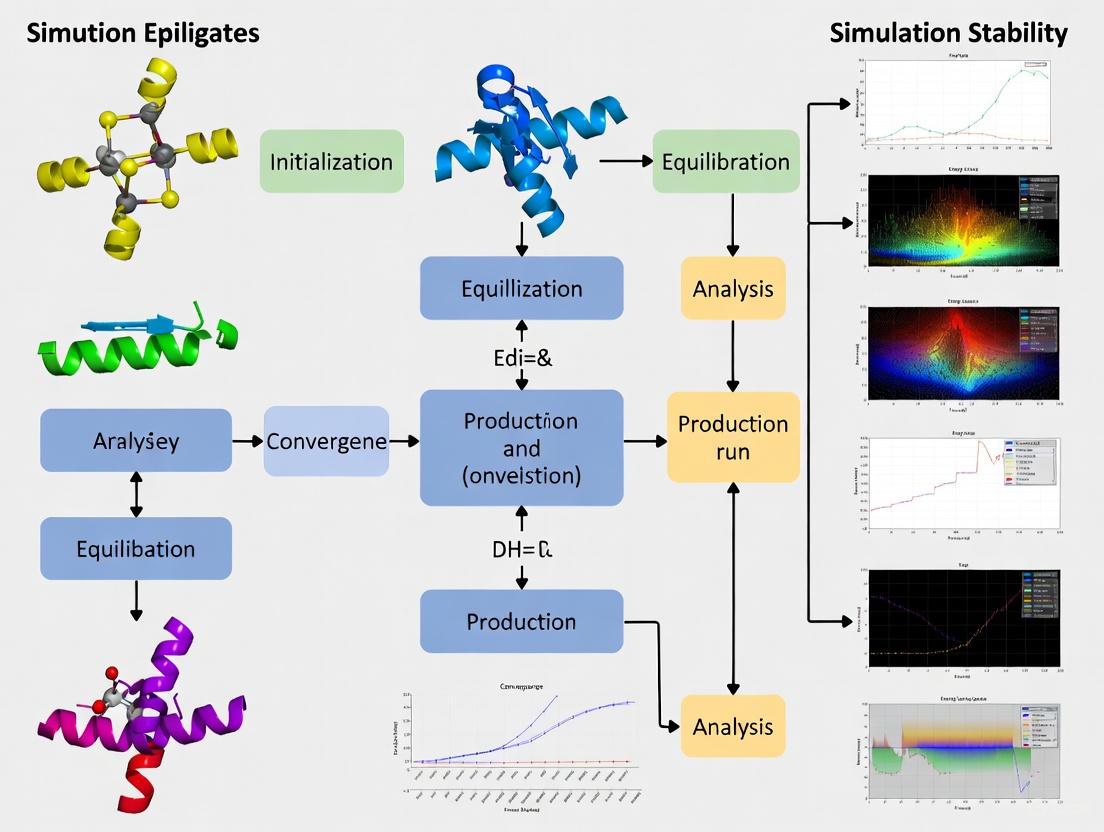
Molecular dynamics (MD) simulations are indispensable in drug discovery and materials science, yet achieving stable and converged results remains a significant challenge.
Beyond Force Metrics: A Practical Guide to Improving Stability and Convergence in Molecular Dynamics Simulations
Abstract
Molecular dynamics (MD) simulations are indispensable in drug discovery and materials science, yet achieving stable and converged results remains a significant challenge. This article provides a comprehensive framework for researchers and scientists to enhance the reliability of their MD studies. We move beyond traditional force error metrics to explore foundational principles, advanced methodological strategies like machine-learning force fields and enhanced sampling, practical troubleshooting for common pitfalls, and rigorous validation techniques. By integrating insights from the latest research, this guide aims to equip professionals with the knowledge to design robust simulations, optimize computational resources, and generate thermodynamically meaningful data for biomedical applications.
Understanding the Roots of Instability and Poor Convergence in MD
Frequently Asked Questions (FAQs)
Q1: What is the difference between a system being "stable" and being "converged"?
A1: In molecular dynamics, stability often refers to the numerical robustness of a simulation—preventing it from "blowing up" or entering unphysical regions of phase space. Convergence, however, means that the statistical properties of interest (e.g., average energy, RMSD) have reached a steady state and their fluctuations are small relative to the infinite-time average.
A system can be numerically stable yet not converged. For instance, a simulation can run for microseconds without crashing (stable) but its measured properties might still be drifting because it has not adequately sampled the relevant conformational space (not converged) [1] [2].
Q2: My simulation has low force errors according to my MLFF training metrics. Why does it still become unstable?
A2: Low force errors on a training dataset do not guarantee simulation stability. This is because:
- Distributional Shift: During a simulation, the system can explore regions of phase space that were not represented in the original training data. The machine learning force field (MLFF) may make poor predictions on these new, out-of-distribution configurations, leading to unphysical forces and eventual instability [2].
- Error Accumulation: Small force errors can accumulate over thousands of integration steps, causing the system to gradually drift into an unphysical state, such as breaking bonds that should be stable at the simulated temperature [2].
- Insufficient Data: The training data may lack examples of rare but important events (e.g., transition states), making the model unreliable for long-timescale simulations where such events might occur [2].
Q3: How can I check if my simulation has reached equilibrium for the property I care about?
A3: You can perform the following checks:
- Time-series analysis: Plot the property of interest (e.g., potential energy, RMSD, radius of gyration) as a function of simulation time. Look for when the moving average of the property reaches a plateau and the fluctuations around this plateau remain small for a significant portion of the trajectory after a convergence time, ( t_c ) [1].
- Block averaging: Divide your trajectory into consecutive blocks. Calculate the average of your property within each block. If the block averages do not show a systematic trend and their variance is consistent with statistical noise, it is a good indicator of convergence.
- Start from different points: Run multiple simulations starting from different initial conditions (e.g., different velocities). If they all converge to the same average value for the property, you can have greater confidence in the result.
The following table summarizes the convergence characteristics of different property types:
Table 1: Convergence Behavior of Different Molecular Properties
| Property Type | Typical Convergence Time | Key Consideration |
|---|---|---|
| Structural Properties (e.g., average distance, angle) | Multi-microsecond trajectories often sufficient [1] | Depends mostly on high-probability regions of conformational space. |
| Dynamical Properties (e.g., diffusion coefficients) | Can require very long simulations [1] | Requires adequate sampling of molecular motion pathways. |
| Transition Rates / Free Energy Barriers | May not converge in currently accessible timescales [1] | Explicitly depends on thorough exploration of low-probability regions. |
Q4: What are some practical steps I can take to improve the stability and convergence of my simulations?
A4:
- Ensure Proper Equilibration: Double-check that temperature and pressure coupling parameters in your production run match those used during the NVT and NPT equilibration steps [3].
- Be Cautious with Time Steps: Discretization errors from too large a time step can introduce artifacts. For TIP4P water at 300 K, step sizes up to 7 fs (70% of the stability threshold) can be used, but this is system-dependent [4].
- Validate Your Topology: Use tools like
gmx checkandgmx energyto monitor your simulation's energy, temperature, and pressure for unexpected drifts or artifacts [5]. - Leverage Advanced Training: For MLFFs, consider methods like Stability-Aware Boltzmann Estimator (StABlE) Training, which uses system observables to correct instabilities without requiring additional quantum-mechanical calculations [2].
- Run Longer Simulations: For properties with biological interest, multi-microsecond trajectories are often necessary for convergence [1].
Troubleshooting Guides
Problem: Simulation Instability and "Blow Ups"
Symptoms: The simulation crashes with errors about constrained bonds breaking, atoms flying apart, or numerical instability.
Possible Causes and Solutions:
- Cause 1: Incorrect topology or missing parameters.
- Solution: Carefully check for missing atoms or residues in your initial structure file. Use
pdb2gmxwith the correct force field and ensure all residue names and atom types are recognized. Manually parameterize any missing residues or molecules [5].
- Solution: Carefully check for missing atoms or residues in your initial structure file. Use
- Cause 2: Integration time step is too large.
- Cause 3: Machine learning force field (MLFF) instability.
- Solution: Retrain the MLFF using advanced methods like StABlE training, which incorporates system observables to penalize and correct unphysical trajectories [2]. Expand the training dataset's coverage of phase space via active learning.
Problem: Lack of Convergence in Key Observables
Symptoms: The average value of a property (e.g., RMSD, energy) continues to drift over time and does not reach a stable plateau.
Possible Causes and Solutions:
- Cause 1: Insufficient simulation time.
- Solution: Extend the simulation length. Research indicates that for many biomolecular systems, multi-microsecond trajectories are needed for biologically relevant properties to converge [1].
- Cause 2: The system started from a high-energy, non-equilibrium structure (e.g., directly from a crystal structure).
- Cause 3: The property of interest depends on sampling rare events or low-probability conformational states.
- Solution: Use enhanced sampling techniques (e.g., metadynamics, umbrella sampling) to force the system to explore these states. Be aware that convergence for such properties is one of the most challenging aspects of MD [1].
Problem: Discretization Artifacts in Measurements
Symptoms: Measured quantities like kinetic and configurational temperatures differ, or pressure profiles are non-uniform in a homogeneous system, even when the simulation appears stable.
Possible Causes and Solutions:
- Cause: The use of a numerically stable but relatively large time step introduces a discretization error. The simulation is effectively sampling a "shadow" Hamiltonian rather than the intended one [4].
- Solution 1 (Extrapolation): Run the simulation at two or more different time steps and extrapolate the results to a zero time step [4].
- Solution 2 (Reduction): Simply reduce the time step until the discretization error is smaller than your required statistical error [4].
- Solution 3 (Correction): For advanced users, use weighted thermostating or modified measurement expressions derived from backward error analysis to correct for the leading-order discretization error [4].
Experimental Protocols
Protocol 1: Assessing Convergence of an Observable
This protocol outlines a general method to test if a property from an MD trajectory has converged [1].
- Trajectory Preparation: Obtain a single, long, unrestrained MD production trajectory.
- Property Calculation: Calculate the property of interest ( A ) (e.g., RMSD, radius of gyration, potential energy) for every frame of the trajectory.
- Compute Running Average: Calculate the running average ( \langle A \rangle(t) ), which is the average of ( A ) from time 0 to time ( t ).
- Identify Convergence Time (( tc )): Examine the plot of ( \langle A \rangle(t) ) versus ( t ). The convergence time ( tc ) is the point after which the fluctuations of ( \langle A \rangle(t) ) remain small relative to its final value ( \langle A \rangle(T) ), where ( T ) is the total trajectory length.
- Check for Plateau: Verify that a significant portion of the trajectory (e.g., the second half) is spent in this fluctuating plateau state. A property is considered "equilibrated" if this condition is met.
The logical flow of this analysis is shown below:
Protocol 2: StABlE Training for Machine Learning Force Fields
This protocol describes the methodology for the Stability-Aware Boltzmann Estimator training, which improves MLFF stability by leveraging system observables [2].
- Initial Training: Begin with a pre-trained MLFF model on a standard quantum-mechanical (QM) dataset of energies and forces.
- Parallel MD Exploration: Launch many short MD simulations in parallel using the current MLFF. This is done to efficiently seek out regions of phase space where the model becomes unstable.
- Identify Unstable Regions: Monitor these simulations for unphysical events (e.g., bond breaking in a non-reactive system, simulation collapse) or significant deviation from expected observables.
- Observable-Based Refinement: For configurations sampled from unstable regions, calculate a reference system observable (e.g., radial distribution function, virial stress). Compute the loss between the observable predicted by the MLFF-sampled trajectory and the reference observable.
- Differentiable Boltzmann Estimator: Use the Boltzmann Estimator to efficiently compute gradients through the MD simulation without backpropagation, enabling end-to-end gradient-based learning.
- Model Update: Update the MLFF parameters by combining the gradient signals from the standard QM loss (energies/forces) and the new observable-based loss. This penalizes the model for leading to unphysical configurations.
- Iterate: Repeat steps 2-6 until the model produces stable simulations and accurately reproduces the reference observables.
The following workflow illustrates this iterative self-improvement cycle:
Table 2: Key Software and Methodological "Reagents" for Stable MD
| Tool / Resource | Function | Relevance to Stability/Convergence |
|---|---|---|
| GROMACS [5] [6] | A versatile package for performing MD simulations and analysis. | The industry-standard engine for production MD. Proper setup of its parameters (.mdp options) is critical for stability. |
| StABlE Training [2] | A multi-modal training procedure for MLFFs. | Directly addresses the instability of MLFFs by using observables to correct unphysical predictions, moving beyond low force errors. |
| Backward Error Analysis [4] | A numerical analysis framework for understanding discretization errors. | Provides the theoretical foundation for identifying and correcting artifacts caused by finite time steps. |
| Convergence Assessment Protocol [1] | A defined method for checking equilibration of a property. | Offers a practical, quantitative workflow to determine if a simulation has run long enough for a property of interest. |
| Time-Series Analysis | Plotting running averages of key properties. | The primary diagnostic tool for visually assessing convergence during or after a simulation. |
| Potential of Mean Force (PMF) [7] | A free energy profile along a reaction coordinate. | Used to quantify the stability of specific molecular configurations or pathways, such as the energy gain from forming a columnar assembly. |
Frequently Asked Questions (FAQs) on MD Simulation Failures
FAQ 1: What are the most common causes of a simulation "blow-up," where the system energy becomes unphysical and the simulation crashes?
Simulation blow-ups, characterized by a sudden, catastrophic increase in system energy, are often caused by incorrect system setup rather than software bugs. The most common precursors are steric clashes (atoms placed too close together) and incorrectly defined bonded interactions. These errors generate immense, unphysical forces that propagate through the system. Initial energy minimization is designed to resolve minor clashes, but severe initial overlaps can produce forces too large for the integrator to handle, leading to instability. Ensuring a physically realistic initial structure and carefully validating the generated topology are the most effective preventive measures [5].
FAQ 2: My simulation fails immediately with "Atom XXX has an unphysical velocity." What does this mean and how can I fix it?
This error is a direct consequence of the unphysical forces described above. When atoms are subjected to extremely high forces (e.g., from a steric clash), the velocity Verlet integrator calculates correspondingly high velocities for the next time step. If these velocities exceed a sanity threshold, GROMACS will halt the simulation to prevent a full blow-up [5]. To resolve this, you should: 1) Re-run energy minimization to ensure all clashes are resolved, 2) Check your initial structure for missing atoms or incorrect bond lengths [5], and 3) If the problem persists, consider using shorter time steps or applying position restraints to allow the system to equilibrate gradually.
FAQ 3: Why does pdb2gmx fail with "Residue not found in residue topology database," and how can I add a new residue?
This error occurs when the force field you have selected does not contain a definition for the residue or molecule in your coordinate file [5]. Force fields are not "magical"; they can only handle building blocks (residues) that are provided in their database. Your options are:
- Renaming: Check if the residue exists in the database under a different name and rename your residue accordingly [5].
- Find a Topology: Search the literature for a topology file (
*.itp) for your molecule that is compatible with your force field and include it manually [5]. - Parameterize Yourself: If no parameters exist, you must parameterize the residue yourself, which is a significant undertaking even for experts. This involves deriving bond, angle, and charge parameters from quantum mechanical calculations or experimental data [8] [5].
FAQ 4: How can I avoid "Out of memory" errors when running analysis on large trajectories?
"Out of memory" errors during analysis indicate that the system does not have enough RAM to hold the required data. The computational cost of analysis can scale poorly (e.g., order N²) with the number of atoms or trajectory frames [5]. Solutions include:
- Reduce Scope: Analyze a subset of atoms or a shorter segment of the trajectory [5].
- Check System Size: A common mistake is generating a simulation box that is far too large (e.g., confusion between Ångström and nm can create a box 10³ times larger than intended) [5].
- Upgrade Hardware: Use a computer with more RAM [5].
FAQ 5: What does "Invalid order for directive" mean in my topology file?
This error means the directives in your .top or .itp files are in the wrong sequence. The topology file has strict rules for the order of sections [5]. The force field must be fully defined before any molecules are described. A common mistake is placing a [moleculetype] directive or including a molecule's itp file before the necessary [atomtypes] or other parameter directives. Always #include the force field first, followed by molecule definitions, to ensure the correct order [5].
Troubleshooting Guide: From Errors to Solutions
This guide provides a structured workflow to diagnose and fix the most common MD simulation failures.
Troubleshooting Logic and Workflow
The following diagram outlines a systematic approach to diagnosing and resolving common MD simulation failures.
Advanced Protocol: Improving Thermal Stability Prediction
A major challenge in MD is the accurate prediction of material properties like thermal stability. Conventional simulations with periodic boundary conditions and high heating rates can overestimate decomposition temperatures (Td) by over 400 K [9]. The following optimized protocol, developed for energetic materials but applicable to other systems, significantly improves reliability.
Optimized MD Protocol for Thermal Stability Ranking [9]:
- Model Preparation: Use nanoparticle models instead of periodic bulk models. Surface initiation of decomposition is critical for accurate Td.
- Potential Selection: Employ a Neural Network Potential (NNP) for a more accurate description of bond breaking and formation compared to classical force fields.
- Simulation Parameter: Apply an extremely low heating rate (e.g., 0.001 K/ps) during the heating simulation to better approximate experimental conditions.
- Data Analysis: Use the Kissinger analysis method on data from multiple heating rates to establish a robust Td and correlate it with experimental values.
Performance of Optimized vs. Traditional Protocol [9]:
| Simulation Protocol | Model Type | Heating Rate | Average Td Error vs. Experiment | Correlation with Experiment (R²) |
|---|---|---|---|---|
| Traditional | Periodic Bulk | High (e.g., 1 K/ps) | > 400 K | 0.85 |
| Optimized | Nanoparticle with NNP | Low (0.001 K/ps) | ~80 K | 0.96 |
This protocol demonstrates how addressing fundamental limitations (model, potential, and kinetics) can dramatically improve simulation convergence with experimental reality.
The Scientist's Toolkit: Essential Research Reagents and Materials
Table: Key Computational Reagents for Stable MD Simulations
| Item/Reagent | Function in Simulation | Key Consideration for Stability |
|---|---|---|
| Force Field [8] | Defines the potential energy function and parameters for bonded and non-bonded interactions. | Choice is critical. Must be appropriate for the system (e.g., biomolecules, polymers, materials). Mixing force fields is not recommended [5]. |
| Residue Topology Database [5] | A library of building blocks (e.g., amino acids, nucleotides, solvents) for the force field. | If your molecule is not in the database (rtp file), pdb2gmx will fail. Residue and atom names must match exactly [5]. |
| Neural Network Potential (NNP) [9] | A machine-learning-driven potential that offers higher accuracy for modeling reactive processes and complex interactions. | Used in advanced protocols to replace classical force fields, significantly improving predictions for properties like thermal stability [9]. |
| Position Restraint File [5] | Applies harmonic restraints to atom positions, typically during initial equilibration. | Prevents large movements from unresolved steric clashes. Must be included in the correct order within the topology file, directly after its corresponding [moleculetype] [5]. |
Future Directions: Enhancing Stability through Multiscale and AI Methods
The future of robust MD simulation lies in bridging scale and accuracy gaps. Current research focuses on two key paradigms:
1. Multiscale Simulation Methodologies: The integration of different computational models is crucial for studying complex systems like oil-displacement polymers or drug delivery nanoparticles. For instance, studying drug release from a hexagonal liquid crystalline phase requires atomic-level detail to understand drug partitioning and the interaction of the polymer shell with the lipid interface [10]. A multiscale approach can link this detailed view to the larger-scale behavior of the entire nanoparticle, leading to more stable and predictive models of system performance [11] [10].
2. Integration of Artificial Intelligence: AI is being leveraged to directly improve simulation stability and accuracy. As demonstrated in the thermal stability protocol, Neural Network Potentials (NNPs) can dramatically reduce errors by providing a more precise quantum-mechanical description of interactions [9]. Furthermore, AI and machine learning are being combined with MD in drug discovery to enhance target modeling, binding pose prediction, and virtual screening, creating more reliable workflows for identifying and optimizing lead compounds [12]. The development of automated, AI-driven parameterization workflows also promises to reduce human error and improve the reproducibility of force field development [8].
Troubleshooting Guides & FAQs
FAQ: Addressing Common Force Field Challenges
1. Why does my simulated supramolecular structure not form the expected ordered assembly?
This is a common issue where the force field may not accurately capture the delicate balance of non-covalent interactions. Even small errors in parametrization are amplified in self-assembling systems due to their repetitive nature [13]. The stability of a pre-built fiber structure varies significantly across force fields; for instance, it remains stable in CHARMM Drude, GAFF, and polarized Martini but collapses in standard CGenFF [13]. Before long simulations, verify your force field's performance for your specific molecular motifs by checking dedicated studies or databases [8] [13].
2. How does the choice of force field impact the prediction of hydration free energy (HFE), a key property in drug design?
Systematic errors in HFE prediction are often linked to specific functional groups [14]. For example:
- Nitro-groups: Tend to be over-solubilized in CGenFF but under-solubilized in GAFF.
- Amine-groups: Are consistently under-solubilized, more severely in CGenFF.
- Carboxyl groups: Are over-solubilized, more significantly in GAFF [14]. If your molecule contains these groups, be aware of these inherent biases. Cross-validate results with alternative force fields or experimental data when possible.
3. My simulation fails to reach equilibrium. Could the force field be a cause?
Yes. The convergence of properties is highly dependent on the force field's accurate description of the potential energy surface, particularly torsional barriers [15]. An inadequate force field can trap the system in incorrect local energy minima, preventing the exploration of the true conformational space. This is distinct from the issue of simply needing longer simulation times. Ensuring you are using a modern, well-parameterized force field for your specific chemical space is a critical first step in achieving convergence [16] [15].
4. The chemical molecule I want to simulate is not well-covered by standard force fields. What are my options?
Traditional "look-up table" approaches can struggle with expansive chemical space [16]. Modern solutions include:
- Specialized Parameter Builders: Tools like the OPLS4 Force Field Builder allow for optimizing custom torsion parameters for novel chemistry [17].
- Data-Driven Force Fields: New approaches like ByteFF use machine learning to predict parameters for a vast range of drug-like molecules, offering broad, accurate coverage without manual intervention [16] [18].
- Polarizable Force Fields: For cases where electronic polarization is critical, models like CHARMM Drude offer higher accuracy, though at a significantly increased computational cost [13].
5. When should I use an all-atom vs. a coarse-grained force field?
The choice involves a trade-off between computational efficiency and chemical detail [8].
- All-atom (AA) force fields (e.g., GAFF, CGenFF, CHARMM Drude) provide the highest level of detail, representing every atom. They are essential for studying specific atomic interactions, like hydrogen bonding, but are computationally expensive [13].
- Coarse-grained (CG) force fields (e.g., Martini) group multiple atoms into a single interaction "bead." They sacrifice chemical details to simulate larger systems and longer timescales, making them ideal for studying large-scale self-assembly or membrane dynamics [8] [13].
Troubleshooting Guide: Force Field Selection and Validation
| Problem Description | Underlying Force Field Issue | Recommended Corrective Actions |
|---|---|---|
| Unphysical collapse or distortion of a known stable structure during simulation. | The force field does not place the experimental structure in a free energy minimum; non-bonded or torsional parameters may be inaccurate [13]. | 1. Test the stability of your structure with multiple force fields (e.g., GAFF, CGenFF).2. For self-assembling systems, consider polarized models like CHARMM Drude or polarized Martini [13].3. Check for known issues with your functional groups in the literature [14]. |
| Systematic error in predicting solvation or binding free energies. | Inaccurate atomic charges or van der Waals parameters, often specific to certain functional groups, lead to erroneous solute-solvent interactions [14]. | 1. Identify problematic functional groups in your molecule (e.g., nitro, amine) [14].2. Use alchemical free energy methods to validate HFE predictions against experimental data if available.3. Consider a data-driven force field like ByteFF for improved charge and parameter assignment [16]. |
| Failure to observe spontaneous self-assembly or correct conformational distribution. | The energy landscape is incorrect, often due to poor-quality torsion parameters that bias conformational sampling [16] [15]. | 1. Prioritize force fields with a focus on accurate torsional profiles (e.g., OPLS4, ByteFF) [16] [17].2. Manually refine torsional parameters using a force field builder tool [17].3. Increase system size to promote nucleation of ordered structures [13]. |
| Poor transferability of parameters for novel molecules. | Traditional force fields rely on discrete atom types and look-up tables, which lack coverage for unexplored chemical environments [16]. | 1. Adopt a force field with a modern chemical perception approach, such as OpenFF (using SMIRKS) or ByteFF (using a Graph Neural Network) [16].2. Use a machine learning-based parameterization workflow to generate consistent parameters [18]. |
Key Experimental Protocols & Data
Protocol: Benchmarking Force Field Performance for Supramolecular Assembly
This protocol is designed to assess a force field's ability to model self-assembling systems, based on the methodology from studies like [13].
1. Research Question: How do different force fields perform in simulating the spontaneous assembly and stability of a supramolecular fiber?
2. System Setup:
- Molecule: A derivative of 1,3,5-trisamidocyclohexane (CTA), which is known to form ordered fibers via trifold hydrogen-bonding [13].
- Force Fields for Comparison: A selection of all-atom, coarse-grained, and polarizable force fields (e.g., GROMOS, CGenFF, CHARMM Drude, GAFF, Martini, polarized Martini) [13].
- Software: A molecular dynamics package like GROMACS, CHARMM, or OpenMM.
3. Simulation Details:
- Spontaneous Self-Assembly: Place 8 CTA molecules randomly in a small solvated box (e.g., a 4.5 x 4.0 x 4.1 nm³ dodecahedron). Run multiple independent simulations for a defined time (e.g., 500 ns) [13].
- Fiber Stability: Build a pre-assembled stack of 24 CTA molecules based on a known crystal structure. Simulate this fiber in the NVT ensemble for ~300 ns or until collapse [13].
4. Key Metrics for Analysis:
- Structural Order: Monitor the number of hydrogen bonds between CTA amides over time [13].
- Aggregation State: Calculate the Solvent Accessible Surface Area (SASA) to track the formation of compact clusters [13].
- Visual Inspection: Analyze final snapshots for the formation of long-range ordered structures.
5. Expected Outcomes: As demonstrated in [13], different force fields will yield vastly different results. Some may form stable, ordered fibers, while others may produce disordered clusters or cause a pre-built fiber to collapse. This protocol directly reveals the suitability of a force field for simulating self-assembling systems.
Performance Comparison of Common Force Fields
Table 1: Comparative analysis of force fields for simulating a CTA fiber system. Data adapted from [13].
| Force Field | Type / Resolution | Spontaneous Assembly (500 ns) | Fiber Stability (300 ns) | Computational Cost (approx.) |
|---|---|---|---|---|
| GROMOS | United-atom | Forms compact, slowly ordering cluster | Collapses after ~130 ns | ~8 hours/ns |
| CGenFF | All-atom | Forms flexible, unordered cluster | Collapses immediately | ~8 hours/ns |
| CHARMM Drude | All-atom (Polarizable) | Forms flexible cluster (shorter simulation) | Remains stable | ~28 hours/ns |
| GAFF | All-atom | Forms several ordered dimers | Remains stable | N/A |
| Martini | Coarse-grained | Forms compact cluster | Collapses | ~3 minutes/ns |
| Polarized Martini | Coarse-grained (Polarizable) | Forms small, ordered fragments | Remains stable | ~3 minutes/ns |
Table 2: Functional group-specific errors in Hydration Free Energy (HFE) prediction for generalized force fields. Based on analysis of over 600 molecules from the FreeSolv dataset [14].
| Functional Group | CGenFF Tendency | GAFF Tendency | Molecular Impact |
|---|---|---|---|
| Nitro-group (-NO₂) | Over-solubilized in water | Under-solubilized in water | Affects solvation and membrane permeability predictions. |
| Amine-group (-NH₂) | Under-solubilized | Under-solubilized (less than CGenFF) | May lead to underestimation of aqueous solubility. |
| Carboxyl-group (-COOH) | Over-solubilized | More over-solubilized than CGenFF | Can overestimate solubility and influence protonation state modeling. |
Workflow Diagrams
Force Field Parametrization Workflow
Force Field Selection Logic
The Scientist's Toolkit: Research Reagent Solutions
Table 3: Essential resources for force field application and development in computational research.
| Tool / Resource | Type | Primary Function | Key Features / Notes |
|---|---|---|---|
| Generalized Force Fields (GAFF, CGenFF) | Software Parameters | Provide pre-derived parameters for a wide range of drug-like small molecules. | GAFF uses AM1-BCC charges; CGenFF uses charges from QM interaction with water. Good starting points for most organic molecules [14]. |
| Specialized Force Fields (CHARMM Drude) | Software Parameters | An all-atom polarizable force field for more accurate modeling of electrostatic interactions. | Higher computational cost but can be critical for systems where electronic polarization is significant [13]. |
| Coarse-Grained Models (Martini) | Software Parameters | Accelerate simulations by grouping atoms into interaction beads, enabling longer and larger simulations. | Sacrifices atomic detail for scale. Essential for studying processes like large-scale membrane remodeling [8] [13]. |
| Force Field Builder (OPLS4) | Software Tool | Allows researchers to generate and optimize custom torsion parameters for novel molecules. | Ensures force field extensibility into new chemical space not covered by the core parameter set [17]. |
| Data-Driven Force Fields (ByteFF, OpenFF) | Software / ML Model | Use machine learning to predict consistent force field parameters directly from chemical structure. | A modern approach offering broad, accurate chemical space coverage and improved transferability [16] [18]. |
| Force Field Databases (MolMod, openKim) | Data Repository | Collect and categorize force fields and parameters for different materials. | Provides a centralized resource for finding and comparing force fields [8]. |
| Alchemical Free Energy Tools (FEP+) | Software / Protocol | Calculate precise binding affinities or hydration free energies using advanced sampling. | Used for critical validation of force field performance against experimental data [14] [17]. |
Molecular dynamics (MD) simulation is an essential computational method for understanding the physical basis of the structures, functions, and dynamics of biological macromolecules. It provides detailed information on the fluctuations and conformational changes of proteins and nucleic acids that are often difficult to capture experimentally [19]. However, a fundamental challenge persists: the time and length scale sampling problem. Biological phenomena occur across vast spatial and temporal ranges, from atomic vibrations (femtoseconds) to cellular processes (seconds), while all-atom MD simulations face significant computational constraints [20] [21]. This technical support guide addresses how to identify, troubleshoot, and mitigate sampling issues to improve simulation stability and convergence.
Frequently Asked Questions (FAQs)
Q1: How long does my simulation need to run to reach equilibrium? There is no universal simulation time that guarantees equilibrium. Convergence depends on the system size, property of interest, and the biological process being studied. For some average structural properties, multi-microsecond trajectories may be sufficient, but transition rates to low-probability conformations may require significantly more time [15]. The key is to perform convergence tests for your specific system and properties of interest.
Q2: How can I verify if my simulation has converged and reached true equilibrium? Convergence should not be assessed by a single metric. A robust approach includes:
- Monitoring time series of multiple properties (RMSD, energy, radius of gyration)
- Checking if averages and fluctuations stabilize to a relatively constant value (plateau)
- Comparing results from independent simulations starting from different initial conditions
- Ensuring that the system is not trapped in a deep local energy minimum that prevents adequate sampling of conformational space [15]
Q3: What is the difference between partial and full equilibrium in MD simulations? A system can be in partial equilibrium when some properties have reached their converged values while others have not. This occurs because different properties depend on different regions of the conformational space. Average properties (like distances between domains) may converge relatively quickly as they depend mainly on high-probability regions, while properties like free energy and transition rates require thorough exploration of low-probability regions and thus longer simulation times [15].
Q4: How do I select appropriate temporal and spatial scales for my biological question? The appropriate scale depends entirely on the biological phenomenon under investigation. For fast processes like side-chain rotations, nanoseconds may suffice. For larger conformational changes or protein folding, microseconds to milliseconds or longer may be required [20] [21]. Spatially, consider whether your question addresses single-molecule behavior, protein complexes, or cellular environments, as this determines the required system size and model complexity.
Troubleshooting Guides
Diagnosing Sampling Problems
| Symptom | Possible Causes | Diagnostic Tests | Solutions |
|---|---|---|---|
| Non-converging averages | Simulation time too short; trapped in local minimum | Calculate running averages; compare multiple independent runs | Extend simulation time; enhance sampling techniques; increase temperature |
| High variance in properties | Inadequate phase space sampling; unstable integrator | Monitor energy drift; check property distributions | Adjust thermostat/barostat; use longer equilibration; check force field parameters |
| Unphysical structural changes | Incorrect force field; poor solvation; parameter errors | Compare to experimental data (NMR, crystallography) | Validate with known structural properties; check solvent model; review system preparation |
| Slow conformational transitions | High energy barriers; insufficient simulation time | Calculate potential energy landscape; monitor dihedral transitions | Implement enhanced sampling (metadynamics, replica exchange) |
Quantitative Data for Simulation Planning
Table 2: Characteristic Time Scales of Biological Processes
| Biological Process | Typical Time Scale | Minimum Recommended Simulation | Key Convergence Metrics |
|---|---|---|---|
| Side-chain rotations | Picoseconds - nanoseconds | 10-100 ns | Dihedral angle distributions |
| Loop motions | Nanoseconds - microseconds | 0.1-10 μs | RMSD, distance fluctuations |
| Domain movements | Microseconds - milliseconds | 10-100+ μs | Inter-domain distances, cross-correlations |
| Protein folding | Microseconds - seconds | 1+ ms | RMSD, native contacts, energy landscape |
| Allosteric transitions | Nanoseconds - milliseconds | 1-100+ μs | Dynamic cross-correlation, contact maps |
Table 3: System Size Considerations
| System Type | Typical Atom Count | Recommended Minimum Simulation Time | Computational Resource Estimate* |
|---|---|---|---|
| Small peptide (e.g., dialanine) | 100-1,000 atoms | 100 ns - 1 μs | Hours - days on single GPU |
| Medium protein (25-50 kDa) | 50,000-100,000 atoms | 1-10 μs | Days - weeks on single GPU |
| Large complex (e.g., ribosome) | 1-3 million atoms | 0.1-1 μs | Weeks - months on multi-GPU cluster |
| Viral envelope (e.g., SARS-CoV-2) | 300+ million atoms | 10-100 ns | Months - years on supercomputer |
*Resource estimates assume modern GPU acceleration and vary significantly by hardware and software efficiency.
Essential Methodologies
Protocol: Convergence Testing for Equilibrium Verification
Objective: To establish whether a simulation has reached thermodynamic equilibrium and properties have converged.
Procedure:
- Run multiple independent simulations starting from different initial conditions (e.g., different velocities, slightly different structures).
- Calculate time series of key properties (RMSD, potential energy, radius of gyration, secondary structure content).
- Compute running averages for each property throughout the trajectory.
- Monitor fluctuations around the average - they should remain small after convergence time.
- Compare histograms of property distributions from different trajectory segments.
- Check autocorrelation functions - they should decay within the simulation time for equilibrated systems.
Interpretation: A system can be considered equilibrated with respect to a specific property when the fluctuations of its running average remain small for a significant portion of the trajectory after some convergence time tc [15].
Protocol: Dynamic Cross-Correlation Analysis
Objective: To identify networks of correlated motions that may indicate allosteric pathways or functional dynamics.
Procedure using GROMACS and Bio3D:
- Generate MD trajectory using GROMACS with appropriate simulation parameters.
- Ensure trajectory stability by checking energy conservation and structural integrity.
- Process trajectory to remove rotational and translational motions.
- Calculate covariance matrix using GROMACS
g_covaror Bio3D'sdccmfunction: where Δri is the displacement vector of atom i [22]. - Compute cross-correlation coefficients:
- Visualize results as a dynamical cross-correlation matrix (DCCM) where positive values (0 to 1) indicate correlated motion and negative values (-1 to 0) indicate anti-correlated motion [22].
Troubleshooting: Poor convergence of cross-correlations may indicate insufficient sampling of relevant conformational states.
Workflow Diagram: Sampling Problem Diagnosis
Diagram 1: Sampling Problem Diagnosis Workflow
The Scientist's Toolkit: Research Reagent Solutions
Table 4: Essential Software Tools for Addressing Sampling Challenges
| Tool Name | Primary Function | Application to Sampling Problems | Key Features |
|---|---|---|---|
| GROMACS | Molecular dynamics simulator | Production MD runs with high performance | Advanced GPU acceleration; Multiple force fields |
| Bio3D (R package) | Dynamics analysis | Cross-correlation and PCA analysis | DCCM calculation; Principal component analysis |
| AMBER | MD simulation and analysis | Enhanced sampling techniques | Advanced force fields; Replica exchange MD |
| VMD | Trajectory visualization | Identify sampling deficiencies | Interactive analysis; Order parameters |
| PLUMED | Enhanced sampling | Overcoming energy barriers | Metadynamics; Umbrella sampling |
Table 5: Critical Force Fields and Their Applications
| Force Field | Best For | Sampling Considerations | Known Limitations |
|---|---|---|---|
| CHARMM36 | Biomolecules in physiological conditions | Accurate lipid/protein interactions | Limited small molecule parameters |
| AMBER ff19SB | Proteins | Improved side-chain torsions | Less tested for membrane systems |
| OPLS-AA/M | Organic molecules and proteins | Good liquid properties transferability | Fewer protein-specific adjustments |
| Martini | Coarse-grained long simulations | Extended spatial and temporal scales | Loss of atomic detail |
Advanced Sampling Strategies
Enhanced Sampling Techniques
For systems with high energy barriers or rare events, consider these advanced methods:
Replica Exchange MD (REMD)
- Run multiple simulations at different temperatures
- Periodically attempt exchanges between replicas
- Enables better crossing of energy barriers
- Computational cost increases with system size
Metadynamics
- Add bias potential to discourage revisiting sampled states
- Requires careful selection of collective variables
- Can reconstruct free energy surfaces
- Risk of overfilling if simulation too short
Accelerated MD
- Raise energy minima without affecting transition states
- No need for predefined reaction coordinates
- Good for exploring conformational space
- Can distort kinetics
Relationship Between System Properties and Sampling Requirements
Diagram 2: System Properties to Sampling Requirements Mapping
Best Practices for Improved Convergence
Always run multiple independent simulations - Convergence should be verified across runs, not within a single trajectory.
Match simulation time to biological process - Consult Table 2 for guidance on appropriate time scales.
Use enhanced sampling judiciously - These methods can accelerate convergence but require validation.
Monitor simulation stability first - Before assessing convergence, ensure the simulation is physically stable (energy conservation, reasonable fluctuations).
Report convergence metrics transparently - Include running averages, multiple independent runs, and statistical uncertainties in publications.
Consider partial equilibrium - For large systems, recognize that some properties may converge while others require more time [15].
By implementing these troubleshooting guides, methodologies, and best practices, researchers can significantly improve the reliability and interpretability of their MD simulations, leading to more robust conclusions about biological function and mechanism.
Frequently Asked Questions (FAQs)
Q1: My simulation's pressure is unstable during equilibration. What might be wrong? Instabilities in pressure (and temperature) are common and often traceable to the system setup [23]. The causes can include:
- Inappropriate Algorithm Choice: The selected barostat (pressure control) or thermostat (temperature control) may not be suitable for your system. For example, the Berendsen barostat is good for initial equilibration as it strongly dampens fluctuations, but the Parrinello-Rahman barostat is recommended for production runs to generate a correct ensemble [23].
- Poor Coupling Parameters: An incorrect coupling time constant can lead to oscillations or drifts. The time constant should be chosen to match the natural fluctuations of your system.
- System Preparation Errors: An initial structure with atomic overlaps, an incorrectly sized simulation box, or an improper neutralization procedure can create high local forces that no barostat can easily correct.
Q2: How can I tell if my simulation has truly reached equilibrium? Reaching equilibrium is critical for obtaining reliable results. Do not rely solely on the stabilization of potential energy or density, as these can converge rapidly while the system overall has not [24] [15]. A more robust approach includes:
- Monitoring Multiple Properties: Track the convergence of the Radial Distribution Function (RDF), especially between large, slow-moving components like asphaltenes in complex mixtures. The system may only be considered balanced when these RDF curves have converged [24].
- Checking System-Specific Metrics: Monitor the root-mean-square deviation (RMSD) of a biomolecule, or observe if key properties (like distances between domains) fluctuate around a stable average for a significant portion of the trajectory [15].
- Allowing Sufficient Time: Equilibration times are often underestimated. If properties have not stabilized, you must extend the equilibration phase [23].
Q3: I get a "Residue not found in topology database" error. What should I do?
This error occurs when the software (e.g., pdb2gmx in GROMACS) cannot find a definition for a molecule in your structure within the chosen force field [5]. Your options are:
- Check Residue Naming: Ensure the residue name in your coordinate file matches the name used in the force field's database.
- Use a Different Force Field: A residue might be defined in another supported force field.
- Create a Topology Manually: If the molecule is a ligand or non-standard residue, you cannot use
pdb2gmx. You must create a topology for it yourself using other tools or by manually defining the parameters, and then include this file in your system's topology [5].
Q4: Why is correct system neutralization so important? In simulations employing Periodic Boundary Conditions (PBC), a non-neutral total system charge leads to unphysical infinite electrostatic self-interactions, which can destabilize the simulation and produce meaningless results [23]. Neutralization with counterions ensures the integrity of long-range electrostatic calculations (like the Particle Mesh Ewald method) and models the physiological or experimental ionic environment accurately.
Troubleshooting Guides
Problem: Convergence Failure in Energy Minimization Energy minimization is a prerequisite for equilibration. Failure to converge indicates a problem with the initial system state [23].
| Potential Cause | Diagnostic Steps | Solution |
|---|---|---|
| Severe Atomic Overlaps | Check the initial structure for unrealistically close atoms using visualization software. | Perform a two-stage minimization: first with the steepest descent algorithm to resolve large clashes, then with the conjugate gradient method for finer convergence. |
| Incorrect Topology | Verify all bonds, angles, and charges in the topology file. Look for missing parameters or incorrect atom types. | Use tools like gmx pdb2gmx carefully to generate topologies. For non-standard molecules, ensure their manually created topology is correct and complete. |
| Insufficient Minimization Steps | The log file reports that the maximum number of steps was reached without convergence. | Increase the number of steps (nsteps) in the minimization parameters (.mdp file). |
Problem: Unphysical Densities or Volumes After Equilibration If the system density does not match the expected experimental value, the system setup is likely at fault.
| Potential Cause | Diagnostic Steps | Solution |
|---|---|---|
| Incorrect Solvent Model | Compare the simulated density of a pure solvent box with its known experimental value. | Select a solvent model (e.g., SPC, TIP3P, TIP4P) that is well-parameterized with your chosen force field to reproduce accurate densities [25] [26]. |
| Improper Box Size or Solvation | Check if the box has sufficient padding (e.g., 1.0 nm minimum) between the solute and the box edge. | Use the gmx solvate command with a correctly sized box. Ensure the solvent number and placement yield a realistic density before equilibration [23]. |
| Inaccurate Neutralization/Ion Placement | Check the system's final ion distribution; ions may be clustered rather than evenly dispersed. | Use tools like gmx genion to replace solvent molecules with ions. Consider a subsequent energy minimization after ion placement to resolve any new overlaps [23]. |
Problem: Instability During the Production Run A simulation that crashes or shows wild fluctuations after a stable equilibration suggests an underlying issue.
| Potential Cause | Diagnostic Steps | Solution |
|---|---|---|
| Incorrect Boundary Conditions | Verify that PBC are correctly applied in all directions and that the chosen treatment for long-range electrostatics (e.g., PME) is active. | In the .mdp file, set pbc = xyz and coulombtype = PME. Always process trajectories with gmx trjconv -pbc mol for analysis. |
| Faulty Temperature/Pressure Control | Examine the temperature and pressure logs for consistent, large deviations from the set point. | Switch to more stable thermostats/barostats for production (e.g., Nosé-Hoover thermostat, Parrinello-Rahman barostat). Adjust coupling time constants [23]. |
| Hidden Topology Error | The system ran fine for tens of nanoseconds before crashing. A rare, high-energy conformation may have exposed a faulty parameter. | Scrutinize the topology for all molecules, paying special attention to non-standard residues or ligands. Re-run the parameterization if necessary. |
Experimental Protocols & Data
Validating Solvent Model and Neutralization Setup This protocol outlines how to validate key aspects of your system setup using a simple solvent-box simulation, a critical step before running a complex, resource-intensive production simulation [26].
- System Construction: Create a cubic box filled only with water molecules (e.g., SPC, TIP3P) using
gmx solvate. - Neutralization and Ion Addition: Add ions to the system to not only neutralize it but also to achieve a desired ionic concentration (e.g., 150 mM NaCl) using
gmx genion. - Simulation Parameters:
- Energy Minimization: Use the steepest descent algorithm until the maximum force is below a set threshold (e.g., 1000 kJ/mol/nm).
- Equilibration: Perform a two-phase equilibration in the NVT and NPT ensembles for at least 100 ps each, using standard thermostats and barostats.
- Production Run: Run an NPT simulation for 1-5 ns.
- Data Collection and Analysis:
- Calculate the average density of the system over the production run.
- Calculate the radial distribution function (RDF) between ions and water oxygen atoms to examine the solvation structure.
- Validation: Compare the simulated density and RDF profiles against known experimental and benchmark simulation data [26]. Successful replication indicates a correct setup.
Quantitative Data from System Setup Validation
Table 1: Example Density Validation for Ionic Liquids at 293 K and 0.1 MPa [26]
| Ionic Liquid | Simulated Density (kg/m³) | Experimental Density (kg/m³) | Relative Deviation (%) |
|---|---|---|---|
| [Emim][BF4] | 1298.5 | 1297.0 | 0.1% |
| [Bmim][BF4] | 1200.1 | 1203.4 | -0.3% |
| [Bmim][PF6] | 1325.8 | 1372.0 | -3.4% |
| [Bmim][Tf2N] | 1415.2 | 1430.0 | -1.0% |
Table 2: Key Convergence Metrics for Assessing Equilibration [24] [15]
| Property to Monitor | Time to Converge | Significance for System Equilibrium |
|---|---|---|
| Density / Potential Energy | Fast (ps-ns) | Necessary but not sufficient. Rapid convergence does not guarantee the system is fully equilibrated [24] [15]. |
| Pressure | Slower than energy | Requires more time to stabilize due to its sensitivity to atomic contacts and volume changes. |
| Radial Distribution Function (RDF) | Can be very slow (ns-μs) | A more robust indicator. Convergence of RDFs, especially between large components, suggests structural equilibrium [24]. |
| Root-Mean-Square Deviation (RMSD) | System-dependent | Can indicate the biomolecule has relaxed from its starting conformation, but may not reflect full conformational sampling [15]. |
System Setup and Stability Relationship
The following diagram illustrates the logical chain of how initial system setup decisions directly impact simulation stability and the validity of the results.
The Scientist's Toolkit: Essential Research Reagents & Materials
Table 3: Key Components for Robust Molecular Dynamics System Setup
| Item / Resource | Function / Purpose | Example(s) / Notes |
|---|---|---|
| Force Fields | Provides the set of mathematical functions and parameters that describe the potential energy of the system. | GROMOS 53A6/54A7 [25], AMBER, CHARMM. Choice depends on the system (proteins, lipids, ionic liquids). |
| Solvent Models | Represents the water and/or other solvent environment in the simulation. | SPC, TIP3P, TIP4P for water. Must be compatible with the chosen force field [25] [26]. |
| Simulation Software | The computational engine that performs the numerical integration of the equations of motion. | GROMACS [5] [23], AMBER, NAMD. GROMACS is widely used for its speed and extensive toolset. |
| Visualization Tools | Used to inspect initial structures, intermediate results, and final trajectories. | VMD, PyMOL, Chimera. Critical for diagnosing structural problems like atomic overlaps. |
| Parameterization Tools | Helps generate topologies and force field parameters for non-standard molecules (e.g., drugs, ligands). | CGenFF, ACPYPE, SwissParam. Essential for incorporating molecules not in the standard force field database [5]. |
| Ion Parameters | Pre-optimized parameters for ions (Na+, Cl-, K+, etc.) to ensure correct solvation free energy and behavior. | Included in major force fields. Specialized parameter sets, like GROMOS-RONS for reactive species, are also available [25]. |
Advanced Strategies for Robust Simulation Setup and Execution
Leveraging Machine-Learning Force Fields (MLFFs) for Improved Accuracy and Stability
Machine Learning Force Fields (MLFFs) have emerged as a transformative tool for molecular dynamics (MD) simulations, offering near-quantum mechanical accuracy at a fraction of the computational cost. However, their adoption in production and research environments is hampered by a critical challenge: simulation instability. Despite achieving low test errors on standard benchmarks, MLFFs are known to produce unstable simulations that can irreversibly drift into unphysical regions of phase space, leading to unrealistic bond breaking, simulation collapse, and inaccurate estimation of system observables. This technical support guide addresses the core issues surrounding MLFF stability and accuracy, providing researchers with practical troubleshooting methodologies to enhance the reliability of their computational experiments.
Frequently Asked Questions (FAQs) and Troubleshooting Guides
FAQ 1: Why do my MLFF simulations become unstable even with low force and energy test errors?
Root Cause: There is a documented weak correlation between conventional error metrics (force/energy MAE) and simulation stability. MLFFs can exhibit excellent performance on test datasets but perform poorly in extended MD simulations due to distributional shift and error accumulation over time.
Troubleshooting Steps:
- Implement Stability-Aware Training: Adopt the StABlE (Stability-Aware Boltzmann Estimator) training procedure. This method uses parallel MD simulations to actively seek out unstable regions during training and corrects them using reference system observables, without requiring additional quantum-mechanical calculations [27] [28].
- Utilize Equivariant Architectures: Transition from invariant models to equivariant architectures like SO3krates. These models use directional information (spherical harmonics) which improves data efficiency, reduces error distribution spread, and enhances robustness to cumulative inaccuracies during simulation [29].
- Expand Phase Space Coverage: Use active learning or similar approaches to ensure your training data covers a broader region of the potential energy surface (PES), including high-energy configurations that might be encountered during long simulations [27].
FAQ 2: How can I improve the transferability and data efficiency of my MLFF model?
Root Cause: Models trained solely on limited data from narrow regions of chemical or conformational space often fail to generalize to unseen molecular structures or different thermodynamic conditions.
Troubleshooting Steps:
- Leverage Multi-Modal Training: Incorporate supervision from both reference quantum-mechanical calculations and system observables (e.g., radial distribution functions, virial stress). This provides a richer learning signal, especially valuable when large QM datasets are unavailable [27] [28].
- Benchmark Beyond MAE: Move beyond mean absolute error on forces and energies. Introduce new benchmarks that directly assess the model's performance on relevant physical observables and its stability during MD runs [30].
- Architecture Selection: Choose modern equivariant graph neural networks (GNNs) which have demonstrated better generalization and data efficiency compared to invariant models due to their ability to capture more complex, transferable interaction patterns [29].
FAQ 3: What are the practical steps to implement a stability-aware training workflow?
Solution: The following workflow, based on the StABlE training methodology, can be integrated into existing MLFF development pipelines.
FAQ 4: How do I select the right MLFF architecture for my system?
Solution: The choice of architecture involves a trade-off between accuracy, speed, and stability. The table below compares key architectural types.
| Architecture Type | Key Feature | Advantages | Stability Consideration | Best For |
|---|---|---|---|---|
| Invariant MPNNs [29] | Uses only invariant inputs (e.g., interatomic distances). | Fast computation. | Can struggle with complex, flexible systems; may lack transferability. | Small, rigid organic molecules. |
| Equivariant MPNNs (e.g., NequIP) [27] [29] | Uses equivariant features (spherical harmonics) for directional information. | High accuracy, better data efficiency, improved stability. | Computationally expensive due to tensor products. | High-accuracy studies of peptides, condensed phases. |
| Efficient Equivariant Models (e.g., SO3krates) [29] | Replaces tensor products with Euclidean self-attention. | Unique combo of high accuracy, stability, and speed (~30x faster). | Requires implementation of a newer architecture. | Large-scale systems (e.g., supra-molecular structures), extended MD, PES exploration. |
This section details key computational "reagents" and methodologies essential for developing stable and accurate MLFFs.
Table 1: Key MLFF Architectures and Benchmarking Tools
| Name | Type / Category | Primary Function | Application Context |
|---|---|---|---|
| SchNet [27] | Invariant Graph Neural Network | Learns atomic interactions using continuous-filter convolutions. | Base model for organic molecules; often used in comparative studies. |
| NequIP [27] | Equivariant Message Passing NN | High-accuracy model using SO(3) equivariance via tensor products. | Accurate force fields for materials and molecules; used in StABlE training tests. |
| GemNet-T [27] | Invariant Graph Neural Network | Models many-body interactions explicitly with triplets of atoms. | Complex systems like liquid water; benchmark for condensed phases. |
| SO3krates [29] | Efficient Equivariant Transformer | Uses Euclidean self-attention to avoid costly tensor products. | Fast, stable MD for large, flexible systems (peptides, supra-molecules). |
| StABlE Training [27] [28] | Training Procedure / Algorithm | Multi-modal training for stability using observables and QM data. | Correcting simulation instabilities without extra QM calculations. |
| Differentiable Boltzmann Estimator [27] | Computational Kernel | Enables gradient-based learning through MD simulations. | Core component of StABlE training for efficient end-to-end optimization. |
Experimental Protocols and Methodologies
Protocol 1: Stability-Aware Boltzmann Estimator (StABlE) Training
Purpose: To train an MLFF that is inherently stable for MD simulations by jointly using QM data and system observables [27] [28].
Detailed Methodology:
- Initialization: Pre-train an MLFF model (e.g., SchNet, NequIP) on a dataset of ab-initio calculated energies and forces.
- Parallel MD Exploration: Run a large number (e.g., hundreds) of independent, short MD simulations in parallel using the current MLFF at the target thermodynamic state (e.g., NVT ensemble at 300 K).
- Instability Detection: Monitor these simulations for signatures of instability, such as:
- Unphysical bond stretching or breaking.
- Irreversible drift in system energy.
- Deviation from reference observables (e.g., radial distribution function).
- Boltzmann Estimator Correction: For identified unstable configurations, compute the gradient of the loss function with respect to the model parameters. The loss function penalizes differences between the MLFF-predicted and reference observables. This is achieved efficiently without backpropagating through the entire MD simulation.
- Model Update: Update the MLFF parameters using gradients from both the conventional QM loss and the new stability-aware observable loss.
- Iteration: Repeat steps 2-5 until the model produces stable simulations and accurately reproduces the reference observables.
Expected Outcome: The final MLFF model will exhibit significantly improved stability in long-time MD simulations, more accurate observable prediction, and better generalization to unseen simulation temperatures [27].
Protocol 2: Benchmarking MLFF Stability and Transferability
Purpose: To quantitatively evaluate the performance of an MLFF beyond standard force/energy errors [30] [29].
Detailed Methodology:
- Long-Timescale MD Test: Run a microsecond-scale MD simulation and monitor for simulation collapse (e.g., atom flying away) or unphysical structural changes.
- Observable Comparison: Calculate key system observables from a stable trajectory and compare against experimental data or high-level reference calculations. Critical observables include:
- Radial distribution function (RDF)
- Virial stress tensor
- Diffusion coefficient
- Velocity auto-correlation function
- Extrapolation Test: Run simulations at temperatures not included in the training set. Monitor for rapid degradation in stability or observable accuracy.
- Conformational Exploration: For biomolecules, use a minima hopping algorithm to explore thousands of minima on the potential energy surface. A good MLFF should discover physically valid minima not present in the training data without becoming unstable [29].
The relationship between these benchmarking steps is summarized in the following workflow:
Achieving stability and accuracy in MLFFs requires a paradigm shift from merely minimizing force and energy errors on static datasets to actively designing models and training procedures for robust performance in dynamic simulations. By adopting equivariant architectures, implementing stability-aware training methodologies like StABlE, and employing rigorous stability-centric benchmarking, researchers can significantly enhance the reliability of their MLFFs. This enables the application of these powerful models to long-timescale phenomena, rare events, and the exploration of complex molecular systems with greater confidence, ultimately accelerating discovery in drug development and materials science.
FAQs: Understanding Pre-Training for MLIPs
1. What is the core problem that pre-training aims to solve for Molecular Dynamics (MD) simulations? Machine Learning Interatomic Potentials (MLIPs) often demonstrate high accuracy on data similar to their training set (in-distribution) but can fail catastrophically when simulations sample new, unexplored regions of the Potential Energy Surface (PES). These failures manifest as "holes" in the PES where the model predicts unphysically low energies for unrealistic atomic configurations, leading to simulation crashes or nonsensical results. Pre-training on large, diverse datasets is a strategy to condition the model on a wider range of atomic environments, thereby smoothing the PES and improving robustness for out-of-distribution samples [31] [32].
2. How does pre-training on a dataset like OC20 improve simulation stability? Pre-training on large-scale datasets like OC20, which contains millions of data frames across many elements, teaches the model a more general representation of atomic interactions. A model pre-trained on OC20 and fine-tuned on a specific target system was shown to sustain simulation trajectories up to three times longer than a model trained from scratch, despite both models achieving similar low force errors. This indicates that pre-training provides a better foundational understanding of molecular interactions that goes beyond what standard accuracy metrics can capture [32] [33].
3. My MLIP has a low Force Mean Absolute Error (MAE), but my simulations are unstable. Why? Force MAE, while a common benchmark, is not always a sufficient metric for predicting MD simulation stability. A model can achieve a low force MAE on a specific test set but still be prone to failure when it encounters unfamiliar atomic configurations during a long simulation trajectory. Pre-training addresses this by ensuring the model has reasonable "limiting behaviors" across a broader energy landscape, not just high accuracy in the most probable regions [32].
4. What are the practical benefits of a pre-training and fine-tuning workflow? The primary benefit is data efficiency. For example, the DPA-1 model, when pre-trained on single-element and binary alloy data, required 90% fewer ternary samples to achieve good performance on an AlMgCu alloy system compared to a model trained from scratch. This drastically reduces the need for expensive, high-quality ab initio calculations for new downstream tasks [33].
Troubleshooting Guides
Issue 1: Unstable MD Trajectories with MLIPs
Symptoms: Simulations crash with errors like atoms flying apart (unphysically large distances) or crashing into each other (unphysically small distances) [31].
Diagnosis and Solutions:
| Step | Action | Rationale |
|---|---|---|
| 1 | Verify PES Smoothness | The root cause is often an under-explored PES. Check if your training data comprehensively covers both low-energy and high-energy regions. |
| 2 | Implement a Pre-Training Strategy | Instead of training from scratch, pre-train your model on a large, diverse dataset (e.g., OC20). This provides a physically reasonable baseline for the entire PES [32] [33]. |
| 3 | Fine-Tune on Target Data | Follow pre-training with fine-tuning on a smaller set of high-quality ab initio data specific to your system of interest. This combines broad general knowledge with specific task accuracy [31]. |
| 4 | Use Robust Architectures | Choose model architectures like DPA-1 or GemNet-T that are designed for this paradigm and produce conservative forces, which are essential for accurate dynamics [33]. |
Issue 2: Poor Convergence and Transfer Learning
Symptoms: The fine-tuned model performs poorly on the target system, showing high errors even after pre-training.
Diagnosis and Solutions:
| Step | Action | Rationale |
|---|---|---|
| 1 | Check Dataset Compatibility | Ensure the chemical and conformational space of your pre-training data has a reasonable overlap with your target system. |
| 2 | Inspect Type Embeddings | In models like DPA-1, the learned embeddings for different elements should form a meaningful structure (e.g., a spiral corresponding to the periodic table). This indicates the model has learned chemically meaningful representations [33]. |
| 3 | Adjust Fine-Tuning Parameters | Use a lower learning rate for fine-tuning than for pre-training. Consider "freezing" the early layers of the network that capture general features and only fine-tuning the top layers. |
| 4 | Validate with Simple Properties | Before running long MD, verify the model on simple properties like energy differences between known isomers or lattice constants to ensure basic correctness. |
Data Presentation: Quantitative Evidence for Pre-Training
Table 1: Impact of Pre-Training on Simulation Performance and Data Efficiency
| Model / Strategy | Key Metric | Result | Implication |
|---|---|---|---|
| GemNet-T (Pre-trained on OC20) [32] | Simulation Trajectory Length | 3x longer than model trained from scratch | Markedly improved stability for MD runs. |
| DPA-1 (Pre-trained on single/binary data) [33] | Ternary Data Samples Required | ~90% reduction vs. training from scratch | High data efficiency for complex multi-component systems. |
| Force Field Pre-Training (FFPT) [31] | Coverage of PES | Correct limiting behaviors for high-energy states | Prevents atom "crashing" and "flying apart" during simulation. |
Experimental Protocols
Protocol 1: Force Field Pre-Training (FFPT) and Fine-Tuning
This protocol uses cheap, classical force fields to pre-train the model, followed by fine-tuning on high-quality ab initio data [31].
Dataset Generation (Pre-Training):
- Method: Use "rattling" to generate a large set of diverse molecular structures. This involves creating random atomic displacements to sample high-energy, unphysical conformations that are rarely visited in standard MD runs.
- Labeling: Calculate energies and forces for these structures using a classical, non-reactive force field. This data is computationally inexpensive to generate.
- Goal: Create a dataset that broadly and smoothly covers the potential energy surface.
Pre-Training:
- Train the MLIP from scratch on the force field-labeled dataset. The objective is not chemical accuracy, but to learn a smooth PES with physically reasonable behavior at its extremes.
Dataset Generation (Fine-Tuning):
- Method: Use standard ab initio molecular dynamics (AIMD) or targeted sampling to gather a smaller set of configurations in the chemically relevant regions (e.g., equilibrium states, transition states).
- Labeling: Calculate energies and forces for these structures using high-level ab initio methods (e.g., DFT).
Fine-Tuning:
- Initialize the MLIP with the weights from the pre-trained model.
- Continue training using only the high-quality ab initio dataset. This stage specializes the model for chemical accuracy in the relevant regions of the PES.
The following workflow diagram illustrates this two-stage process:
Protocol 2: Fine-Tuning a Model Pre-trained on OC20
This protocol leverages a model already pre-trained on a massive, general dataset [32] [33].
- Acquire a Pre-trained Model: Obtain a model like DPA-1 or GemNet-T that has been pre-trained on the OC20 dataset or a similar large-scale corpus.
- Prepare Target System Data:
- Run a short AIMD simulation or use other sampling methods for your specific system.
- Perform ab initio calculations to generate a dataset of energies and forces. A few thousand frames may be sufficient.
- Fine-Tuning Execution:
- Use the target system dataset to continue training the pre-trained model.
- Employ a reduced learning rate (e.g., 1/10th of the pre-training learning rate) to avoid catastrophic forgetting.
- Monitor loss on a validation set from your target system to prevent overfitting.
- Validation:
- Run MD simulations and check for stability.
- Compute key thermodynamic or dynamic properties (e.g., radial distribution functions, diffusion coefficients) and compare against benchmark ab initio or experimental data if available.
The Scientist's Toolkit: Key Research Reagents
Table 2: Essential Components for Pre-Training MLIPs
| Item | Function | Example Use Case |
|---|---|---|
| Large-Scale Datasets | Provides diverse examples of atomic environments for foundational model training. | OC20/OC2M dataset [33] with 56 elements for general-purpose pre-training. |
| Pre-Trained Model Architectures | Graph neural networks designed for molecular systems that respect physical symmetries. | DPA-1 [33] (uses attention), GemNet-T [32] (equivariant GNN). |
| Classical Force Fields | Source of cheap, plentiful data for initial pre-training to ensure PES smoothness [31]. | Non-reactive FFs for organic molecules; used in the FFPT-FT strategy. |
| Ab Initio Data | Source of high-quality, accurate labels for the fine-tuning stage on a specific system. | DFT calculations on target molecular systems to achieve chemical accuracy. |
| Active Learning Protocols | For intelligently expanding training data by querying uncertain regions of the PES. | DP-GEN [33] for building compact, high-quality datasets for fine-tuning. |
Fundamental Concepts & FAQs
This section addresses frequently asked questions about the core principles of Gaussian Accelerated Molecular Dynamics (GaMD), accelerated Molecular Dynamics (aMD), and Metadynamics, providing a foundational understanding for researchers.
Q1: What is the primary functional difference between GaMD, aMD, and Metadynamics in how they enhance sampling?
A: These methods differ primarily in how they apply bias to the system's potential energy to facilitate barrier crossing.
- GaMD adds a harmonic boost potential when the system potential is below a threshold energy. This boost smoothens the potential energy landscape by filling low-energy wells [34].
- aMD also applies a boost potential to the system but uses a different formulation. It raises the entire potential energy surface in regions where the energy is below a specified threshold, making energy barriers relatively lower and easier to cross.
- Metadynamics actively discourages the system from revisiting previously sampled states by adding repulsive Gaussian potentials along pre-defined Collective Variables (CVs). Over time, this fills the free energy minima, allowing the system to explore new regions [35].
Q2: I need to directly obtain kinetic properties like transition rates from my simulation. Which method should I choose?
A: Among these three, standard GaMD, aMD, and Metadynamics alter the system's true kinetics, making it difficult to directly extract kinetic properties [34]. However, a hybrid approach like GaMD-WE, which combines GaMD with the Weighted Ensemble (WE) method, is designed for this purpose. In GaMD-WE, GaMD is first used to efficiently sample the thermodynamic landscape. Subsequently, WE, which runs many weighted trajectories in parallel, is used to obtain accurate kinetics and pathways [34].
Q3: Why is reweighting a critical step in GaMD and Metadynamics, and how is it achieved?
A: Reweighting is the process of recovering the original, unbiased Boltzmann distribution and free-energy landscape from the biased simulation data.
- In GaMD, reweighting is typically performed using the cumulant expansion method. The anharmonicity of the boost potential is assumed to be small, allowing the exponential average term ⟨eβΔV(r)⟩ to be approximated to the second order for reweighting [34].
- In Metadynamics, the free-energy surface is recovered as the negative sum of the deposited Gaussian hills. As the simulation converges, the bias potential flattens, providing an estimate of the underlying free energy [35].
Q4: When are Collective Variables (CVs) required, and what are the challenges associated with them?
A: CVs are required for Metadynamics but not for standard GaMD or aMD [34] [35].
- Metadynamics relies on CVs to guide the sampling. These are a small number of descriptors (e.g., distances, angles, root-mean-square deviation) that are thought to capture the slow, relevant motions of the system.
- The challenge is that identifying optimal CVs for a new system can be difficult and often requires prior knowledge or trial and error. Poorly chosen CVs can lead to inefficient or incorrect sampling [35] [36]. GaMD's advantage is its ability to perform enhanced sampling without predefined CVs, making it easier to apply to unfamiliar systems [34].
Troubleshooting Common Errors
This guide helps diagnose and resolve frequent issues encountered during simulations.
Table 1: Common Simulation Errors and Solutions
| Error / Symptom | Potential Cause | Diagnostic Steps | Solution |
|---|---|---|---|
| Poor Reweighting Results (GaMD/aMD) | High anharmonicity of the boost potential [34]. | Check the distribution of the boost potential; it should be near-Gaussian for accurate cumulant expansion. | For GaMD, ensure the boost potential is sufficiently harmonic by adjusting the threshold energy and force constant [34]. |
| Inadequate Sampling | Energy barriers too high for the applied bias. | Check if the system is trapped in a single meta-stable state. Monitor CVs or RMSD over time. | Increase simulation time, adjust bias parameters (e.g., boost potential in GaMD/aMD, hill height/width in Metadynamics), or consider a hybrid method [34]. |
| Simulation Instability | The boost potential is too strong, distorting the energy landscape. | Check for unphysical atomic coordinates or system crash. Monitor total energy. | Reduce the strength of the boost potential (e.g., lower the acceleration factor in aMD, adjust the E threshold and k constant in GaMD) [34]. |
| Failure to Converge FES (Metadynamics) | Gaussians are deposited too quickly or too slowly. | Monitor the time evolution of the FES; it should become stable over time. | Adjust the hill deposition frequency (PACE) and hill height. Use well-tempered Metadynamics to gradually reduce the hill height for better convergence [35]. |
Performance & Convergence Optimization
Achieving fast and accurate convergence is paramount. This section provides protocols and strategies for optimizing your simulations.
Table 2: Key Parameters for Enhanced Sampling Methods
| Method | Key Tunable Parameters | Impact on Performance & Convergence | Recommended Protocol |
|---|---|---|---|
| GaMD | Threshold Energy (E), Harmonic Force Constant (k) [34]. | E and k determine the magnitude and shape of the boost potential. They must be tuned to provide sufficient acceleration while maintaining reweighting accuracy. |
Follow the criteria in the original GaMD method [34] to ensure the boost potential is harmonic enough for accurate reweighting via cumulant expansion. |
| Metadynamics | Collective Variables (CVs), Hill Height (ω), Hill Width (σ), Deposition Pace (PACE) [35]. | Poor CVs prevent sampling of relevant states. Incorrect hill parameters lead to poor convergence or oversampling. | Use exploratory short runs to test CVs. For convergence, use well-tempered Metadynamics, where the hill height decreases over time, providing a converged FES [35]. |
| aMD | Acceleration Factor (α), Threshold Energy (E) | These parameters control the strength of the boost. A higher boost accelerates sampling but can distort dynamics and complicate reweighting. | Choose parameters that provide a good balance between acceleration and landscape distortion. Dihedral-boost aMD can be used to provide a more targeted boost. |
Experimental Protocol: Running GaMD in AMBER
Below is a detailed methodology for setting up and analyzing a GaMD simulation using the AMBER suite, as adapted from a tutorial on the Chignolin system [37].
1. Preparation:
- Input Files: Obtain the topology file (
chignolin.prmtop), initial coordinates (chignolin.pdborchignolin.rst), and a pre-equilibrated restart file. - MD Input File (
md.in): Configure the simulation parameters. A critical section for GaMD is shown below: 2. Execution: - Use a
run.shscript to load the AMBER module and execute the simulation withsrunormpirun.
3. Post-Processing & Reweighting:
- Extract Weights: Use
awkto process thegamd.logfile and generate aweights.datfile containing the weighting factors for each frame [37].
Collect Coordinates: Use
cpptrajto extract relevant progress coordinates (e.g., RMSD, Radius of Gyration) from the trajectory.Reweighting: Execute a 2D reweighting script using the weights and combined coordinate data to obtain the original Free Energy Surface (FES).
Workflow Diagram: GaMD and Hybrid Methods
The following diagram illustrates a typical GaMD simulation workflow and how it can be integrated into a more powerful hybrid method like GaMD-WE.
The Scientist's Toolkit: Research Reagent Solutions
This table lists essential software and computational tools for implementing enhanced sampling techniques in your research.
Table 3: Essential Software Tools for Enhanced Sampling
| Tool Name | Function | Key Features | Relevant Methods |
|---|---|---|---|
| AMBER | MD Suite | Includes built-in implementation of GaMD, making it accessible without external plugins [34] [37]. | GaMD, aMD |
| NAMD | MD Suite | Also includes a built-in implementation of GaMD, providing another major platform for its use [34]. | GaMD |
| PLUMED | Plugin | A versatile, cross-platform plugin for enhancing sampling and analyzing MD data. It is the standard tool for Metadynamics and many other CV-based methods [37]. | Metadynamics, Umbrella Sampling |
| WESTPA | Software Package | A highly scalable package for performing Weighted Ensemble (WE) simulations, enabling the calculation of kinetics [34]. | Weighted Ensemble, GaMD-WE |
| GROMACS | MD Suite | A high-performance MD engine. While not explicitly mentioned in the results, it is a fundamental tool in the field and supports enhanced sampling methods via PLUMED. | Multiple |
| CPPTRAJ | Analysis Tool | Part of the AMBER tools, used for analyzing MD trajectories, such as calculating RMSD and radius of gyration [37]. | General Analysis |
Troubleshooting Common CG Simulation Issues
Q1: My simulation crashes with LINCS warnings. What steps can I take to stabilize it?
LINCS warnings indicate that constraints in the system are being broken, often due to high forces, an unstable configuration, or an overly large time step. A systematic approach to resolving this is recommended [38] [39].
- Reduce the Time Step: Start by reducing the integration time step. While MARTINI allows time steps of 20-40 fs, unstable systems may require a smaller step, such as 20 fs or even lower during initial equilibration [38] [39].
- Adjust Neighbor-Searching Parameters: Increase the frequency of neighbor list updates and consider slightly increasing the neighbor list cutoff size to ensure all interacting particles are accounted for [39].
- Inspect and Modify Bonded Interactions:
- For stable equilibration, consider replacing very stiff bonds (force constant > 10000 kJ mol⁻¹ nm⁻²) with constraints, as this can increase stability and permit larger time steps.
- Conversely, during energy minimization, replacing constraints with stiff bonds can be beneficial.
- Ensure your topology does not have conflicting bonded potentials. When using dihedral potentials, check that the associated angle potentials are defined and not close to 0 or 180 degrees [39].
- Stabilize Proteins: For proteins, particularly those with beta-strands, applying an elastic network (e.g., ELNEDYN) can maintain the native structure and prevent unfolding that leads to crashes [39].
- Check Pressure Coupling: Incorrect pressure coupling settings can sometimes induce system instabilities. Review these parameters in your molecular dynamics parameter (mdp) file [38].
Q2: How can I prevent solvent beads from overlapping with my solute during system setup?
Solvent clashes are a common pitfall when setting up CG simulations because default van der Waals (vdW) distances are designed for all-atom systems, not larger CG beads [40] [41].
- Manually Adjust vdW Distance: When using tools like the GROMACS Wizard in SAMSON, navigate to the solvation parameters and increase the default vdW distance from
0.105 nmto a more appropriate value for CG models, such as0.21 nm[40] [41]. - Visual Inspection: After solvation, visually inspect the system to confirm solvent beads are placed with appropriate spacing and do not overlap with the solute [41].
Q3: The water in my MARTINI 2 simulation is freezing at room temperature. What is the cause and solution?
Unwanted freezing is a known issue in MARTINI 2 due to the effective interaction parameters of water beads. The freezing temperature for the standard MARTINI water model is around 290 K [39].
- Use Antifreeze Particles: A standard solution is to replace a portion (e.g., 10%) of the standard water beads with "antifreeze" particles. These are modified water beads that disrupt the formation of ice-like lattices [39].
- System-Specific Triggers: Be aware that freezing is more likely to occur in systems with nucleation sites, such as solid surfaces or ordered bilayer surfaces, or in simulations with small water volumes where periodicity can enhance ordering [39].
Frequently Asked Questions (FAQs)
Q1: What time step should I use for MARTINI simulations, and can I interpret the time literally?
The MARTINI force field has been parameterized for time steps between 20 and 40 fs [39].
- Time Step Selection: Most users successfully use a 20 fs time step. Time steps of 30-40 fs are possible and often yield correct structural and thermodynamic properties, but they may push the limits of stability for some systems. A pragmatic approach is to start with 20-30 fs [39].
- Time Scale Interpretation: The dynamics in CG simulations are faster than in all-atom systems due to a smoother energy landscape. A conversion factor of 4 is typically used, meaning the sampled CG time is effectively 4 times longer than in an all-atom simulation. However, this is an approximation, and the actual speed-up can vary depending on the system and process being studied [39].
Q2: Can I mix and match different versions of the MARTINI force field?
No. MARTINI 2.x and MARTINI 3.x are not compatible due to fundamental differences in the force field philosophy, bead types, and interaction parameters. Using them together will lead to inconsistencies and inaccurate results [39].
Q3: Is the MARTINI model suitable for simulating protein folding?
No. In the current MARTINI versions (2 and 3), the protein's secondary structure is an input parameter that remains fixed during the simulation. While tertiary structural changes and large-scale conformational dynamics are possible, the model cannot simulate the process of secondary structure formation (folding) or breaking [39].
Q4: Can I perform free energy calculations with the MARTINI force field?
Yes. The MARTINI force field can be used for free energy calculations, such as calculating the potential of mean force (PMF) using methods like umbrella sampling [42]. Tutorials and examples are available from the MARTINI community [39].
Essential Protocols and Parameters
CG Simulation Workflow
The following diagram outlines a general protocol for setting up and running a CG simulation, integrating steps from referenced studies [43] [42].
Key Research Reagents and Computational Tools
This table details essential "research reagents" – the computational models and resources – required for CG simulations as featured in the cited experiments [44] [43] [42].
| Resource / Tool | Function / Description | Example Use in Context |
|---|---|---|
| MARTINI Force Field | A widely used CG force field; groups ~4 heavy atoms into a single bead, optimized for biomolecular simulations [43] [39]. | Simulating lipid membranes, protein-protein interactions, and polymer behavior [44] [42]. |
| GROMACS | A high-performance software package for performing MD simulations; highly optimized for both all-atom and CG simulations [43]. | The primary engine for running simulations, energy minimization, and trajectory analysis [44] [43]. |
| CG Water Models | Beads representing multiple water molecules. Standard (non-polarizable) and polarizable models are available in MARTINI 2 [39]. | Creating a solvation environment. Antifreeze particles may be mixed in to prevent freezing [39]. |
| Umbrella Sampling | An enhanced sampling technique to calculate the free energy profile along a defined reaction coordinate [42]. | Calculating the Potential of Mean Force (PMF) for drug permeation through a lipid membrane [42]. |
| Elastic Network | A network of harmonic restraints applied to a protein's backbone to maintain its native structure during CG simulations [39]. | Stabilizing protein structure (e.g., using ELNEDYN) to prevent unfolding and simulation crashes [39]. |
Recommended Simulation Parameters (mdp options)
Based on community standards and published protocols [42] [39], the following table summarizes key parameters for setting up a MARTINI simulation in GROMACS.
| Parameter Category | Setting | Typical Value / Recommendation |
|---|---|---|
| Integration Time Step | dt |
20 - 30 fs |
| Non-Bonded Interactions | vdw-type |
Cut-off |
vdw-modifier |
Potential-shift-Verlet | |
rvdw |
1.1 nm | |
| Electrostatics | coulomb-type |
Reaction-field (or PME with polarizable water) |
rcoulomb |
1.1 nm | |
epsilon_r |
15 (2.5 for polarizable water) | |
| Thermostat | tcoupl |
v-rescale |
tau_t |
1.0 ps | |
ref_t |
300 K (or desired temperature) | |
| Barostat | pcoupl |
Parrinello-Rahman (semi-isotropic for bilayers) |
tau_p |
12.0 ps | |
ref_p |
1.0 bar | |
| Neighbor Searching | nstlist |
20 |
cutoff-scheme |
Verlet |
Frequently Asked Questions & Troubleshooting Guides
This technical support resource addresses common challenges and questions researchers face when running Molecular Dynamics (MD) simulations of two challenging systems: Intrinsically Disordered Proteins (IDPs) and membrane proteins. The guidance is framed within the broader context of improving MD simulation stability and convergence.
Intrinsically Disordered Proteins (IDPs)
Q1: My MD simulation of an IDP does not agree with experimental NMR data. What could be wrong?
This is a common issue often stemming from two primary sources: inaccuracies in the force field or insufficient sampling.
- Force Field Selection: Traditional force fields (e.g., ff14SB, CHARMM36) are often parameterized for and biased towards structured motifs, which can cause IDPs to appear overly structured [45]. For IDP simulations, it is recommended to use IDP-optimized force fields such as ff14IDPSFF, CHARMM36m, or a99SB-disp [45] [46].
- Sampling Sufficiency: IDPs exist as dynamic ensembles, and capturing their full conformational landscape requires extensive sampling. Simulations on the microsecond to millisecond timescale may be necessary, and even 10-microsecond trajectories can be insufficient for convergence [45] [47]. Employing enhanced sampling techniques (e.g., Gaussian accelerated MD) or running multiple independent replicates can help improve sampling [45] [47].
Q2: How can I assess if my IDP simulation has converged?
Convergence for IDPs does not mean reaching a single structure but rather adequately sampling the equilibrium conformational ensemble. Assessment requires multiple metrics.
- Observing Property Plateaus: Monitor properties like the Radius of Gyration (Rg) and Root-Mean-Square Deviation (RMSD) over time. A stable fluctuation around a average value, rather than a continuous drift, suggests convergence [1].
- Quantitative Ensemble Similarity: Advanced methods involve dividing the trajectory into windows and calculating the similarity between the conformational ensembles of subsequent windows using clustering (CES) or dimensionality reduction (DRES). A drop in similarity (Jensen-Shannon divergence) to zero indicates the trajectory is no longer sampling new states and has converged [48].
- Partial vs. Full Equilibrium: Note that some average properties may converge quickly, while others, like transition rates to rare states, may require much longer simulation times [1].
Q3: What are the best practices for integrating experimental data with IDP simulations?
Integrative approaches are often essential for determining accurate IDP ensembles.
- Maximum Entropy Reweighting: This is a robust method to refine your MD ensemble with experimental data. It works by assigning new weights to the simulated structures so that the weighted ensemble's averaged properties (e.g., NMR chemical shifts, J-couplings, or SAXS profiles) match the experimental data without drastically altering the sampled conformations [46]. This helps resolve discrepancies between simulation and experiment and can yield a force-field independent consensus ensemble [46].
Membrane Proteins
Q1: After setting up my membrane protein simulation, I see large openings between the protein and the lipid bilayer. What should I do?
This indicates an incorrect positioning of the protein within the membrane along the Z-axis (the axis perpendicular to the membrane plane) [49].
- Cause and Solution: The initial protein structure was likely not correctly oriented in the membrane. To fix this:
- Source Structures Correctly: Always obtain your protein structure from a database like the Orientations of Proteins in Membranes (OPM) database, which provides pre-oriented structures [49].
- Use Homology Modeling: If your protein is not in the OPM, download a homologous structure, sequence-align your protein to it, and superpose your model onto the aligned structure to position it correctly in the membrane [49].
Q2: The hydrocarbon chains of my lipid bilayer appear frozen or "gelified" during the simulation. Is this a problem?
Yes, this is a sign of non-physical behavior, typically caused by poor force field parameterization for the lipids [49].
- Troubleshooting: Ensure you are using a modern, well-validated force field combination for all components of your system (lipids, protein, water, and ions). For example, in Flare, a stable simulation uses OpenFF 2.0 for ligands, Amberff14sb for the protein, and a defined lipid like POPC or POPE [49].
Q3: My lipid bilayer is curving or shows envelope openings at the edges of the simulation box. What causes this?
This phenomenon, known as undulation, usually indicates that your simulation box is too small or the simulation pressure is too high [49].
- Solution: Increase the size of your simulation box to provide more solvent and lipid molecules around the protein of interest. This creates a better approximation of an infinite membrane and reduces finite-size effects [49].
Convergence and Stability Assessment Protocols
Workflow for Assessing IDP Convergence
The following diagram outlines a robust workflow for evaluating whether an IDP simulation has reached a converged ensemble.
IDP Convergence Workflow
Troubleshooting Membrane Protein Stability
This flowchart guides users through diagnosing and fixing common stability issues in membrane protein MD simulations.
Membrane System Stability Checks
Quantitative Data for IDP Simulations
Table 1: Comparison of Force Field Performance for IDPs
This table summarizes findings from a study comparing a generic force field (ff14SB) with an IDP-specific force field (ff14IDPSFF) on short peptides and the HIV-1 Rev protein [45].
| Force Field | System Type | Simulation Length | Performance vs. Experiment | Key Observations |
|---|---|---|---|---|
| ff14SB (generic) | Short peptides (EGAAXAASS) | 10 x 1 μs | Poorer agreement with NMR data | Biased towards structured states. |
| ff14IDPSFF (IDP-specific) | Short peptides (EGAAXAASS) | 10 x 1 μs | Improved agreement with NMR data | Better reproduces disordered characteristics. |
| ff14SB (generic) | apo Rev (23 residues) | 10 x 1 μs | Poor convergence | Sampling insufficient even at 10 μs; prefers helical structures. |
| ff14IDPSFF (IDP-specific) | apo Rev (23 residues) | 10 x 1 μs / 50 x 200 ns | Improved but unclear advantage | Prefers random coil structures; highlights need for enhanced sampling. |
Table 2: Recommended Simulation Timescales for Different Systems
A summary of suggested simulation lengths based on the analyzed literature. Note that these are guidelines, and convergence should always be verified.
| System Type | Recommended Minimum Simulation Time | Notes and Evidence |
|---|---|---|
| Short IDP Peptides (~10 residues) | 1 - 10 μs | Multiple 1 μs replicates needed for convergence in model peptides [45]. |
| Larger IDPs (~20-140 residues) | 10 μs - 1 ms | 30 μs simulations used for ensemble reweighting; some properties may not converge even after 10 μs [45] [46]. |
| Membrane Proteins (Stability) | >100 ns - 1 μs | 100 ns may be sufficient for initial stability check, but is short for full dynamics [50]. Microsecond timescales are more reliable. |
| Membrane Protein (with Ligand) | 100 ns - 1 μs+ | 100 ns with a docked ligand does not prove stability; ligand off-rates can be on microsecond-millisecond scales [50]. |
The Scientist's Toolkit: Key Research Reagents and Solutions
| Resource Type | Specific Examples | Function and Application |
|---|---|---|
| IDP-Optimized Force Fields | ff14IDPSFF [45], CHARMM36m [46], a99SB-disp [46] | Parameter sets corrected to reproduce the disordered nature of IDPs and prevent over-structuring. |
| Membrane Protein Force Fields | Amberff14sb (protein) + POPC/POPE (lipids) [49], CHARMM36 [46] | Integrated force fields for simulating protein-lipid systems with physical accuracy. |
| Specialized Sampling Software | Gaussian accelerated MD (GaMD) [47], ENCORE [48] | Enhanced sampling methods to overcome energy barriers and improve conformational sampling. |
| Integrative Analysis Tools | Maximum Entropy Reweighting Protocols [46], MDAnalysis [48] | Software and methods to combine MD simulations with experimental data (NMR, SAXS) for accurate ensemble determination. |
| System Building Databases | OPM Database [49], CHARMM-GUI [50] | Resources to obtain and correctly orient membrane proteins within a lipid bilayer for simulation setup. |
Practical Troubleshooting and Performance Optimization for Stable MD
FAQs: Optimizing MD Simulations with Benchmarking
1. Why is benchmarking considered essential for modern Molecular Dynamics simulations?
Benchmarking is crucial because the performance of MD simulations is highly dependent on the specific hardware architecture, software environment, and system being simulated. Efficient execution requires optimal parameters for the number of nodes, MPI ranks, and OpenMP threads. Proper benchmarking maximizes performance, leading to a significant reduction in the monetary, energetic, and environmental costs of MD simulations [51]. It directly addresses the high computational cost that often limits the application of MD by ensuring simulations are set up for peak efficiency from the start [52].
2. What is MDBenchmark and what problems does it solve?
MDBenchmark is a software toolkit designed to streamline the setup, submission, and analysis of MD simulation benchmarks and scaling studies. It addresses the challenges posed by the diversity and rapid development of hardware architectures, software environments, and MD engines. It helps researchers easily run benchmarks to find the optimal simulation parameters with respect to both time-to-solution and overall efficiency, without being restricted to a single MD engine or job queuing system [51].
3. Which MD engines does MDBenchmark support?
MDBenchmark currently provides dedicated support for GROMACS and NAMD. For GROMACS, it requires a .tpr input file. For NAMD, it requires three files: a .namd configuration file, a .psf structure file, and a .pdb coordinate file [53]. The software's design is open, allowing for potential future support of other engines.
4. How do I start a benchmark study with MDBenchmark?
You begin by using the mdbenchmark generate command. The core requirement is to specify the base name of your input file with the -n or --name option. For example, if your input file is protein.tpr, you would run:
You then specify the MD engine module(s) you wish to test using the --module option [53].
5. Should I benchmark on CPUs, GPUs, or both?
For the most comprehensive results, it is recommended to benchmark on both if your hardware allows. By default, MDBenchmark generates benchmarks for CPUs only. You can generate benchmarks for both GPU and CPU partitions with:
To run benchmarks on GPUs only, use:
This is particularly important as mixed CPU-GPU nodes are common in modern HPC, and their performance characteristics differ significantly from CPU-only nodes [51] [53].
6. What is the recommended run time for a single benchmark?
Benchmarks need to run long enough for the MD engine to stop optimizing its performance, but short enough to not waste computing time. While the default is 15 minutes per benchmark, it is suggested that common system sizes (less than 1 million atoms) can be effectively benchmarked in 5-10 minutes on modern HPC systems. You can set this with the --time option [53]:
Troubleshooting Guides
Poor Scaling Performance
Symptoms: Simulation performance does not improve, or gets worse, when using more nodes.
| Possible Cause | Solution |
|---|---|
| Suboptimal MPI/OpenMP configuration. | Use MDBenchmark's --ranks option to test different numbers of MPI ranks (e.g., --ranks 4 --ranks 8 --ranks 20). The tool will automatically calculate the corresponding OpenMP threads to fully utilize the cores [53]. |
| Hardware mismatch. | Ensure you are using the correct job template for your cluster with --host and that the number of --physical-cores and --logical-cores is correctly defined for your compute nodes [53]. |
| Inefficient use of GPUs. | Confirm benchmarks are generated for the GPU partition (--gpu). For multi-GPU nodes, investigate running multiple simulations per node using the --multidir option to maximize resource utilization [53]. |
Simulation Instability and Lack of Convergence
Symptoms: Simulations crash, sample unphysical states, or show properties that do not converge, invalidating results.
| Possible Cause | Solution |
|---|---|
| Inadequate sampling of phase space. | Employ enhanced sampling techniques like Replica-Exchange MD (REMD) or Metadynamics to help the system escape local energy minima and explore a broader free-energy landscape [52]. |
| Insufficient simulation length. | Ensure production runs are long enough for properties of interest to converge. Research indicates that while some properties converge in multi-microsecond trajectories, others (like transition rates to low-probability conformations) may require much more time [15]. |
| Poor equilibration. | Extend the equilibration phase until key metrics like Root Mean Square Deviation (RMSD) and energy fluctuate around stable plateau values, indicating the system has reached equilibrium [54]. |
MDBenchmark Generation or Execution Failures
Symptoms: MDBenchmark commands fail or generated job scripts do not run.
| Possible Cause | Solution |
|---|---|
| Incorrect module name. | MDBenchmark validates module names. If you are sure the name is correct but the tool fails, you can force generation with the --skip-validation option [53]. |
| Unrecognized cluster hostname. | Use mdbenchmark generate --list-hosts to see available job templates. Specify your template manually with --host my_job_template [53]. |
| Missing input files. | For NAMD benchmarks, ensure you have all three required files (.namd, .psf, .pdb) with the same base name [53]. |
The Scientist's Toolkit: Essential Hardware and Software for MD Benchmarking
The following table details key components involved in setting up and running an efficient MD benchmarking workflow.
| Item | Function in Benchmarking |
|---|---|
| MDBenchmark Toolkit | Software that automates the generation, submission, and analysis of MD benchmark runs across different node counts and hardware configurations [51]. |
| GROMACS/NAMD | Supported MD engines for running the actual simulation benchmarks. The choice of engine dictates the required input files [53]. |
| High-Clock-Speed CPU | The processor executes the MD integration and other non-offloaded tasks. For MD, higher clock speeds are often prioritized over extreme core counts for better performance with typical software [55] [56]. |
| High-Performance GPU (e.g., NVIDIA RTX 4090/6000 Ada) | The GPU accelerates the computationally intensive force calculations. Benchmarking helps determine the optimal number and type of GPUs for a given system and software [55] [56]. |
| Ample RAM (64-256 GB) | Memory is critical to hold the entire simulation system without causing a bottleneck. The required amount scales with system size [55]. |
| High-Speed NVMe Storage | Fast storage reduces I/O bottlenecks when reading input files and writing trajectory data during the benchmark, ensuring that performance measurements reflect computational speed, not disk speed [55]. |
Workflow Diagram: MDBenchmark Process
The diagram below outlines the logical workflow for conducting a performance benchmarking study using MDBenchmark.
FAQs and Troubleshooting Guides
This guide addresses common performance issues in Molecular Dynamics (MD) simulations, helping researchers achieve more stable and convergent results by efficiently managing computational resources.
1. Why is my simulation running slower than expected, and the node seems unresponsive?
This is typically caused by thread oversubscription, where the total number of active threads exceeds the available CPU cores [57].
- Root Cause: Uncontrolled threading from libraries like Intel Math Kernel Library (MKL) or OpenMP can spawn multiple threads per MPI rank, overwhelming the system [57].
- Solution:
- Explicitly set thread-related environment variables. When unsure, disable threading as a first troubleshooting step [57]:
- Explicitly set thread-related environment variables. When unsure, disable threading as a first troubleshooting step [57]:
2. How do I configure a hybrid MPI+OpenMP job for optimal performance?
Hybrid models can improve performance by leveraging shared memory within a compute node while using MPI for communication across nodes [58].
- Methodology: The key is to pin MPI ranks and their OpenMP threads to specific CPU cores to prevent migration and ensure efficient memory access [58].
- Sample Configuration for 2 nodes, 16 cores per node (2 sockets of 8 cores):
- Example Slurm Script:
3. How do I choose the right hardware for my specific MD software?
Different MD applications have unique optimizations. Selecting the right hardware is crucial for performance. The table below summarizes recommendations for popular MD software [59].
MD Software
Recommended GPU
Key Rationale
AMBER
NVIDIA RTX 6000 Ada Generation
Ideal for large-scale simulations due to its extensive 48 GB VRAM [59].
AMBER
NVIDIA RTX 4090
A cost-effective option with 24 GB VRAM, excellent for smaller simulations [59].
GROMACS
NVIDIA RTX 4090
High CUDA core count (16,384) provides superior throughput for computationally intensive tasks [59].
NAMD
NVIDIA RTX 6000 Ada Generation
18,176 CUDA cores and 48 GB VRAM support the largest and most complex systems [59].
4. My simulation results are inconsistent. How can I check for convergence?
A core challenge in MD is ensuring simulations are long enough to reach equilibrium and yield converged properties [15].
- Protocol for Checking Convergence:
- Define Metrics: Monitor both structural (e.g., Root-Mean-Square Deviation or RMSD) and dynamical properties [15].
- Calculate Running Averages: For a property ( A ), compute the running average ( \langle A \rangle(t) ) from time 0 to ( t ) [15].
- Identify Plateau: A property is considered "equilibrated" when the fluctuations of ( \langle A \rangle(t) ) relative to the final average ( \langle A \rangle(T) ) become small and remain stable for a significant portion of the trajectory after a convergence time ( t_c ) [15].
- Important Note: Be aware that some properties, like transition rates to rare conformations, may require much longer simulation times to converge than others [15].
The Scientist's Toolkit: Research Reagent Solutions
This table details key computational "reagents" essential for running and optimizing MD simulations.
Item
Function & Purpose
NVIDIA Ada Generation GPUs (e.g., RTX 6000)
Accelerates computationally intensive non-bonded force calculations and particle mesh Ewald summations, leading to significant speedups [59].
High Clock Speed CPU (e.g., AMD Threadripper PRO)
Manages simulation control, data I/O, and communication between GPUs. Prioritizing clock speed over core count often benefits MD workloads [59].
MPI + OpenMP Hybrid Model
Enables efficient parallelization across multiple compute nodes (via MPI) and optimal utilization of all cores within a single node (via OpenMP) [58].
Thread Control Variables (OMP_NUM_THREADS, MKL_NUM_THREADS)
Critical "knobs" to prevent thread oversubscription and ensure that the total number of threads does not exceed allocated CPU cores [57].
Convergence Metrics (e.g., RMSD, Running Averages)
Analytical tools used to determine if a simulation has reached thermodynamic equilibrium, validating the stability and reliability of the results [15].
Experimental Optimization Workflow
The following diagram outlines a logical workflow for diagnosing and resolving common performance issues in MD simulations.
Systematic Performance Optimization Methodology
For researchers aiming to improve the stability and convergence of their MD studies, follow this structured experimental protocol:
- Baseline and Diagnose: Run a short simulation and use system monitoring tools (e.g.,
htop) to check if the total thread count exceeds the physical core count. This identifies thread oversubscription [57].
- Apply Thread Control: Implement the thread control environment variables (
OMP_NUM_THREADS=1, MKL_NUM_THREADS=1) as a first corrective measure. This often resolves the most common performance degradation issues [57].
- Hardware and Model Tuning:
- Validate Convergence: After achieving satisfactory performance, run production-length simulations while monitoring key properties. Use running averages and other statistical measures to rigorously demonstrate that your results are converged and physiologically relevant before drawing scientific conclusions [15].
Frequently Asked Questions (FAQs)
Q1: What is the maximum timestep I can use in my simulation? The maximum timestep is primarily limited by the highest frequency motions in your system, typically bond vibrations involving hydrogen atoms. A standard timestep of 2 femtoseconds (fs) is common when using bond constraints. With constraints on all bonds, timesteps can be pushed to 4 fs, particularly when using mass repartitioning, which scales the masses of the lightest atoms (like hydrogen) to allow for larger integration steps [60].
Q2: How do I choose between LINCS and SHAKE for constraint algorithms? The choice depends on your system and performance requirements. LINCS (the default in GROMACS) is generally faster and more stable, making it ideal for bond constraints and Brownian dynamics [61]. However, SHAKE is more versatile and should be used for coupled angle constraints, as LINCS can have large eigenvalues and convergence issues in such scenarios (e.g., constrained triangles in alcohol groups or flexible water constraints) [61].
Q3: My simulation crashes with "LINCS WARNING." What should I check? A "LINCS WARNING" often indicates that constraints are being violated, usually due to:
- Excessive forces, potentially from steric clashes in the initial structure.
- A timestep that is too large for the chosen constraints.
- Incorrect topology, such as missing atoms or incorrect bond parameters [61] [5]. Your first steps should be to perform a thorough energy minimization to remove clashes and ensure your topology is correct.
Q4: How long must my simulation run to achieve convergence? Convergence is system-dependent. For DNA helices, studies have shown that structural and dynamic properties (excluding terminal base pairs) can converge on the microsecond (1–5 μs) timescale [62]. For other systems, like hydrated amorphous polysaccharides, convergence of structural and dynamic heterogeneity can require simulation times on the order of one microsecond [63]. Always monitor observables relevant to your research question for stability over time.
Q5: What cut-off scheme should I use for non-bonded interactions? For most modern simulations, the Verlet cut-off scheme is recommended. It is more efficient and simplifies the setup by using a single cut-off for both Van der Waals and short-range electrostatic interactions. Particle Mesh Ewald (PME) should be used for long-range electrostatics. The cut-off distance itself is often set between 0.9 to 1.2 nm, but you should consult the recommendations for your specific force field [60].
Troubleshooting Guides
Instability and Crashes
| Symptom | Possible Cause | Solution |
|---|---|---|
| Simulation crashes immediately with "LINCS WARNING" or atoms flying apart. | Steric clashes in the initial structure. | Perform energy minimization (using integrator = steep or cg) before starting MD [60]. |
| Timestep is too large. | Reduce the timestep (dt), e.g., from 2 fs to 1 fs, especially for initial equilibration [60]. |
|
| Simulation becomes unstable after running fine for some time. | System is overheating. | Check that your thermostat settings (tcoupl, ref-t) are correct and that the temperature coupling is not too strong. |
| Force field inaccuracies or missing parameters. | Ensure all residues and molecules in your system have correct and complete topologies. Use pdb2gmx with care and verify ligand parameters [5]. |
Parameter and Performance Optimization
| Goal | Parameter / Algorithm | Recommendation |
|---|---|---|
| Increase timestep. | Bond constraints (constraints) |
Use constraints = h-bonds to constrain all bonds involving hydrogen, allowing a 2 fs timestep. Use constraints = all-bonds for a 4 fs timestep with mass repartitioning [60]. |
Mass repartitioning (mass-repartition-factor) |
Set to 3 or 4 to artificially increase hydrogen masses, enabling a 4 fs timestep [60]. | |
| Improve performance. | Constraint algorithm (constraint-algorithm) |
Use LINCS for pure bond constraints due to its speed and stability [61]. |
Neighbor search frequency (nstlist) |
Increase this value (e.g., 20 or 40) to update the pair list less frequently, reducing computational cost [60]. | |
| Ensure accurate electrostatics. | Long-range method (coulombtype) |
Use coulombtype = PME for periodic systems. For non-periodic systems, Reaction-Field can be an alternative [60]. |
PME and cut-off parameters (rcoulomb, rvdw) |
Set rcoulomb and rvdw to the same value (e.g., 1.0-1.2 nm) compatible with your force field [60]. |
Common Error Messages
| Error Message | Context | Solution |
|---|---|---|
| "There were X warnings in your input file..." | grompp |
Carefully read the warnings. They often indicate minor issues with topology or parameters that need verification [5]. |
| "Atom index n in position_restraints out of bounds" | grompp |
The order of #include statements for position restraint files is wrong. Ensure the position restraint file for a molecule is included immediately after its molecule topology [5]. |
| "Found a second defaults directive" | grompp |
The [defaults] directive appears more than once. This happens if you are mixing force fields. Comment out the [defaults] line in any secondary included topology files (.itp) [5]. |
| "WARNING: atom X is missing in residue..." | pdb2gmx |
The input structure is missing atoms expected by the force field. Use -ignh to let pdb2gmx add hydrogens, or use external software to model in missing heavy atoms [5]. |
| "Residue 'XXX' not found in residue topology database" | pdb2gmx |
The force field does not contain parameters for your molecule. You may need to parameterize the residue yourself or find a compatible topology file [5]. |
Experimental Protocols for Stability and Convergence
Protocol: System Equilibration for Stable Production MD
A robust equilibration protocol is critical for simulation stability.
- Energy Minimization: Use the steepest descent algorithm (
integrator = steep) for 500-5000 steps to remove any steric clashes and bad contacts from the initial structure [60]. - NVT Equilibration: Run a short simulation (50-100 ps) with a weak thermostat (e.g.,
tcoupl = v-rescale) to stabilize the temperature at your target value (e.g., 300 K). Position restraints should be applied to the protein/polymer heavy atoms to allow the solvent to relax around the solute. - NPT Equilibration: Run a second short simulation (50-100 ps) with the same thermostat and a barostat (e.g.,
pcoupl = Parrinello-Rahman) to equilibrate the system density at 1 bar. Keep position restraints on the solute. - Production MD: Finally, remove all position restraints and begin the production run using your chosen parameters (e.g.,
integrator = md,dt = 0.002).
Protocol: Assessing Simulation Convergence
Convergence is not guaranteed by a stable potential energy. Use multiple, system-relevant metrics [62] [63].
- Monitor Root-Mean-Square Deviation (RMSD): Calculate the RMSD of your solute's backbone/heavy atoms relative to a reference structure. Convergence is suggested when the RMSD fluctuates around a stable average value.
- Analyze Root-Mean-Square Fluctuation (RMSF): Compute the per-residue RMSF. A converged ensemble will show stable RMSF profiles over time.
- Check Intermolecular Interactions: For complex systems like polymers, monitor the formation and stability of key interactions, such as hydrogen bonds or hydrophobic contacts. In systems like hydrated xylan, phase separation can be a key indicator of equilibration [63].
- Advanced Metrics: For a more rigorous analysis, consider using the Kullback-Leibler divergence of principal component projection histograms to assess the convergence of the system's dynamics [62].
The Scientist's Toolkit: Key Research Reagents and Materials
Table: Essential Components for Molecular Dynamics Simulations
| Item | Function / Role in Simulation |
|---|---|
| Force Field (e.g., AMBER, CHARMM, GROMOS) | Defines the potential energy function and parameters (bonded and non-bonded terms) that describe the interactions between atoms [62]. |
| Solvent Model (e.g., SPC, TIP3P, TIP4P) | Represents water molecules in the system. The choice of model affects properties like density, diffusion, and electrostatic screening [61]. |
| Ions (e.g., Na+, Cl-) | Used to neutralize the system's total charge and to simulate a physiologically or experimentally relevant ionic concentration [62]. |
| Polymer/Oil Displacement Molecules (e.g., HPAM, Xylan) | The solute of interest in applied studies. For example, HPAM is a common oil-displacement polymer, and xylan is a biopolymer studied for material properties [64] [63]. |
| Constraint Algorithms (LINCS, SHAKE, SETTLE) | Algorithms that fix the length of specified bonds (and angles), allowing for a larger integration timestep. SETTLE is optimized for rigid water models [61]. |
| Thermostat (e.g., v-rescale, Nose-Hoover) | A algorithm that couples the system to an external heat bath to maintain the desired average temperature [60]. |
| Barostat (e.g., Berendsen, Parrinello-Rahman) | A algorithm that couples the system to an external pressure bath to maintain the desired average pressure, crucial for NPT simulations [60]. |
Frequently Asked Questions (FAQs)
FAQ 1: Why is a multi-step equilibration protocol necessary, and why can't I proceed directly to production simulation? A multi-step protocol is crucial because it allows different parts of your system to relax gradually. Mobile molecules like solvent and ions diffuse quickly, while larger biomolecules like proteins move more slowly. Using a protocol that applies and then gradually releases positional restraints prevents instabilities caused by atomic overlaps and allows the system density to stabilize properly. Attempting a production run without this can lead to catastrophic forces, numerical overflows, and an unstable simulation that "blows up." [65]
FAQ 2: My energy minimization fails to converge. What are the most common causes and solutions?
If energy minimization stops before forces are below your specified threshold (Fmax), it is often due to one of several common issues [66]:
- Bad Initial Structure: Atomic overlaps or distorted geometries in your starting configuration can generate extremely high forces.
- Insufficient Minimization Steps: The default number of steps might be inadequate for your specific system.
- Overly Tight Convergence Criteria: Setting
emtoltoo low may not be possible for your system's machine precision. - Solution: First, run minimization with the
-v(verbose) flag to identify the atom experiencing the highest force and visually inspect that region. Consider increasing the number of steps (nsteps). For steepest descent, using an initial step size (emstep) of 0.01 nm is often robust. As a last resort, you can try turning off constraints altogether (constraints = none). [66]
FAQ 3: How can I definitively know when my system is equilibrated and ready for production? While energy and density often stabilize quickly, this alone can be insufficient proof of full equilibration [24]. A more robust method is to monitor the system density and apply a plateau test; the density should reach a stable value that does not drift over a suitable period [65]. For studies focused on nanoscale structure, you should also monitor the Radial Distribution Function (RDF) between key components (e.g., asphaltene-asphaltene in asphalt systems), as these can take significantly longer to converge than energy or density [24].
FAQ 4: Is my simulation reproducible if I restart it from a checkpoint file? Molecular dynamics is inherently chaotic, and even a single-bit change can cause trajectories to diverge. While a restart from a checkpoint file using the same hardware and software will be continuous, many factors can affect reproducibility across different runs, including [67]:
- The number of CPU cores or processes used.
- The type of processors or use of GPUs.
- The level of precision (single, mixed, or double).
- Changes in the order of floating-point operations due to non-deterministic parallelization.
However, this is typically not a problem for scientific results, as observables (like energy or diffusion constants) will converge to the same average values over time. If binary-identical reproducibility is essential (e.g., for debugging), use the
-reprodflag in GROMACS, though this may come at a performance cost [67].
FAQ 5: What is the practical difference between steepest descent and conjugate gradient minimizers?
- Steepest Descent: This algorithm is robust and efficient in the initial stages of minimization, quickly reducing large forces and energies. It is the recommended choice for most initial minimization steps, especially for solvated systems with constraints [68].
- Conjugate Gradient: This method becomes more efficient than steepest descent closer to the energy minimum but is slower initially. Critically, it cannot be used with constraints (like SETTLE for water) in GROMACS, limiting its use for typical solvated biomolecular systems [68].
Troubleshooting Guides
Issue 1: High Forces and System Instability During Minimization or Equilibration
Problem: Your simulation fails during the early stages because of excessively high forces, leading to warnings about "forces have not converged" or a simulation crash.
Diagnosis and Solution Steps:
- Identify the Problem Atom: Run the minimization again with verbose output (
gmx mdrun -v). The log will print the atom number with the highest force (Fmax) at each step [66]. - Visual Inspection: Use a molecular visualization tool (e.g., VMD, PyMOL) to examine the region around the identified atom. Look for:
- Atomic Overlaps: Atoms placed impossibly close together.
- Steric Clashes: Especially in side chains or between a protein and a crystallographic ligand.
- Incorrect Bonding: Issues that may have occurred during system building.
- Correct the Structure: Manually fix the identified problem in the initial coordinate file. This might involve adjusting the position of a side chain or a poorly placed water molecule.
- Adjust Minimization Parameters: If the structure appears sound, you can try:
- Increasing the maximum number of steps (
nsteps). - For steepest descent, the algorithm will automatically adjust the step size, but you can ensure
emstepis set to a reasonable value (e.g., 0.01 nm) [68].
- Increasing the maximum number of steps (
Issue 2: Unstable Equilibration and Drifting Density
Problem: The equilibration simulation runs but does not stabilize. Key properties like density or pressure continue to drift, never reaching a plateau.
Diagnosis and Solution Steps:
- Verify Your Protocol: Ensure you are using a gradual relaxation protocol. A recommended ten-step procedure is summarized in the table below [65].
- Check Thermostat/Barostat Settings: Inadequate coupling to a temperature and pressure bath can cause drift. For the initial NVT stage, a weak-coupling thermostat (Berendsen) with a time constant of 0.5 ps can be effective for quick heating. For the NPT stage (production), a more robust barostat like the Monte Carlo barostat is often preferred [65].
- Extend the Equilibration Time: Do not rely solely on a fixed, short simulation time. Continue the final equilibration step until the density satisfies a plateau criterion (e.g., a stable value over a period of 10-20 ps) [65].
- Re-examine System Construction: The initial system build may have a fundamental issue, such as an incorrect number of solvent or ions, leading to an unrealistic target density.
Experimental Protocols
Detailed Ten-Step Preparation Protocol for Explicitly Solvated Systems
The following table outlines a specific, general-purpose protocol for preparing a wide variety of explicitly solvated biomolecules for stable molecular dynamics simulations [65].
Table 1: A ten-step energy minimization and equilibration protocol for explicitly solvated systems.
| Step | Description | Integrator / Type | Key Settings and Restraints | Duration / Steps |
|---|---|---|---|---|
| 1 | Initial minimization of mobile molecules | Steepest Descent | Positional restraints on large molecules (5.0 kcal/mol/Å). No constraints. | 1000 steps |
| 2 | Initial relaxation of mobile molecules | MD (NVT) | Positional restraints on large molecules (5.0 kcal/mol/Å). Constraints (e.g., SHAKE) applied. | 15 ps |
| 3 | Initial minimization of large molecules | Steepest Descent | Weaker positional restraints on large molecules (2.0 kcal/mol/Å). No constraints. | 1000 steps |
| 4 | Continued minimization of large molecules | Steepest Descent | Even weaker positional restraints (0.1 kcal/mol/Å). No constraints. | 1000 steps |
| 5 | Short relaxation of large molecules | MD (NVT) | Weak positional restraints (0.1 kcal/mol/Å). Constraints applied. | 5 ps |
| 6-9 | [Additional steps of minimization and MD to further relax the system] | [Varies] | ||
| 10 | Final Equilibration | MD (NPT) | No restraints. Run until system density stabilizes (plateau test). | Until convergence |
This protocol's logic involves gradually removing restraints to first allow the solvent and ions to relax around a fixed solute, then gently relaxing the side chains and finally the entire system. The final step is a restraint-free equilibration that must continue until the density plateaus, ensuring stability for the production run [65].
The workflow for this protocol and the decision-making process for managing simulations can be visualized as follows:
Managing and Restarting Long Simulations
The process of managing, extending, and restarting simulations is critical for long production runs. The following chart outlines the correct procedures based on your goal.
The Scientist's Toolkit: Key Research Reagent Solutions
Table 2: Essential software tools and algorithms for MD simulation preparation and analysis.
| Item Name | Function / Purpose | Key Considerations |
|---|---|---|
| Steepest Descent Minimizer | A robust algorithm for initial energy minimization, efficiently reducing large forces and potential energy. | Ideal for the first stages of minimization. Tolerant of bad initial structures. Less efficient near the energy minimum [68]. |
| L-BFGS Minimizer | A more advanced, quasi-Newtonian minimizer for efficient convergence near the energy minimum. | Lower memory requirements than full BFGS. Can converge faster than conjugate gradients but may not be parallelized in all MD engines [68]. |
| Langevin Thermostat | A stochastic thermostat that controls temperature by incorporating friction and random forces. | Provides a correct ensemble and is good for equilibration. Collision frequency is a key parameter [65]. |
| Monte Carlo Barostat | A barostat that controls pressure by attempting random volume changes and accepting or rejecting them based on Metropolis criteria. | Often preferred over weak-coupling barostats for producing correct ensembles, especially in inhomogeneous systems [65]. |
| Positional Restraints | Harmonic potentials applied to atoms to hold them near their initial positions, allowing the environment to relax around them. | Force constant determines restraint strength. A key tool for gradual equilibration protocols (e.g., 5.0 → 2.0 → 0.1 kcal/mol/Å) [65]. |
| Radial Distribution Function (RDF) | A measure of the probability of finding a particle at a distance from a reference particle. Used to analyze liquid structure and intermolecular interactions. | Convergence of RDF curves (e.g., asphaltene-asphaltene) can be a more sensitive indicator of system equilibrium than density or energy alone [24]. |
| BoostMut | A computational tool that automates the analysis of MD trajectories to identify stabilizing mutations in proteins. | Formalizes principles of manual verification, providing a consistent and reproducible stability assessment for protein engineering [69]. |
Frequently Asked Questions
Q1: My simulation's potential energy is stable, but the pressure is still fluctuating wildly. Is the system equilibrated? No, this is a classic sign that the system is not fully equilibrated. While energy (both kinetic and potential) often stabilizes quickly at the beginning of a simulation, pressure can take significantly longer to converge. You should continue the equilibration process until all major thermodynamic properties, including pressure, have stabilized [24].
Q2: What is a more reliable indicator of true system equilibrium than just density and energy? The convergence of the Radial Distribution Function (RDF), particularly for the slowest-moving components like asphaltene-asphaltene interactions, is a much more robust indicator of true equilibrium. Research shows that density and energy can converge rapidly but misleadingly, while the RDF curve for complex molecules converges much more slowly. The system can only be considered truly balanced when these key RDF curves have stabilized [24].
Q3: My simulation is violating energy conservation. What is the most likely cause? For Hamiltonian systems (like NVE ensembles), a steady drift in total energy is a strong indicator of an integration time step that is too large. The chosen time step must be short enough to accurately capture the fastest vibrations in the system (such as bond stretching). Non-physical energy drift can also be a sign of poor force field parameterization or implementation errors [20] [70].
Q4: I am using a machine-learned integrator for larger time steps. How can I check for physical correctness? Beyond monitoring total energy, you should check for equipartition of energy across the system's different degrees of freedom. A lack of energy conservation and a loss of equipartition are common pathological behaviors of ML integrators that do not preserve the geometric structure (symplecticity) of the underlying Hamiltonian flow [70].
Troubleshooting Guides
Problem 1: Non-Converging Thermodynamic Properties
Observed Symptoms:
- Continuous drift in properties like pressure or potential energy over long simulation times.
- Failure of the Radial Distribution Function (RDF) to form a smooth, stable curve with distinct peaks.
Diagnostic Steps:
- Extend Simulation Time: The primary solution is to run the simulation for a longer duration. The required time can vary significantly based on temperature, system size, and molecular complexity [24].
- Increase Temperature: Raising the temperature of the simulation can accelerate molecular motion and significantly speed up the convergence of thermodynamic properties and RDFs [24].
- Verify Initial Configuration: Ensure the initial system configuration was properly minimized and pre-equilibrated to remove high-energy clashes and unrealistic local structures [20].
Problem 2: Energy Drift and Non-Physical Dynamics
Observed Symptoms:
- A steady, non-periodic increase or decrease in the total energy of a closed (NVE) system.
- Poor energy conservation, even in the absence of external perturbations.
Diagnostic Steps:
- Reduce the Integration Time Step: This is the most common fix. The time step must be small enough to resolve the fastest motion in the system. A good starting point is 1-2 femtoseconds for atomistic simulations with flexible bonds. Using holonomic constraints (e.g., for bonds involving hydrogen) can allow for a slightly larger time step [20].
- Use a Symplectic and Time-Reversible Integrator: Algorithms like the Verlet method or the implicit midpoint rule preserve the geometric structure of Hamiltonian mechanics. This ensures long-term stability and near-conservation of energy, as they simulate a "shadow Hamiltonian" close to the true one [70].
- Check for Implementation Artifacts: If using a custom or machine-learned integrator, verify that it is structure-preserving (symplectic) to avoid artifacts like energy drift and loss of equipartition [70].
Problem 3: Poor Equilibration of Molecular Components
Observed Symptoms:
- RDF curves for specific molecular components (e.g., asphaltenes in an asphalt system) remain irregular and non-converged, while curves for other components (e.g., resins, saturates) are stable.
- Aging or the addition of rejuvenators significantly slows down the convergence of interactions between specific components.
Diagnostic Steps:
- Monitor Component-Specific RDFs: Do not rely solely on global system properties. Actively track the convergence of RDFs for the different chemical constituents in your mixture, as they can equilibrate at vastly different rates [24].
- Analyze Interaction Energies: Use methods like Density Functional Theory (DFT) to understand the fundamental interaction energies between slow-converging components. Stronger intermolecular interactions typically lead to slower convergence [24].
Quantitative Stability Indicators
The following table summarizes key metrics to monitor and their interpretations for assessing simulation health.
| Indicator | Stable/Healthy Signal | Early Warning Sign of Instability |
|---|---|---|
| Total Energy (NVE) | Constant (aside from small fluctuations). | A steady, monotonic drift over time [70]. |
| Potential Energy | Reaches a stable plateau with fluctuations. | Continuous drift after initial equilibration phase [24]. |
| Pressure | Fluctuates around the target value (e.g., 1 bar). | Large, systematic drifts or excessive oscillations [24]. |
| Radial Distribution Function (RDF) | Forms a smooth curve with distinct peaks that does not change over time. | Curves are noisy, show multiple irregular peaks, or the shape continues to evolve [24]. |
| Root-Mean-Square Deviation (RMSD) | For a protein-ligand system, reaches a stable plateau, indicating a stable fold/binding mode. | Continuous, large increases, suggesting the structure is unfolding or the ligand is dissociating [71]. |
Experimental Protocols for Key Analyses
Protocol 1: Assessing System Equilibrium via RDF Convergence
Methodology: This protocol is adapted from investigations into equilibrium and convergence in molecular dynamics simulations of complex systems like asphalt. It provides a more rigorous check for true equilibrium than monitoring density and energy alone [24].
- System Preparation: Construct the initial model with a low density to ensure a random molecular distribution and avoid local energy concentrations. Perform energy minimization and then a standard equilibration procedure (e.g., NVT and NPT ensembles) [24].
- Extended Simulation: Run a production simulation for a sufficiently long duration. The required time is system-dependent and may be on the nanosecond to microsecond scale [24].
- Trajectory Analysis: Calculate the Radial Distribution Function (RDF) for key molecular components, particularly the largest and most interactive molecules (e.g., asphaltenes).
- Convergence Check: Split the trajectory into sequential time blocks (e.g., 0-50 ns, 50-100 ns, etc.). Calculate the RDF for each block. The system can be considered equilibrated when the RDF curves from consecutive blocks are superimposable and no longer change shape [24].
Protocol 2: Monitoring Simulation Stability with RMSD
Methodology: This is a standard protocol for analyzing the conformational stability of biomolecules, such as proteins, during simulation [71].
- Trajectory Alignment: To remove global translation and rotation, align all frames of the trajectory to a reference structure (e.g., the initial protein backbone) [71].
- Atom Selection: Select the group of atoms for RMSD calculation. For protein stability, the protein backbone atoms (Cα, C, N) are often used. For ligand stability, all heavy atoms of the ligand are selected [71].
- Calculation: For each frame i in the trajectory, calculate the RMSD to the reference frame using the formula: ( RMSD(v,w) = \sqrt{ \frac{1}{n} \sum{i=1}^n \|vi - wi\|² } ) where _v and w are the two sets of coordinates and n is the number of atoms [71].
- Visualization and Interpretation: Plot the RMSD over time. A stable simulation is indicated by the RMSD values fluctuating around a stable average after an initial equilibration period.
The Scientist's Toolkit: Essential Research Reagents
The following table lists key software tools and their primary functions for monitoring MD simulation health.
| Tool / "Reagent" | Primary Function in Stability Analysis |
|---|---|
| MDAnalysis | A Python library for analyzing MD trajectories. It is used for tasks like trajectory alignment, RMSD/RMSF calculation, and hydrogen bond analysis [71]. |
| NGL View | A molecular visualization library often integrated with Jupyter notebooks for interactive, animated visualization of simulation trajectories, helping to spot-check stability and events [71]. |
| Symplectic Integrator | A class of numerical integrators (e.g., Verlet) that preserve the geometric structure of Hamiltonian mechanics, ensuring long-term stability and energy conservation [70]. |
| Radial Distribution Function (RDF) | An analytical method used to study intermolecular interactions and quantify the equilibrium of a system's microstructure [24]. |
| Density Functional Theory (DFT) | A computational quantum mechanics method used to elucidate the fundamental interaction energies between molecules, helping to interpret the convergence rates observed in MD simulations [24]. |
Validating Results and Comparing Methodologies for Scientific Rigor
In molecular dynamics (MD) research, the accuracy of a force field has traditionally been judged by metrics like Force Mean Absolute Error (Force MAE), which quantifies how closely the forces from a force field match those from high-level quantum mechanics calculations. However, an often-overlooked but critical question is: is the simulated trajectory long enough for the system to have reached true thermodynamic equilibrium? [15] A simulation that appears stable for a few nanoseconds might reveal significant drifts or insufficient sampling when extended to the microsecond scale or beyond. This technical guide explores how simulation longevity—the ability of a simulation to remain stable and achieve converged sampling over extended timescales—serves as a superior, functionally relevant metric for validating force fields and simulation protocols, directly impacting the reliability of your research outcomes in drug development and materials science.
Core Concepts: Equilibrium and Convergence in MD
What Do We Mean by "Equilibrium"?
In the context of MD, a system is considered to be in a state of equilibrium when its properties no longer exhibit a net change over time and fluctuate around a stable average. A working definition for practitioners is:
"Given a system’s trajectory of length T, a property A is 'equilibrated' if the fluctuations of its running average, 〈A〉(t), remain small for a significant portion of the trajectory after a convergence time, *tc. If all individual properties are equilibrated, the system can be considered fully equilibrated." [15]
Partial vs. Full Equilibrium
It is crucial to understand that a system can be in partial equilibrium.
- Partial Equilibrium: Some properties (e.g., solvent structure, local side-chain motions) converge relatively quickly, while others (e.g., large-scale domain motions, transition rates to rare conformations) may require much longer simulation times. [15]
- Full Equilibrium: This implies the entire system has explored its available conformational space according to the Boltzmann distribution, a state that may be practically unattainable for complex biomolecules within current computational limits. [15]
The properties with the most biological interest, such as average distances between domains, often converge in multi-microsecond trajectories, whereas transition rates to low-probability conformations may require even more time. [15]
FAQs and Troubleshooting Guide
Q1: My simulation's potential energy and temperature have been stable for 100 ns. Can I confidently start production and analysis? A: Not necessarily. While stable energy and temperature are good initial signs, they are not sufficient proof of equilibrium. You must check for convergence in the specific structural and dynamic properties relevant to your biological question. A system can be thermally equilibrated but structurally trapped in a local minimum.
- Troubleshooting Steps:
- Extend the simulation and monitor the root-mean-square deviation (RMSD) of your protein's backbone and key functional domains. A true plateau, not just a slow drift, is what you are looking for.
- Calculate the property of interest (e.g., a key distance, radius of gyration, dihedral angle) as a function of time. Does its running average stabilize?
- Check multiple, independent properties. The convergence of several unrelated properties is a much stronger indicator of true equilibrium.
Q2: My analysis shows that a key salt bridge distance has not converged even after a microsecond. Does this invalidate my entire simulation? A: Not necessarily. This may be a case of partial equilibrium. Your simulation can still provide valuable insights into other, faster-converging processes. The non-convergence itself is critical data, indicating that this specific interaction is either slow-moving or that the force field may not be accurately describing its energetics, pointing to a potential area for improvement. [15]
Q3: What is the difference between "convergence" and "equilibrium" in this context? A: While related, these terms have distinct meanings:
- Convergence refers to a property's running average approaching a stable value as simulation time increases.
- Equilibrium is the state of the system where all relevant properties have converged and are fluctuating around their Boltzmann-distributed averages.
You can have convergence without full equilibrium, but not the other way around.
Q4: I am using a well-validated force field. Why would my simulation fail to reach equilibrium in a reasonable time? A: Even excellent force fields can have difficulties with specific systems. Common causes include:
- Insufficient simulation time for slow biological processes.
- Inaccurate initial protonation states of key residues.
- Starting from a non-physiological crystal structure that is far from the solution-state equilibrium. [15]
- Issues with the simulation box, such as being too small or having incorrect periodicity.
Key Experiments & Protocols for Assessing Longevity
Protocol: Testing for Property Convergence
This is the fundamental experiment for assessing simulation longevity.
1. Objective: To determine if a specific, biologically relevant property has reached a stable average value. 2. Methodology: * Run an unrestrained MD simulation for as long as computationally feasible. * Calculate the property of interest ( A ) (e.g., an inter-atomic distance, RMSD, etc.) for every frame of the trajectory. * Compute the running average, 〈A〉(t), which is the average of A from time 0 to time t. * Plot 〈A〉(t) versus simulation time t. 3. Interpretation: The property is considered converged when the running average plateaus and its fluctuations relative to the final average become small. The time at which this plateau begins is the estimated convergence time, ( t_c ). [15]
Protocol: Analyzing Mean Square Displacement (MSD) for Diffusion
1. Objective: To quantify the mobility of ions, water, or molecules within your system and check if it has reached a diffusively stable state. 2. Methodology: * From the MD trajectory, calculate the MSD for the particles of interest. For a 3D system, the MSD is defined as ( \text{MSD}(t) = \langle | \mathbf{r}i(t) - \mathbf{r}i(0) |^2 \rangle ), where the angle brackets denote an average over all particles i and time origins. [72] * Plot MSD(t) versus time. 3. Interpretation: In the diffusive regime, MSD increases linearly with time. The slope of this linear region is related to the diffusion coefficient D via the Einstein relation: ( D = \frac{1}{6} \lim_{t \to \infty} \frac{d}{dt} \text{MSD}(t) ). A stable, linear MSD plot indicates the system has reached a state of Fickian diffusion, a sign of equilibrium for transport properties. [72]
The workflow for applying these protocols is a cyclical process of running, analyzing, and validating.
Quantitative Data and Analysis Methods
The following table summarizes key properties to monitor and the quantitative thresholds that indicate convergence.
Table 1: Key Properties for Assessing Simulation Convergence and Longevity
| Property | Calculation Method | What Constitutes Convergence | Biological Relevance |
|---|---|---|---|
| Potential Energy | Average from simulation log files. | Fluctuates around a stable mean with no drift. | Indicates overall energetic stability of the system. |
| RMSD (Backbone) | Least-squares fitting of backbone atoms to a reference structure (e.g., the starting crystal structure). | Reaches a plateau, fluctuating within a stable range (e.g., 1-3 Å for a folded protein). | Measures overall structural stability and global conformational drift. |
| Radius of Gyration | Calculated as the mass-weighted root-mean-square distance of atoms from the center of mass. | Reaches a stable average value. | Indicates compactness; useful for monitoring folding/compaction. |
| Inter-residue Distance | Distance between key functional residues (e.g., catalytic site, salt bridge). | Running average plateaus. | Reports on specific functional conformational states. |
| Mean Square Displacement | ( \text{MSD}(t) = \langle | \mathbf{r}(t) - \mathbf{r}(0) |^2 \rangle ) for selected atoms/molecules. | Becomes linear with time, allowing calculation of a stable diffusion coefficient. [72] | Quantifies mobility and transport properties of water, ions, or ligands. |
| Solvent Accessible Surface Area | Surface area accessible to a water-sized probe. | Fluctuates around a stable mean. | Measures solvent exposure, relevant for binding and folding. |
The Scientist's Toolkit: Essential Research Reagents
In the context of simulation longevity, "research reagents" refer to the computational tools and data required to perform and analyze long-timescale simulations.
Table 2: Essential "Reagents" for Longevity-Focused MD Research
| Item / Resource | Function / Purpose | Examples & Notes |
|---|---|---|
| High-Performance Computing (HPC) | Provides the computational power to run microsecond-to-millisecond simulations. | Local clusters, national supercomputing centers, cloud computing (AWS, Azure, Google Cloud). |
| Specialized MD Hardware | Dedicated processors designed for massively parallel force calculations. | GPU clusters (NVIDIA), Anton supercomputer. |
| MD Software | Software packages that perform the numerical integration of Newton's equations and force calculations. | GROMACS, AMBER, NAMD, OpenMM, LAMMPS. |
| Force Fields | The set of empirical potential functions and parameters that define interatomic interactions. | CHARMM, AMBER, OPLS (traditional); Martini (coarse-grained). Choice impacts longevity. |
| Initial Structures | Experimentally determined or computationally predicted starting 3D atomic coordinates. | Protein Data Bank (PDB), Materials Project, AlphaFold2 predicted structures. [72] |
| Trajectory Analysis Tools | Software and scripts to process MD trajectory data and compute properties like RMSD, MSD, RDF, etc. | MDTraj, MDAnalysis, VMD, GROMACS built-in tools, custom Python/MATLAB scripts. |
| System Preparation Tools | Tools to add solvent, ions, and set up the simulation box correctly. | CHARMM-GUI, PACKMOL, tleap (AMBER), pdb2gmx (GROMACS). |
Visualizing the Equilibration and Convergence Process
Understanding the pathway from a non-equilibrium start to a converged state is key to diagnosing simulation issues.
This technical support center provides targeted troubleshooting guides and FAQs for researchers employing integrative structural biology approaches. A primary challenge in this field is combining data from techniques like Nuclear Magnetic Resonance (NMR), Small-Angle X-ray Scattering (SAXS), and Small-Angle Neutron Scattering (SANS) with Molecular Dynamics (MD) simulations to study biological macromolecules. The guidance herein is framed within a research context focused on improving the stability and convergence of MD simulations, ensuring that derived structural ensembles are both physically realistic and experimentally accurate. The following sections address common pitfalls and provide protocols to enhance the reliability of your integrative models.
Frequently Asked Questions (FAQs) and Troubleshooting
FAQ 1: My MD simulation ensemble is too compact and does not match my SAXS data. What should I check?
- Problem: A frequent issue, especially with coarse-grained MD force fields like Martini, is that the simulated conformations are more compact than what is indicated by the experimental SAXS data [73].
- Solution:
- Force Field Tuning: Consider adjusting the protein-water interaction strength in your force field. Strengthening these interactions can lead to more expanded conformational ensembles that better agree with SAXS data [73].
- Ensemble Reweighting: Use a Bayesian/Maximum Entropy (BME) method to reweight your simulation ensemble against the SAXS data. This approach prioritizes conformations from your simulation that are consistent with the experimental data, providing a validated ensemble [73].
FAQ 2: How can I be confident that my MD simulation has reached equilibrium before integrating experimental data?
- Problem: Using non-equilibrated simulation data for refinement can lead to biased and non-robust structural ensembles [15].
- Solution: Monitor multiple properties as a function of time to check for convergence.
- Track Key Metrics: Plot the root-mean-square deviation (RMSD), potential energy, and radius of gyration (Rg) over time. Look for these values to plateau and fluctuate around a stable average [15].
- Check Multiple Properties: Be aware that different properties converge at different rates. While overall shape parameters may stabilize, transition rates between low-probability conformations may require much longer simulation times [15].
FAQ 3: I have data from both SAXS and SANS. Which one should I use for refining my structural ensemble?
- Problem: Uncertainty about the unique informational value of each technique and how to use them together.
- Solution: SAXS and SANS provide complementary information.
- SAXS is highly sensitive to the overall size and shape of the particle and is often more accessible [73] [74].
- SANS with Contrast Variation allows you to highlight specific parts of a complex, such as individual domains in a multi-domain protein, by using deuterium labeling [73].
- Practical Workflow: A robust strategy is to first refine your MD ensemble against SAXS data. If the ensemble is physically sound, it will often also show improved agreement with SANS data. SANS experiments can then be designed to answer specific, unresolved questions about domain arrangement [73].
FAQ 4: What is the best way to handle a heterogeneous or aggregating sample for a SAXS experiment?
- Problem: Sample heterogeneity is a major source of error and misinterpretation in SAXS data.
- Solution: Utilize in-line purification methods coupled to SAXS data collection.
- SEC-SAXS: Size-Exclusion Chromatography in-line with SAXS separates aggregates and different oligomeric states immediately before measurement, ensuring data is collected on a monodisperse sample [74].
- AF4-SAXS: Asymmetric Flow Field-Flow Fractionation is an alternative separation technique with no stationary phase, ideal for fragile systems like lipid nanoparticles or membrane proteins that may be sensitive to column interactions [74].
Troubleshooting Guide Tables
Table 1: Common Issues with MD-Experimental Data Integration
| Problem Description | Primary Technique Affected | Potential Root Cause | Corrective Action |
|---|---|---|---|
| Overly compact conformational ensemble | SAXS | Force field bias (e.g., standard Martini) | Strengthen protein-water interaction parameters; Reweight ensemble using BME [73] |
| Poor agreement with NMR chemical shifts | NMR | Incorrect local protein geometry or dynamics | Refine model using tools like TALOS-N or SPARTA+ which predict chemical shifts from structure [75] |
| Simulation properties not converging | MD | Insufficient simulation time; trapped in local energy minimum | Extend simulation time; Check convergence of multiple metrics (RMSD, Rg, energy) [15] |
| Discrepancy between SAXS data and model | SAXS | Sample aggregation or heterogeneity | Implement in-line purification (SEC-SAXS, AF4-SAXS) during data collection [74] |
| Inability to resolve domain-specific information | SANS | Lack of contrast variation | Employ selective deuteration of specific domains combined with solvent contrast variation [73] |
Table 2: Experimental Design and Validation Protocols
| Experimental Protocol | Key Application | Critical Steps for Success | Cross-Validation Method |
|---|---|---|---|
| SEC-SAXS | Studying monodisperse macromolecular solutions | Use bioinert HPLC systems; Match column (e.g., Superdex) to sample size; Perform real-time data reduction [74] | Validate molecular weight via SEC-MALS-SAXS; Check for stable Rg across elution peak [74] |
| Contrast Variation SANS | Highlighting specific components in complexes | Perdeuterate target domain; Measure at multiple D2O/H2O solvent ratios [73] [76] | Check consistency with SAXS-derived overall shape; Use BME to jointly refine against multiple contrasts [73] [76] |
| Bayesian/Maximum Entropy (BME) Reweighting | Deriving experimental ensembles from MD | Run initial MD simulation; Calculate experimental observables for all frames; Optimize ensemble weights to fit data without overfitting [73] [76] | Use k-fold cross-validation on experimental data points to determine optimal relative entropy weight, θ [77] |
| Cross-Validation of Bioanalytical Methods | Assessing equivalence of two methods (e.g., ELISA to LC-MS/MS) | Assay 100 incurred samples once by each method; Select samples across four concentration quartiles [78] | Methods are equivalent if 90% CI limits of the mean percent difference are within ±30% [78] |
Essential Visual Workflows
Integrative Structural Biology Workflow
Data Cross-Validation Logic
Research Reagent Solutions
Table 3: Key Software and Analytical Tools
| Tool Name | Primary Function | Application in Integrative Studies |
|---|---|---|
| Bayesian/Maximum Entropy (BME) | Reweighting MD ensembles to fit experimental data | Deriving conformational ensembles that are simultaneously consistent with simulations and SAXS/SANS/NMR data [73] [76] |
| TALOS-N | Predicting protein backbone torsion angles from NMR chemical shifts | Deriving structural constraints for refinement and validating local geometry in MD-derived models [75] |
| SEC-MALS-SAXS | In-line determination of molecular weight and size | Validating sample monodispersity and oligomeric state during SAXS data collection, crucial for reliable data interpretation [74] |
| SAXS/SANS Geometrical Modeling | Low-resolution shape analysis | Providing initial structural parameters and validation for higher-resolution modeling and simulation [76] |
| FastSAXS | Rapid refinement of structures against SAXS data | Quickly assessing the fit of atomic models or ensembles to experimental scattering data [75] |
Technical Support Center
Troubleshooting Guides and FAQs
Force Field Selection and Validation
Q: My simulation of a small peptide is not reproducing the expected secondary structure. How do I choose a better force field?
A: Force field performance can vary significantly depending on the system, particularly for secondary structure elements like β-hairpins. A comparative study on a β-hairpin forming peptide demonstrated that outcomes are highly force-field dependent.
- Recommended Action: Consult the following table, which summarizes results from a study that tested 10 different force fields on a 16-mer β-hairpin peptide. The table indicates which force fields successfully folded the peptide into its native structure at 310 K [79].
| Force Field | Successfully Formed Native β-Hairpin at 310 K? | Notes |
|---|---|---|
| Amber ff99SB-ILDN | Yes | |
| Amber ff99SB*-ILDN | Yes | |
| Amber ff99SB | Yes | |
| Amber ff99SB* | Yes | |
| Amber ff03 | Yes | |
| Amber ff03* | Yes | |
| GROMOS96 43a1p | Yes | |
| GROMOS96 53a6 | Yes | |
| CHARMM27 | No | Formed native hairpins in some elevated temperature simulations. |
| OPLS-AA/L | No | Did not yield native hairpin structures at any temperature tested. |
- Experimental Protocol Referenced: The data above comes from simulations of a 16-mer peptide (sequence: 72-AQLQLDEETGEFLPIQ-87) from the Nrf2 protein. Simulations were conducted in explicit solvent, with each trajectory lasting at least 1 μs (total simulation time 37.2 μs). The starting structure was an extended conformation that did not resemble the bound state [79].
- Further Guidance: If your system involves stable, folded proteins, a separate study found that force fields like CHARMM22, CHARMM27, Amber ff99SB-ILDN, and Amber ff99SB-ILDN showed reasonably good agreement with NMR data for ubiquitin and Protein G, even if their balance between helical and coil structures differed [80].
Q: Are modern force fields parameterized differently than traditional ones?
A: Yes, there is a significant shift from manual, intuition-based parameterization toward systematic, data-driven, and automated approaches.
- Traditional Approach: Parameters for bonds, angles, and dihedrals are often fitted against DFT calculations or experimental data for a limited number of molecular conformations. Van der Waals parameters are typically refined to reproduce condensed-phase properties like density and heat of vaporization, often through a hand-tuning process that can be time-consuming and neglect parameter coupling [81] [82].
- Modern Data-Driven Approach: Methods like ForceBalance and Genetic Algorithms (GAs) automate parameter fitting.
- ForceBalance optimizes parameters by minimizing the difference between simulated properties and a large reference dataset, which can include both experimental data and high-level ab initio calculations [82].
- Genetic Algorithms simulate biological evolution to efficiently search the parameter space, simultaneously fitting all parameters based on a defined fitness function [81].
- Graph Neural Networks (GNNs) are now being used to predict force field parameters directly from molecular structures, enabling expansive chemical space coverage as seen with the ByteFF force field [83].
Sampling and Convergence
Q: How can I tell if my simulation has reached equilibrium and sampled enough conformational space?
A: Determining true convergence is challenging but critical. A working definition of an "equilibrated" property is that its running average (calculated from time 0 to t) shows only small fluctuations after a convergence time ( t_c ) [15].
Recommended Checks:
- Monitor Properties: Plot properties like system energy and the root-mean-square deviation (RMSD) of the biomolecule over time. Look for plateaus where these values fluctuate around a stable average [15].
- Assess Specific Properties: Be aware that different properties converge at different rates. Average structural properties (e.g., helix content, overall fold) may converge faster than transition rates between rare conformations [15].
- Use Independent Metrics: For DNA systems, studies have used the decay of average RMSD over time and the Kullback-Leibler divergence of principal component analysis (PCA) projections to assess convergence [84].
Convergence Timeframe Guidance: The required simulation time depends on the system and property of interest.
- For a B-DNA helix (excluding fraying terminal base pairs), convergence of structure and dynamics can occur on the 1–5 μs timescale [84].
- For some proteins, multi-microsecond trajectories may be sufficient for properties of biological interest to converge, though transition rates to low-probability conformations may require even more time [15].
Q: My system gets trapped in a single conformational state. What enhanced sampling methods can help?
A: Several enhanced sampling techniques are designed to address this exact problem by facilitating the crossing of high-energy barriers [52].
- Method Selection Guide: The choice of method often depends on your system and the property you want to study.
| Method | Best For / Key Principle | Biological Application Examples |
|---|---|---|
| Replica-Exchange MD (REMD) | Systems where temperature can facilitate barrier crossing. Parallel simulations at different temperatures exchange configurations. | Protein folding studies, peptide conformation sampling, free energy landscape characterization [52]. |
| Metadynamics | Systems where a few key collective variables (CVs) describe the process of interest. Progressively fills free energy wells with "computational sand" to encourage escape. | Protein folding, molecular docking, conformational changes, ligand-protein interactions [52]. |
| Simulated Annealing | Characterizing very flexible systems and large macromolecular complexes at a relatively low computational cost. Gradually lowers an artificial temperature to find low-energy states [52]. | Structure refinement, studying large complexes like the cellulosome [52]. |
Experimental Protocols and Workflows
Q: What is a typical workflow for setting up and running a comparative force field study?
A: The following diagram outlines a general protocol based on methodologies used in the cited studies [79] [80].
Comparative Force Field Study Workflow
Key Steps Detailed:
- System Definition: Choose a well-characterized system with available experimental data for validation (e.g., the Nrf2 β-hairpin peptide [79] or ubiquitin/GB3 proteins [80]).
- Initial Structure: Use the same starting structure for all simulations to avoid bias. This could be an extended structure or a structure from a PDB file.
- Force Field Selection: Include a diverse set of modern force fields (e.g., from the Amber, CHARMM, GROMOS, and OPLS families) [79].
- Simulation Parameters: Keep simulation parameters (software, water model, temperature, pressure, etc.) identical across all runs to isolate the effect of the force field.
- Production Runs: Ensure trajectories are long enough to allow for convergence. For many systems, this now requires multi-microsecond simulations [79] [15] [84].
- Analysis: Compare results using quantitative metrics like RMSD, radius of gyration, and essential dynamics (PCA). Crucially, validate against experimental data such as NMR chemical shifts, coupling constants, or order parameters [80].
The Scientist's Toolkit: Research Reagent Solutions
This table lists key computational tools and their functions as referenced in the technical literature.
| Tool / Resource | Function in Research | Reference |
|---|---|---|
| AMBER | Suite of MD simulation programs supporting multiple force fields and enhanced sampling methods like REMD. | [52] [79] [84] |
| GROMACS | High-performance MD simulation package; supports methods like metadynamics. | [52] |
| CHARMM | MD simulation program and force field family; includes the C36 nucleic acid force field. | [79] [84] |
| ForceBalance | An optimization system for automated, systematic force field parameterization using experimental and theoretical data. | [82] |
| Genetic Algorithm (GA) | An optimization algorithm useful for automating the fitting of force field parameters (e.g., van der Waals terms). | [81] |
| Graph Neural Networks (GNN) | Machine learning method for end-to-end prediction of molecular mechanics force field parameters. | [83] |
| Principal Component Analysis (PCA) | Dimensionality reduction technique to identify essential motions in a simulation; used to compare ensembles from different force fields. | [80] |
| Anton | Specialized supercomputer designed for extremely long-length scale MD simulations (microseconds to milliseconds). | [80] [84] |
Assessing Convergence of Thermodynamic and Dynamic Properties
Troubleshooting Guides
Common Convergence Problems and Solutions
Problem 1: Simulation fails to reach equilibrium for key properties
- Symptoms: Steady drift in potential energy or root-mean-square deviation (RMSD); no plateau observed in property averages over time.
- Causes:
- Solutions:
- Extend the simulation time. Properties with biological interest often converge in multi-microsecond trajectories, though some may require much longer [15].
- Always perform a robust energy minimization and equilibration protocol (heating and pressurization) before production runs [20].
- Plot the running average of properties like energy and RMSD to visually check for a plateau, which suggests convergence [15].
Problem 2: Refinement simulation deteriorates model quality
- Symptoms: After running Molecular Dynamics (MD) for refinement, your RNA or protein model has higher RMSD from the reference structure.
- Causes:
- Solutions:
Problem 3: Simulation results are not reproducible
- Symptoms: Running the same simulation twice produces non-identical trajectories and slightly different averaged properties.
- Causes:
- MD is a chaotic system sensitive to minute numerical differences. Factors like the number of CPU cores, type of processors, or non-deterministic GPU force calculations can alter the trajectory [86].
- Solutions:
- Understand that while individual trajectories may not be reproducible, the averaged thermodynamic properties should converge and be reproducible [86].
- For exact trajectory reproducibility (e.g., for debugging), use the
-reprodflag in GROMACS and ensure the same hardware, software, and input are used [86].
Methodology: How to Assess Convergence
Protocol 1: Monitoring Cumulative Averages
- Choose Key Properties: Select structurally and biologically relevant properties (e.g., RMSD, radius of gyration, specific distances or angles, potential energy).
- Calculate Running Averages: For each property, compute the cumulative average from the start of the simulation to time t.
- Analyze for Plateaus: A property is considered "converged" when its running average fluctuates around a stable value with minimal drift for a significant portion of the trajectory [15].
Protocol 2: Testing Refinement Potential with Short Simulations
- Purpose: To quickly determine if a model is a good candidate for MD-based refinement [85].
- Procedure:
- Start with a high-quality initial model.
- Run a short MD simulation (10–50 ns).
- Analyze early dynamics for stability and potential improvement in metrics like stacking and non-canonical base pairs (for RNA) [85].
- Interpretation: Stable or slightly improved metrics indicate good refinement potential. Significant deterioration suggests the model is not suitable for MD refinement.
Frequently Asked Questions (FAQs)
FAQ 1: How long should I run a simulation to be sure properties are converged? There is no universal answer, as it depends on the system size, property of interest, and biological process. For some average structural properties, multi-microsecond trajectories may be sufficient [15]. However, sampling low-probability conformations or calculating transition rates can require much longer timescales, potentially up to milliseconds or seconds [15] [20]. The key is to monitor the convergence of your specific properties of interest, not just to run for a predetermined time.
FAQ 2: What is the difference between a stable simulation and a converged one? A stable simulation is one where the system's energy is minimized and it is not crashing, but it may be trapped in a local energy minimum. A converged simulation has sampled a sufficient portion of the conformational space such that the averaged values of your computed properties no longer change significantly with additional simulation time [15]. A system can be stable but not converged.
FAQ 3: Can I trust a single, long MD trajectory? For calculating the average value of most properties, a single long trajectory is valid due to the ergodic principle. However, be aware that a single trajectory might still be susceptible to being trapped in a local minimum. For more robust sampling, especially for free energy calculations or studying rare events, multiple independent simulations starting from different initial conditions are often recommended.
FAQ 4: My energy is stable, but my RMSD is still drifting. Is the simulation converged? Not necessarily. While stable potential energy is a good sign, a drifting RMSD suggests the structure is still evolving and has not yet settled into an equilibrium ensemble. You should continue the simulation until both energetic and structural properties have stabilized [15].
Data Presentation
Table 1: Convergence Characteristics of Different Properties
| Property Type | Typical Convergence Difficulty | Recommended Minimum Simulation Time* | Notes |
|---|---|---|---|
| Energetic (Potential Energy) | Low | ~100 ns | Often the first to stabilize; easy to monitor [15]. |
| Local Structural (e.g., Bond Lengths) | Low | ~10-100 ns | Converges relatively quickly due to high-frequency vibrations. |
| Global Structural (e.g., RMSD) | Medium | >1 µs | Requires sampling of larger conformational changes [15]. |
| Dynamic Properties (e.g., Diffusion) | High | >10 µs | Requires extensive sampling of molecular motion [20]. |
| Rare Events/Transition Rates | Very High | µs to seconds | Depends on the energy barrier; may require enhanced sampling methods [15]. |
*These times are rough estimates and highly system-dependent.
Table 2: MD Refinement Outcomes Based on Starting Model Quality
| Starting Model Quality | Outcome of MD Refinement (10-50 ns) | Recommended Action |
|---|---|---|
| High-Quality | Modest Improvement: Stabilization of secondary interactions (e.g., stacking) [85]. | Proceed with refinement; longer simulations may induce drift. |
| Medium-Quality | Mixed Results: Possible slight improvement or deterioration. | Use early dynamics (first few ns) to diagnose potential; may not be worth extensive refinement. |
| Low-Quality/Poor | Deterioration: Increased RMSD and loss of structure [85]. | Avoid MD refinement; focus on improving the initial model. |
Experimental Protocols
Workflow for a Standard Convergence Assessment
This workflow outlines the key steps for setting up, running, and analyzing an MD simulation to ensure property convergence.
The Scientist's Toolkit
Table 3: Essential Research Reagents and Software for MD Simulations
| Item | Function/Brief Explanation | Example |
|---|---|---|
| Force Field | An empirical potential energy function to calculate interatomic forces; foundational to simulation accuracy [20]. | Amber (with RNA-specific χOL3), CHARMM, GROMOS. |
| MD Engine | Software that performs the numerical integration of the equations of motion to propagate the simulation [7] [86]. | GROMACS, AMBER, NAMD, OpenMM. |
| System Builder | Tool to solvate a molecule of interest in a box of water and add counterions to neutralize the system. | gmx pdb2gmx (GROMACS), tleap (AMBER), CHARMM-GUI. |
| Equilibration Protocol | A series of steps (minimization, heating, pressurization) to prepare a stable system for production MD [20]. | Defined in a molecular dynamics parameter (mdp) file. |
| Checkpoint File | A file written periodically during a run that contains full-precision coordinates/velocities to allow exact restarts [86]. | state.cpt (GROMACS). |
| Trajectory Analysis Tools | Software to process simulation output and calculate properties like RMSD, energy, and distances. | gmx analyz, gmx rms, gmx energy (GROMACS), MDAnalysis, VMD. |
| Convergence Metric | A defined property and method (e.g., cumulative average) to assess if a simulation has reached equilibrium [15]. | Running average of RMSD or potential energy. |
Community Standards and Best Practices for Reproducible MD Simulations
Frequently Asked Questions (FAQs)
Q1: What are the most critical checks to ensure my MD simulation has converged? Convergence is not guaranteed by long simulation times alone. Essential checks include running at least three independent simulations starting from different configurations and performing time-course analyses to ensure the measured properties have stabilized. Key properties to monitor include potential energy and Root-Mean-Square Deviation (RMSD), which should reach a stable plateau. For more rigorous assessment, also analyze autocorrelation functions of key properties to detect slow transitions that simple averaging might miss [87] [15].
Q2: My simulation results don't match experimental data. What should I check first? First, ensure your simulation is truly converged, as non-converged results are unreliable [15]. Then, scrutinize your method choice and parameterization. Justify that your chosen force field is accurate for your specific system (e.g., membrane protein, nucleic acid). If you've incorporated a small molecule ligand, verify its parameters were developed using rigorous, force-field-specific methods (e.g., using tools like the Force Field Toolkit, ffTK) and not assigned by simple analogy, which can introduce errors [88].
Q3: What is the minimum information I need to provide to make my simulation reproducible? To enable others to reproduce or extend your work, you must provide, at a minimum:
- Complete simulation parameters in the Methods section.
- Simulation input files and final coordinate files.
- Custom code central to the analysis. These can be included as supplementary files or deposited in a public repository. Adhering to a detailed reproducibility checklist significantly enhances the reliability and value of your work [87].
Q4: How can I visualize large, complex MD trajectories effectively? Traditional frame-by-frame visualization may be insufficient for large systems. Consider these advanced approaches:
- Virtual Reality (VR) for immersive, interactive exploration of trajectories [19].
- Web-based tools (e.g., Mol*), which facilitate collaboration and sharing [19].
- Deep Learning techniques to reduce data complexity and create lower-dimensional embeddings for visual analysis [19].
Troubleshooting Guides
Problem: Erratic or Drifting Measurements in Trajectory Analysis
Symptoms: Properties like distances or angles do not stabilize, showing continuous drift or large fluctuations over time.
Diagnosis and Solutions:
- Check for Insufficient Sampling: This is the most common cause. The system may be trapped in a local energy minimum or hasn't explored the relevant conformational space fully.
- Solution: Extend the simulation time. For properties related to infrequent events, consider using enhanced sampling methods [87].
- Verify Equilibration Protocol: The initial heating and pressurization (equilibration) may have been incomplete.
- Solution: Re-run the simulation, ensuring key properties like energy and density have stabilized before beginning the production run.
- Implement a Rolling Mean Analysis: To distinguish between random fluctuation and true non-convergence.
- Solution: Calculate a rolling (moving) average of your property of interest. Convergence is indicated when the rolling mean and its standard deviation stabilize over time [89].
Problem: Parameterization of Novel Small Molecules
Symptoms: Poor agreement with experimental data (e.g., solvation free energy, binding affinity) or unrealistic molecular behavior in simulation.
Diagnosis and Solutions:
- Incorrect Atom Typing or Charge Assignment: Using incompatible methods (e.g., RESP charges for CHARMM force fields) or relying solely on analogy without refinement.
- Solution: Use dedicated parameterization tools like the Force Field Toolkit (ffTK), a VMD plugin that guides you through a workflow for developing CHARMM-compatible parameters from quantum mechanical calculations [88].
- Poor Dihedral Parameter Performance:
- Solution: Within ffTK, perform multidimensional dihedral fitting against target quantum mechanical potential energy scans to optimize these critical parameters [88].
Essential Experimental Protocols
Protocol 1: Convergence Testing via Multiple Independent Simulations
Objective: To demonstrate that the results of an MD simulation are not an artifact of a single trajectory and that key properties have converged.
Methodology:
- System Preparation: Prepare your system (protein, solvation, ions) as usual.
- Generate Starting Structures: Create at least three different initial configurations for your system. This can be done by:
- Using different random seeds for initial velocities.
- Starting from different experimentally determined structures of the same protein.
- Sampling diverse conformations from a previous long simulation.
- Run Simulations: Run a full, unrestrained MD simulation for each independent starting structure.
- Analysis and Validation:
- For a key property (e.g., radius of gyration, active site distance), calculate the running average for each trajectory.
- Plot these running averages versus time. The simulations are considered converged when these values from different starting points overlap and fluctuate around a common average [87].
- Perform statistical testing (e.g., comparing the distributions of the property from the second half of each trajectory) to ensure they are not significantly different.
Protocol 2: Assessing Parameter Quality for Small Molecules
Objective: To develop and validate force field parameters for a novel ligand that are robust and transferable.
Methodology (Based on the ffTK workflow [88]):
- System Preparation: Obtain an optimized geometry for the small molecule via quantum mechanical (QM) calculations.
- Charge Optimization:
- Derive partial atomic charges by fitting the molecular mechanics (MM) interaction energies with water molecules to the corresponding QM target data.
- Bond and Angle Optimization:
- Compute QM potential energy surfaces (PES) for distortions of bonds and angles.
- Optimize MM bond and angle parameters to reproduce these QM PES.
- Dihedral Parameter Optimization:
- Perform QM scans of relevant dihedral angles.
- Optimize dihedral parameters in the force field to match the QM dihedral profile.
- Validation:
- Compare MM-calculated properties (e.g., pure-solvent density, enthalpy of vaporization, free energy of solvation) against known experimental values. A good parameter set should reproduce experimental values with low error (e.g., <15% error for pure-solvent properties) [88].
Workflow Diagrams
MD Reproducibility Workflow
Parameterization Workflow
The Scientist's Toolkit: Key Research Reagents & Materials
The following table details essential computational tools and their functions for conducting reproducible MD research.
| Tool/Material Name | Primary Function | Relevance to Reproducibility |
|---|---|---|
| Force Field Toolkit (ffTK) [88] | A VMD plugin for parameterizing small molecules for CHARMM force fields. | Ensures ligands are parameterized correctly and transparently using established QM-to-MM methods, a common failure point. |
| Reproducibility Checklist [87] | A list of essential items to report for MD studies (e.g., from Communications Biology). | Provides a clear guideline for authors and reviewers, ensuring all necessary information for replication is provided. |
| Rolling Mean Analysis [89] | A data analysis technique using a moving window to calculate averages and standard deviations. | Helps diagnose convergence by smoothing time-series data to reveal underlying trends and stability. |
| Enhanced Sampling Methods [87] | Advanced simulation techniques (e.g., metadynamics, umbrella sampling) to accelerate rare events. | Crucial for achieving convergence for properties with high energy barriers or slow transitions on microsecond+ timescales. |
| Web-Based Visualization [19] | Tools like Mol* for viewing structures and trajectories in a web browser. | Facilitates sharing and collaborative analysis of simulation results, enhancing transparency and accessibility. |
| Multiple Independent Replicas [87] [15] | Running several simulations (≥3) from different initial conditions. | The gold standard for demonstrating that results are not due to chance or a single, trapped trajectory. |
Conclusion
Achieving stability and convergence in molecular dynamics simulations requires a holistic strategy that integrates careful foundational setup, adoption of advanced methodologies like machine-learning force fields, diligent performance optimization, and rigorous validation. The key insight is to look beyond simple force metrics and prioritize the simulation's ability to produce long, stable, and physically meaningful trajectories. Future advancements will be driven by the continued integration of AI and machine learning for force field parametrization and sampling, the development of polarizable force fields, and the rise of hybrid AI-MD approaches that combine statistical learning with thermodynamic principles. For drug discovery professionals, these improvements will enable more accurate prediction of binding mechanisms, protein folding, and the behavior of complex systems like IDPs, ultimately accelerating the path to novel therapeutics. Embracing these comprehensive practices will ensure that MD simulations continue to be a powerful and reliable tool in biomedical research.
References
- 1. Convergence and equilibrium in molecular dynamics ... [https://pmc.ncbi.nlm.nih.gov/articles/PMC10850365/]
- 2. Stability-Aware Training of Machine Learning Force Fields ... [https://arxiv.org/html/2402.13984v2]
- 3. Avoiding Common Mistakes When Setting Up a Production ... [https://blog.samson-connect.net/avoiding-common-mistakes-when-setting-up-a-production-md-simulation]
- 4. Discretization errors in molecular dynamics simulations ... [https://www.sciencedirect.com/science/article/abs/pii/S0021999110004985]
- 5. Common errors when using GROMACS [https://manual.gromacs.org/2024.4/user-guide/run-time-errors.html]
- 6. Molecular dynamics parameters (.mdp options) [https://manual.gromacs.org/2024.4/user-guide/mdp-options.html]
- 7. Molecular dynamics simulation to predict assembly structures ... [https://pubs.rsc.org/zh-tw/content/articlehtml/2025/cc/d4cc06482h]
- 8. Force field (chemistry) [https://en.wikipedia.org/wiki/Force_field_(chemistry)]
- 9. Thermal Stability Ranking of Energetic Crystals via a ... [https://www.sciencedirect.com/science/article/pii/S2667134425000525]
- 10. Molecular dynamic simulations of a hexagonal liquid ... [https://chemrxiv.org/engage/chemrxiv/article-details/67d32c3381d2151a02425e34]
- 11. Frontier advances in molecular dynamics simulations for ... [https://pubs.rsc.org/en/content/articlelanding/2025/ra/d5ra00059a]
- 12. Molecular dynamics-driven drug discovery [https://pubs.rsc.org/en/content/articlehtml/2025/cp/d5cp00380f]
- 13. How the Choice of Force-Field Affects the Stability and Self ... [https://pmc.ncbi.nlm.nih.gov/articles/PMC8757428/]
- 14. Exploring the limits of the generalized CHARMM and ... [https://pmc.ncbi.nlm.nih.gov/articles/PMC11275216/]
- 15. Convergence and equilibrium in molecular dynamics ... [https://www.nature.com/articles/s42004-024-01114-5]
- 16. Data-driven parametrization of molecular mechanics force ... [https://pmc.ncbi.nlm.nih.gov/articles/PMC11721737/]
- 17. OPLS4 - Schrödinger [https://www.schrodinger.com/platform/products/ms-opls4/]
- 18. Data-Driven Parametrization of Molecular Mechanics Force ... [https://arxiv.org/abs/2408.12817]
- 19. From complex data to clear insights: visualizing molecular ... [https://pmc.ncbi.nlm.nih.gov/articles/PMC11043564/]
- 20. Best Practices for Foundations in Molecular Simulations ... [https://pmc.ncbi.nlm.nih.gov/articles/PMC6884151/]
- 21. Re-print-Understanding Spatial and Temporal Scale in ... [https://www.auctoresonline.org/article/re-print-understanding-spatial-and-temporal-scale-in-biology]
- 22. A beginner's guide to molecular dynamics simulations and ... [https://www.sciencedirect.com/science/article/abs/pii/S0076687920301488]
- 23. 12 GROMACS Errors: From Setup to Execution [https://parssilico.com/blogs/99-12-gromacs-errors-from-setup-to-execution]
- 24. Investigation of equilibrium and convergence in MD ... [https://www.sciencedirect.com/science/article/abs/pii/S0950061825004659]
- 25. GROMOS-RONS: A Force Field for Simulations of Reactive ... [https://pmc.ncbi.nlm.nih.gov/articles/PMC12169666/]
- 26. Molecular Dynamic Simulations of the Physical Properties ... [https://pmc.ncbi.nlm.nih.gov/articles/PMC11508722/]
- 27. Stability-Aware Training of Machine Learning Force Fields ... [https://arxiv.org/html/2402.13984v3]
- 28. Stability-Aware Training of Machine Learning Force Fields ... [https://arxiv.org/abs/2402.13984]
- 29. A Euclidean transformer for fast and stable machine ... [https://www.nature.com/articles/s41467-024-50620-6]
- 30. Stability and transferability of machine learning force fields ... [https://pubs.rsc.org/en/content/articlelanding/2024/dd/d4dd00140k]
- 31. Pre-training machine learned interaction potentials with ... [https://arxiv.org/html/2509.14205v1]
- 32. Beyond Force Metrics: Pre-Training MLFFs for Stable MD ... [https://arxiv.org/abs/2506.14850]
- 33. Pretraining of attention-based deep learning potential ... [https://www.nature.com/articles/s41524-024-01278-7]
- 34. Gaussian-Accelerated Molecular Dynamics with the Weighted... [https://pmc.ncbi.nlm.nih.gov/articles/PMC8983023/]
- 35. Enhanced sampling techniques in molecular dynamics ... [https://www.sciencedirect.com/science/article/abs/pii/S0304416514003559]
- 36. Enhanced Sampling in the Age of Machine Learning [https://arxiv.org/html/2509.04291]
- 37. GitHub - Sonti974948/Enhanced-Sampling-in-AMBER-tutorial: Tutorials... [https://github.com/Sonti974948/Enhanced-Sampling-in-AMBER-tutorial]
- 38. LINCS warning in coarse grained system - GROMACS forums [https://gromacs.bioexcel.eu/t/lincs-warning-in-coarse-grained-system/10538]
- 39. Frequently Asked Questions [https://cgmartini.nl/docs/faq/]
- 40. Avoiding Pitfalls in Coarse-Grained MD: Setting Up Solvents ... [https://blog.samson-connect.net/avoiding-pitfalls-in-coarse-grained-md-setting-up-solvents-and-ions-correctly]
- 41. Avoiding Solvent Clashes in Coarse-Grained Simulations with ... [https://blog.samson-connect.net/avoiding-solvent-clashes-in-coarse-grained-simulations-with-gromacs-wizard]
- 42. Molecular dynamics trajectories for 630 coarse-grained ... [https://www.nature.com/articles/s41597-020-0391-0]
- 43. Protocol for the development of coarse-grained structures ... [https://pmc.ncbi.nlm.nih.gov/articles/PMC10399882/]
- 44. Coarse-grained molecular dynamics simulation of solvent- ... [https://www.sciencedirect.com/science/article/pii/S0006349525005338]
- 45. Computational Studies of Intrinsically Disordered Proteins [https://pmc.ncbi.nlm.nih.gov/articles/PMC6249069/]
- 46. Determining accurate conformational ensembles of ... [https://www.nature.com/articles/s41467-025-64098-3]
- 47. Use of AI-methods over MD simulations in the sampling of ... [https://pmc.ncbi.nlm.nih.gov/articles/PMC12011600/]
- 48. Evaluating convergence [https://userguide.mdanalysis.org/1.1.1/examples/analysis/trajectory_similarity/convergence.html]
- 49. Simulating membrane proteins and monitoring stability| Cresset [https://cresset-group.com/science/science-resources/molecular-dynamics-membrane-proteins-stability/]
- 50. Reliability of Protein Stability in Membrane System [https://gromacs.bioexcel.eu/t/reliability-of-protein-stability-in-membrane-system/9329]
- 51. MDBenchmark: A toolkit to optimize the performance of ... [https://pubmed.ncbi.nlm.nih.gov/33086826/]
- 52. Enhanced Sampling Techniques in Molecular Dynamics ... [https://pmc.ncbi.nlm.nih.gov/articles/PMC4339458/]
- 53. Generation of benchmarks - MDBenchmark - Read the Docs [https://mdbenchmark.readthedocs.io/en/latest/generate.html]
- 54. Setting up a Molecular Dynamics simulation - Compchems [https://www.compchems.com/setting-up-a-molecular-dynamics-simulation/]
- 55. Best CPU, GPU, RAM for Molecular Dynamics [https://www.sabrepc.com/blog/life-sciences/best-cpu-gpu-and-ram-for-md-workstation-server?srsltid=AfmBOor3EPCy5fKidQ-FtVBiCnxXp5IzHwXR8hHEqigddsfZHcWSS4bm]
- 56. Best CPU, GPU, RAM for Molecular Dynamics in 2024 ... [https://bizon-tech.com/blog/best-cpu-gpu-ram-for-molecular-dynamics?srsltid=AfmBOooBtGP3lps9y9rFy7wsQWzx9ThcaUvmoSU7MOeAsdAIqS8Qiz8x]
- 57. Thread Usage Best Practices | Ohio ... [https://www.osc.edu/supercomputing/knowledge-base/thread_usage_best_practices]
- 58. Combining MPI and OpenMP [https://www.vasp.at/wiki/Combining_MPI_and_OpenMP]
- 59. Best CPU, GPU, RAM for Molecular Dynamics in 2024 ... [https://bizon-tech.com/blog/best-cpu-gpu-ram-for-molecular-dynamics?srsltid=AfmBOoo1Vec7XHvmk-mzA7TkK2UbRW9t2u4-HofplQoK7qLbCKgqjYkJ]
- 60. Molecular dynamics parameters (.mdp options) [https://manual.gromacs.org/current/user-guide/mdp-options.html]
- 61. Constraint algorithms - GROMACS 2025.2 documentation [https://manual.gromacs.org/documentation/2025.2/reference-manual/algorithms/constraint-algorithms.html]
- 62. Convergence and reproducibility in molecular dynamics ... [https://pmc.ncbi.nlm.nih.gov/articles/PMC4339415/]
- 63. Timescales for convergence in all-atom molecular ... [https://www.sciencedirect.com/science/article/pii/S0144861722001679]
- 64. Frontier advances in molecular dynamics simulations for the ... [https://pubs.rsc.org/en/content/articlehtml/2025/ra/d5ra00059a?page=search]
- 65. A protocol for preparing explicitly solvated systems for stable ... [https://pmc.ncbi.nlm.nih.gov/articles/PMC7413747/]
- 66. Energy minimisation not getting negative - GROMACS forums [https://gromacs.bioexcel.eu/t/energy-minimisation-not-getting-negative/8588]
- 67. Managing long simulations [https://manual.gromacs.org/current/user-guide/managing-simulations.html]
- 68. Energy Minimization - GROMACS 2025.2 documentation [https://manual.gromacs.org/documentation/2025.2/reference-manual/algorithms/energy-minimization.html]
- 69. Enriching stabilizing mutations through automated analysis ... [https://pubmed.ncbi.nlm.nih.gov/41074875/]
- 70. Learning the action for long-time-step simulations of ... [https://arxiv.org/html/2508.01068v1]
- 71. T020 · Analyzing molecular dynamics simulations [https://projects.volkamerlab.org/teachopencadd/talktorials/T020_md_analysis.html]
- 72. Molecular Dynamics Simulations for Materials and ... [https://matlantis.com/en/resources/blog/md-intro/]
- 73. Combining molecular dynamics simulations with small-angle X-ray and neutron scattering data to study multi-domain proteins in solution | PLOS Computational Biology [https://journals.plos.org/ploscompbiol/article?id=10.1371/journal.pcbi.1007870]
- 74. Macromolecular Solution Small-Angle X-ray Scattering ... [https://www.bio.aps.anl.gov/pages/about-saxs.html]
- 75. Ad Bax Group Software - Biophysical Nuclear Magnetic ... [https://www.niddk.nih.gov/research-funding/at-niddk/labs-branches/laboratory-chemical-physics/biophysical-nuclear-magnetic-resonance-spectroscopy-section/software]
- 76. Structure and dynamics of a nanodisc by integrating NMR, SAXS and SANS experiments with molecular dynamics simulations - PMC [https://www.ncbi.nlm.nih.gov/pmc/articles/PMC7426092/]
- 77. Using and understanding cross-validation strategies ... [https://pmc.ncbi.nlm.nih.gov/articles/PMC5441396/]
- 78. Cross validation of pharmacokinetic bioanalytical methods [https://www.sciencedirect.com/science/article/pii/S0731708524005272]
- 79. Comparison of Secondary Structure Formation Using 10 ... [https://pmc.ncbi.nlm.nih.gov/articles/PMC3419458/]
- 80. Comparing Molecular Dynamics Force Fields in the Essential ... [https://journals.plos.org/plosone/article?id=10.1371/journal.pone.0121114]
- 81. Efficient parameterization of intermolecular force fields for ... [https://www.sciencedirect.com/science/article/abs/pii/S0167732221013039]
- 82. Building Force Fields - an Automatic, Systematic and ... [https://pmc.ncbi.nlm.nih.gov/articles/PMC9649520/]
- 83. Data-driven parametrization of molecular mechanics force ... [https://pubs.rsc.org/en/content/articlehtml/2025/sc/d4sc06640e]
- 84. Convergence and reproducibility in molecular dynamics ... [https://www.sciencedirect.com/science/article/pii/S0304416514003092]
- 85. When Does Molecular Dynamics Improve RNA Models ... [https://www.sciencedirect.com/science/article/pii/S2001037025004040]
- 86. Managing long simulations - GROMACS 2025-rc ... [https://manual.gromacs.org/2025-rc/user-guide/managing-simulations.html]
- 87. Reliability and reproducibility checklist for molecular ... [https://www.nature.com/articles/s42003-023-04653-0]
- 88. Rapid parameterization of small molecules using the Force ... [https://pmc.ncbi.nlm.nih.gov/articles/PMC3874408/]
- 89. How I was checking to tell if there was convergence in my ... [https://sharifsuliman.medium.com/how-i-was-checking-to-tell-if-there-was-convergence-in-my-simulations-8b324934483e]